ChEddi is installed like any other TYPO3 extension. All required dependencies, in particular AI Suite and AI Suite MCP, are installed automatically along with it and do not have to be added separately.
Since version 0.3.0, ChEddi ships the libraries for reading attachments itself and therefore also runs in TYPO3 installations without Composer (classic mode) under TYPO3 12, 13 and 14. It requires at least AI Suite 14.6.1/13.18.1/12.24.1 and, since version 0.4.0, AI Suite MCP 0.11.x. Clear all caches after every update.
Install extension via Composer
composer require autodudes/cheddi
-
Show larger version
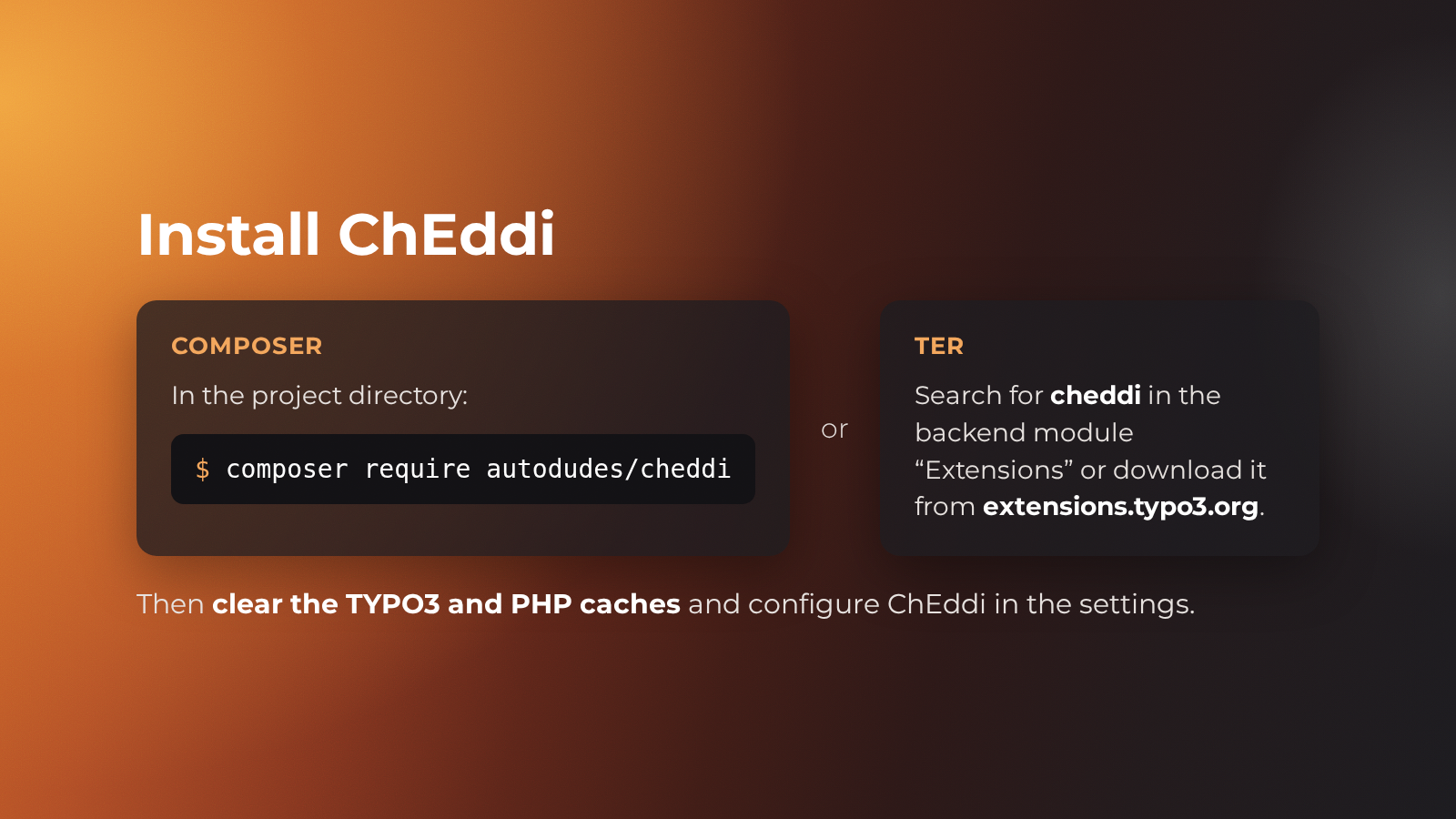
ChEddi is a separate extension and builds on AI Suite and AI Suite MCP. It is added to the project with Composer or from the TYPO3 Extension Repository. Afterwards we clear the TYPO3 and PHP caches.
Requirements
| Dependency | Version | What for |
|---|---|---|
| TYPO3 CMS | 14.3.x/13.4.x/12.4.x (at least 13.4.1 or 12.4.11) | Backend extension, supports v12, v13 and v14 in parallel |
| PHP | 8.1 or newer (PHP 8.2 from TYPO3 13) | |
autodudes/ai-suite | 14.6.1/13.18.1/12.24.1 (per major, required by AI Suite MCP 0.11) | Infrastructure, permission model, shared services |
autodudes/ai-suite-mcp | 0.11.0 to 0.11.x | Tool registry and permission checks for the tools |
typo3/cms-workspaces | 14.3.x/13.4.x/12.4.x (at least 13.4.1 or 12.4.11) | Required. The default write mode routes confirmed changes through a draft |
typo3/cms-scheduler | 14.3.x/13.4.x/12.4.x (at least 13.4.1 or 12.4.11) | Required. For cleaning up old conversations automatically |
typo3/cms-reports | 14.3.x/13.4.x/12.4.x (at least 13.4.1 or 12.4.11) | Required since version 0.3.0. For the environment report in the status report (System → Reports, TYPO3 14: Administration → Reports) |
| PDF, Word and spreadsheet libraries | Text extraction from attached documents. Bundled since version 0.3.0, so that ChEddi also runs without Composer |
Steps in the backend
- Activate the extension. It ships its own database tables, so run the database compare afterwards.
- Grant the permission. The backend groups concerned need the permission “Enable Chat Interface” (
enable_cheddi_interface). Without this permission the chat is not loaded at all, see Permissions. - Check the model permissions. Each group additionally needs the permission for at least one chat-capable model. If it is missing, the model selection stays empty and the input area shows a notice.
Then clear all caches.
-
Show larger version
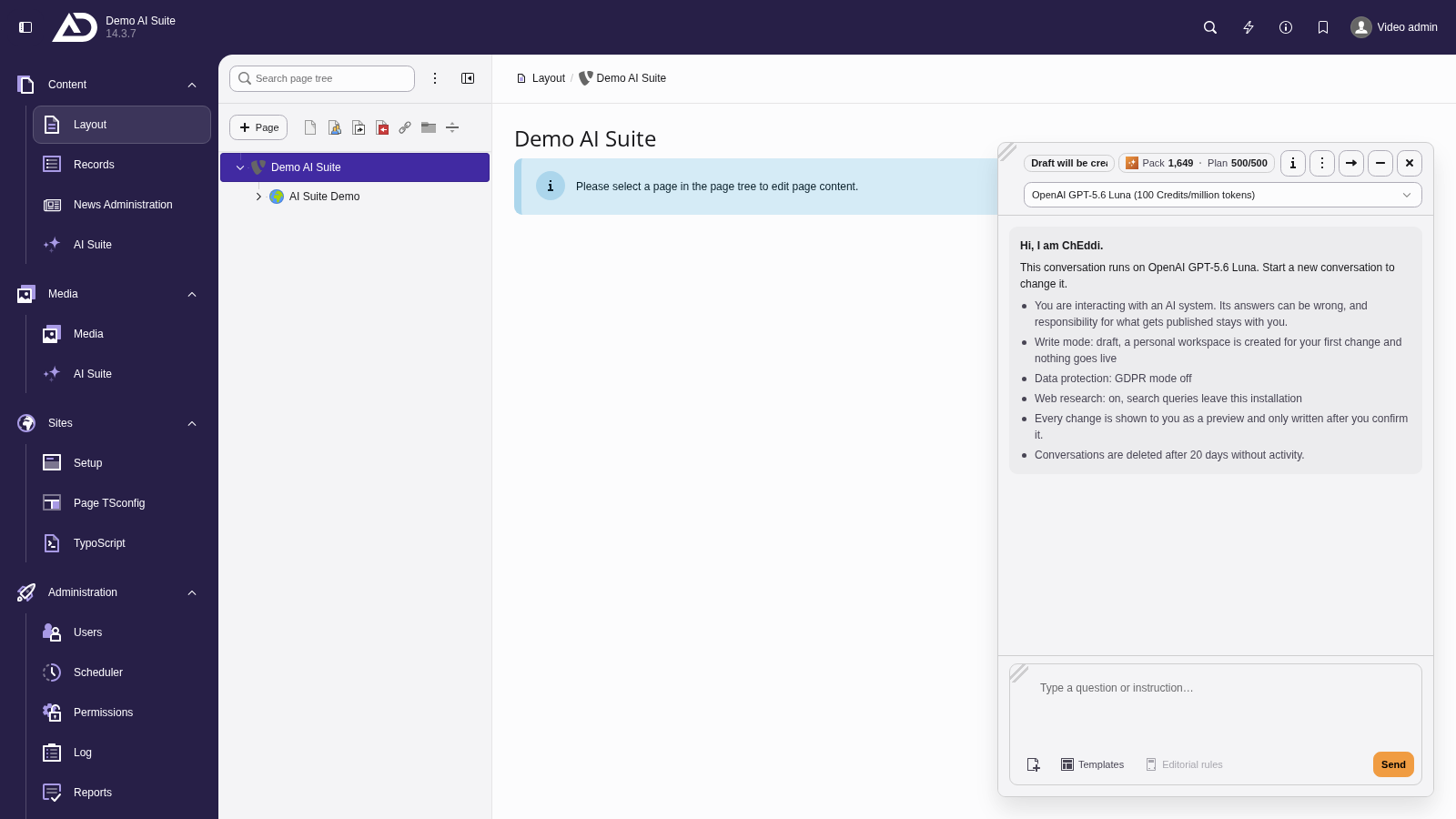
With the permission granted, at least one ChEddi model and a valid AI Suite API key, ChEddi greets us and shows the write mode, data protection and web research.
 No API key of its own
The server address and the API key are not stored in ChEddi but read from the AI Suite configuration (aiSuiteServer and aiSuiteApiKey), including the overrides per backend group.
If the API key is missing, the chat does not start a turn. The input area stays locked and shows the same notice as the backend module “AI Suite”.
-
Show larger version
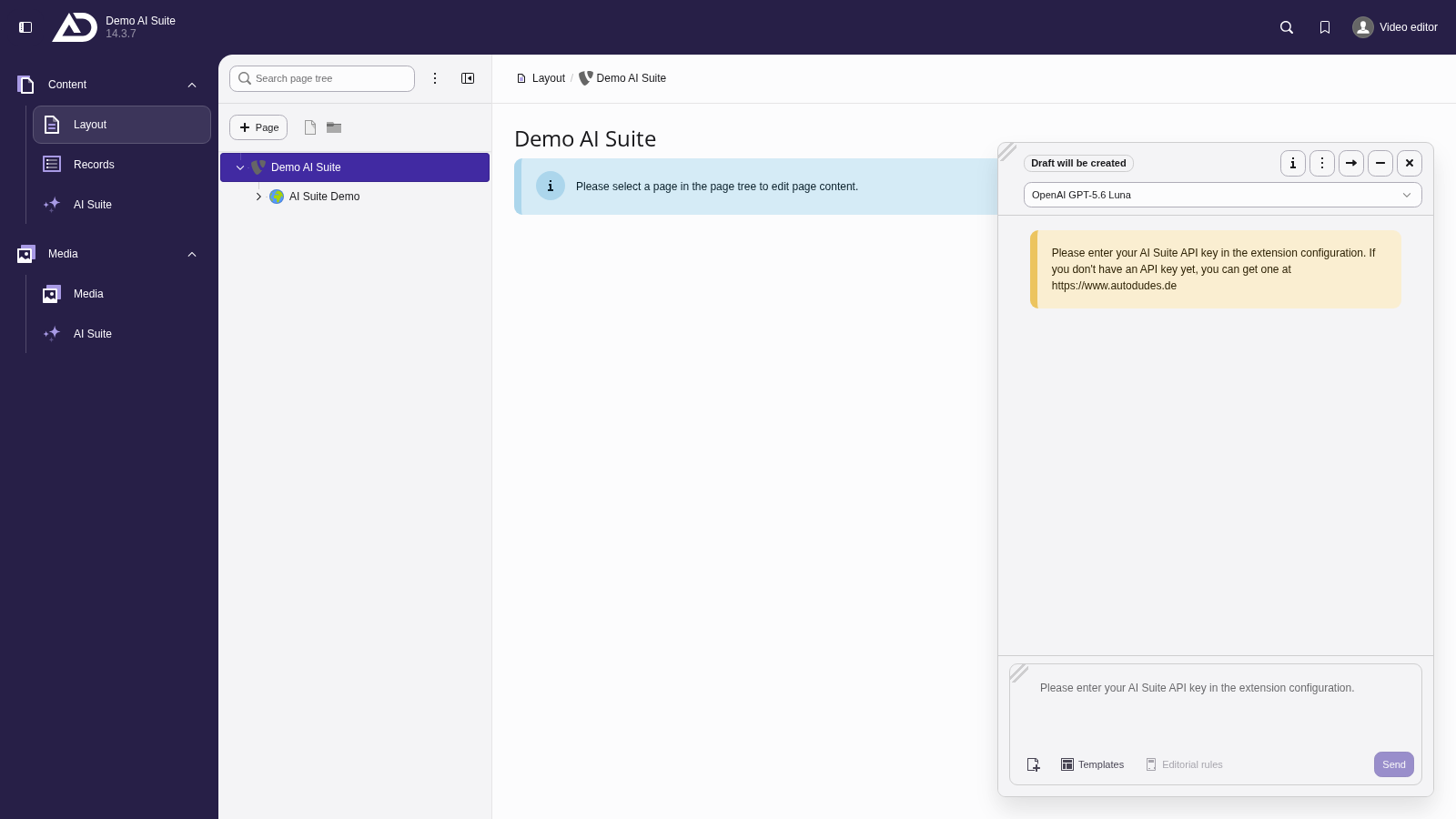
Without the AI Suite API key, the input area stays locked. ChEddi points out that the key has to be stored in the extension configuration.