Access is controlled in two stages, both of which use the existing permission system of AI Suite. You can find the permissions in the backend group under Access Rights, see also Permission management.
1. The two feature permissions
| Permission | Key | Effect |
|---|---|---|
| Enable Chat Interface | enable_cheddi_interface | Without this permission the chat is not injected into the backend page at all, and every related request is rejected. It is the main switch per group |
| Enable Web Research | enable_web_research | Unlocks web research. Without the permission the two research tools are unavailable, see Web research |
Both permissions sit in the same section as the other AI Suite permissions.
-
Show larger version
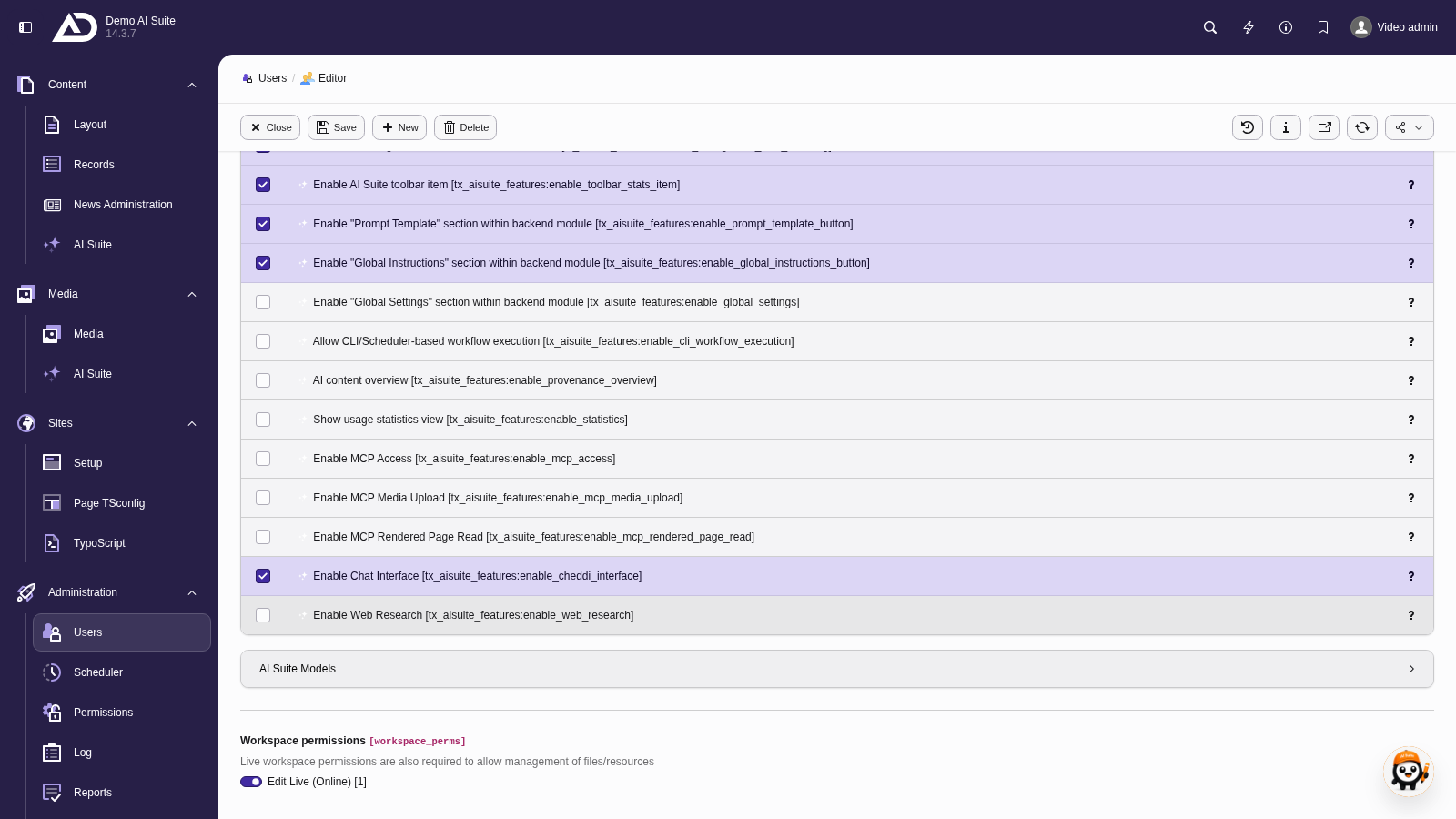
Among the AI Suite features, one permission unlocks the chat interface, a second one web research.
2. Model permissions and tool filtering
In addition, each group needs the permissions for the models it may use in the chat. The model selection in the chat lists only models the group is authorized for. The permissions are each called “ChEddi model: …”. The available models are OpenAI GPT-5.6 Luna, IONOS Qwen3.5-397B-A17B, Claude Haiku 4.5, Claude Sonnet 5 and Claude Opus 5. The permission for Claude Opus 5 was added in version 0.3.0 and has to be enabled for existing groups first. If no model is enabled at all, the selection stays empty and the chat reports: “No chat model is enabled. Please contact your administrator.”
The tool list is filtered in the same way: the model is only offered the tools the logged-in user is allowed to run. This is checked again on execution. An editor therefore cannot do anything through the chat that they would not also be allowed to do by hand in the backend.
-
Show larger version
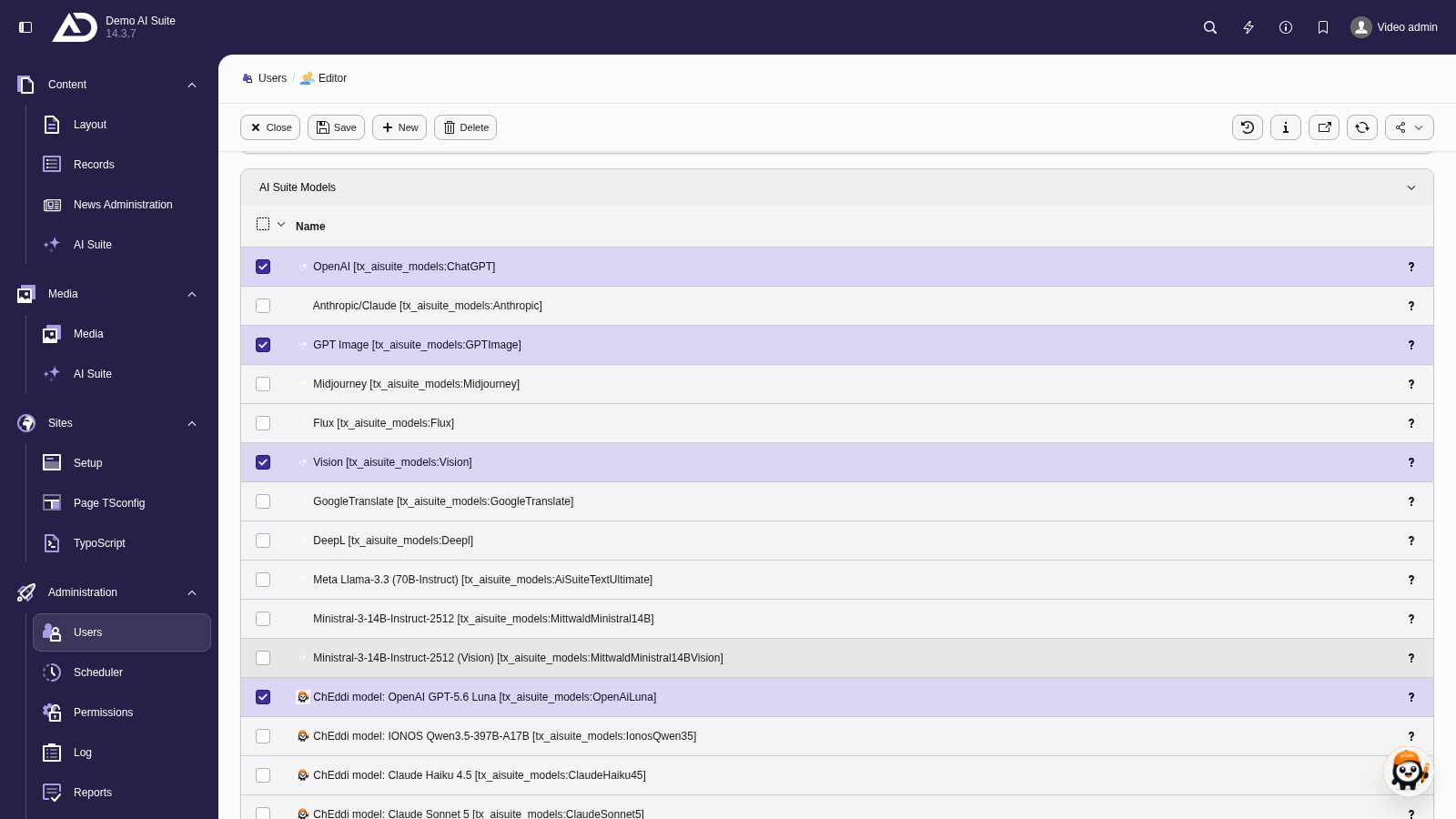
Among the AI Suite models, we set which ChEddi models the group may chat with. Without an enabled model, the model selection in the chat stays empty.
-
Show larger version
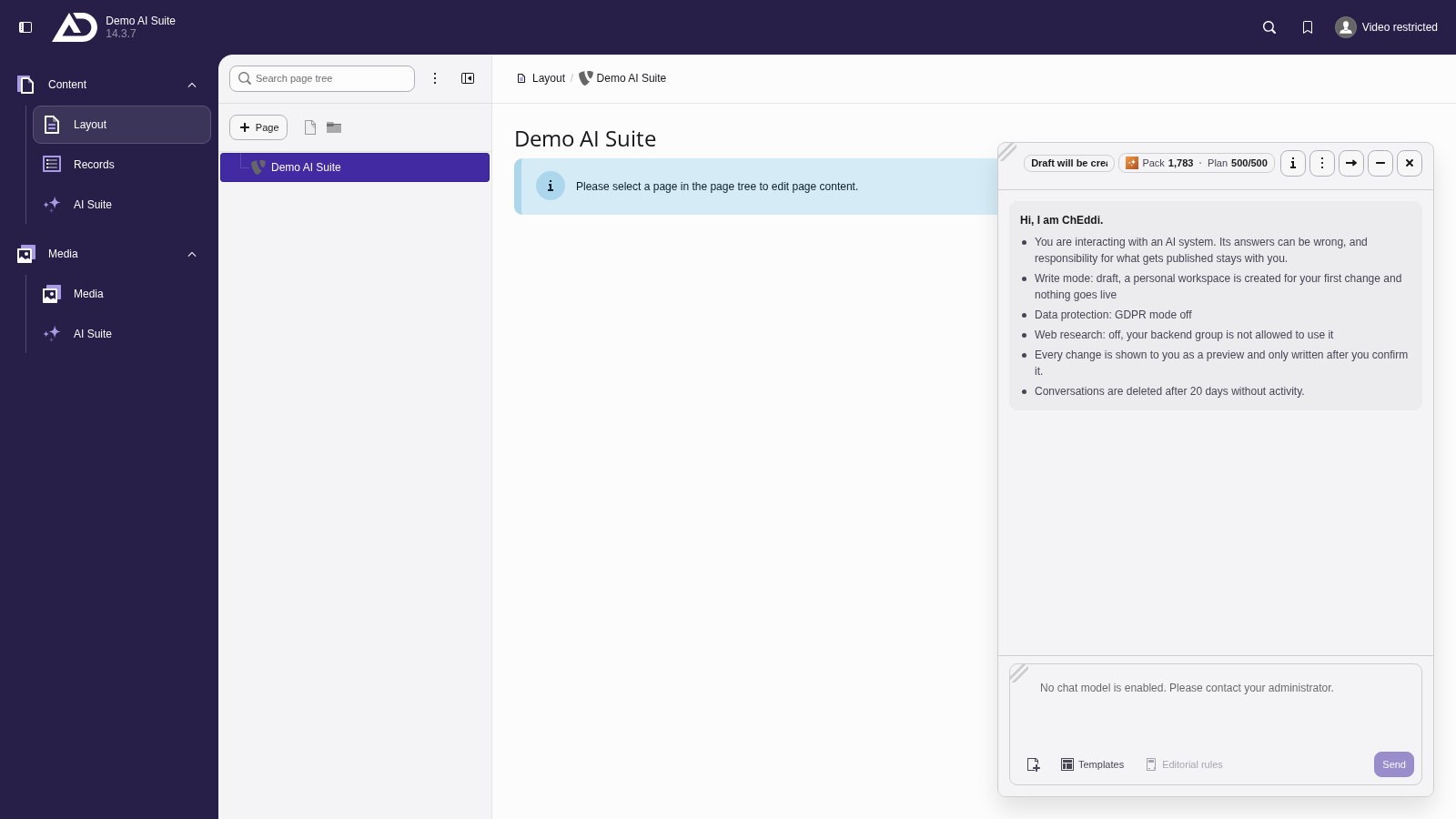
If no ChEddi model is enabled for the backend group, the input field stays locked and refers to the administration.