1. Where do I find the permissions?
You can access the permission settings for features and models as follows:
- Switch to the “Backend Users” module
- Select “Backend User Groups” from the dropdown
- Select the backend user group for which you want to adjust the permissions
- Switch to the “Access Rights” tab (for v11/v12) or “Module Permissions” (for v13)
- Scroll down to “Custom Module Options” and set the desired permissions
2. AI Suite Features
Currently, the following feature permissions can be configured:
- AI Plugin in CKEditor / RTE fields
- AI "Einfache Sprache" Plugin in CKEditor / RTE fields
- AI translation options within page content translation wizard
- AI translation options within the list module
- "Synchronize DeepL glossaries" button within list module
- Show buttons "Translate whole page with AI" within page and list module
- Buttons “Generate Image with AI”
- Tab “AI Suite Content” in NewContentElementWizard
- Button “News with AI” (only evaluated when EXT:news is active)
- Activate the section in the backend module
- Show buttons for metadata generation
- Enable WorkflowManager section within backend module
- Enable TaskEngine section within backend module
- Enable AI Suite toolbar item
- Enable Global Settings section within backend module
- Enable CLI workflow execution
- Enable background task handling
- Enable automatic translation of content elements on save
- Show usage statistics view
- Enable SEO and accessibility audits
- AI content overview (since 14.6.0/13.18.0/12.24.0, see AI Content (EU AI Act))
3. AI Suite Models
Basically, all available models can be restricted by user group. Currently, the following model permissions can be configured.
- OpenAI
- Anthropic/Claude
- GPT Image
- Midjourney
- Flux
- GoogleTranslate
- DeepL
- Vision
- Meta Llama-3.3 (70B-Instruct)
- Mittwald AI
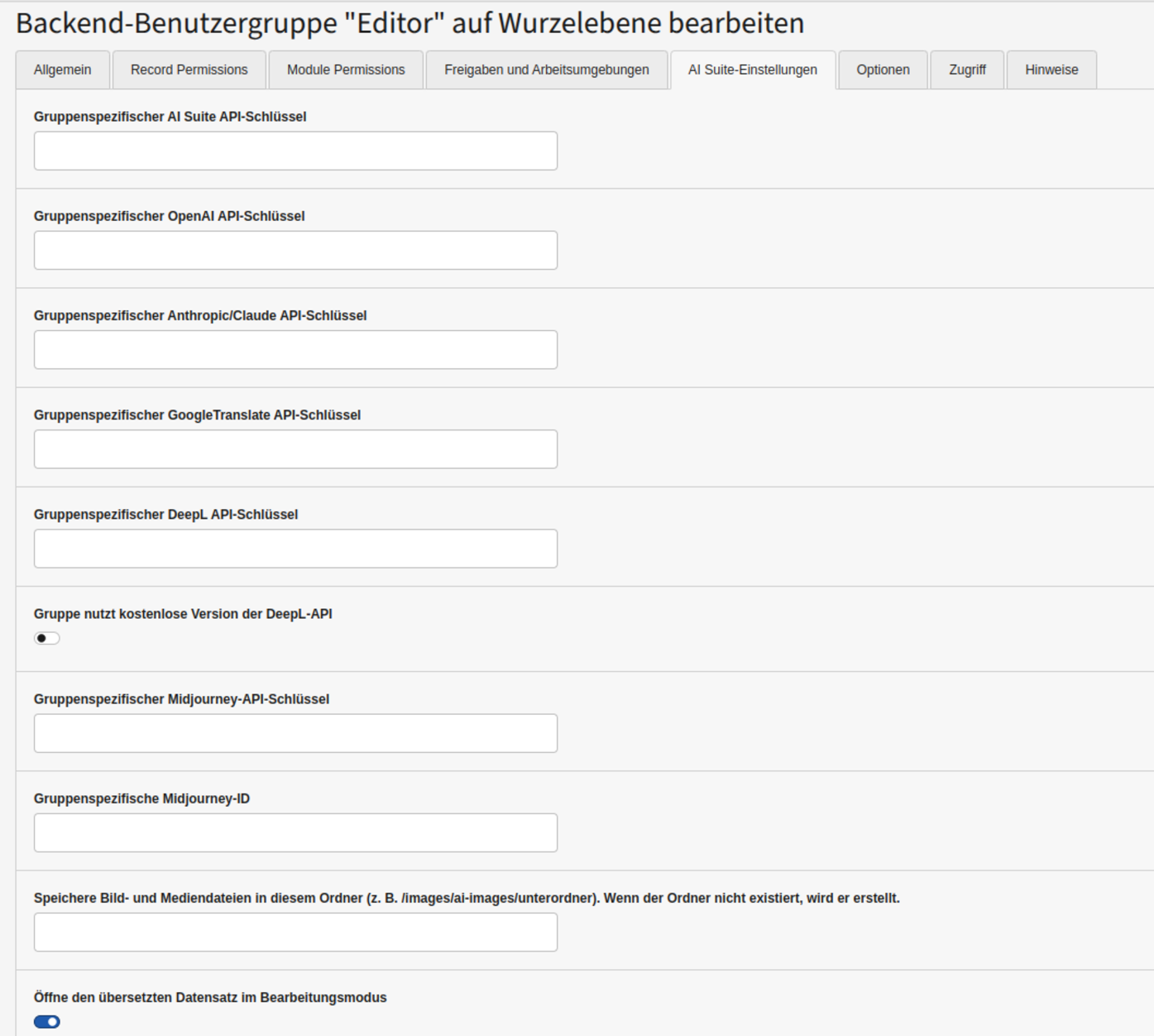
4. AI Suite Settings
Here you can set API keys and other configurations for the respective user group. Basically, all extension configurations can be overridden at the user group level. A detailed explanation can be found under “Configuration”.