Audit module
Since versions 14.5.0/13.17.0/12.23.0 the backend module “AI Suite” has an area of its own for audits, headed “SEO & accessibility audit”. What gets checked is always a publicly reachable page URL, either a page from the page tree or a freely entered external URL. The analysis itself runs through the AutoDudes audit infrastructure. The audits are not available with “Bring your own keys” (see Packages/Licenses).
Where can I find the function?
There are two ways:
- Through the backend module: open the backend module “AI Suite” (section “Web”) and switch to the audit area. Since versions 14.6.0/13.18.0/12.24.0, the card “Audit” in the dashboard of the backend module also takes you there.
- Through the context menu: select the page you want in the page tree, open the context menu with a right-click, choose “AI Suite” and there “Audit page (SEO / accessibility)”.
Permission
The area is only shown if the backend user group holds the permission “Enable SEO and accessibility audits” (enable_audit), see Permission management.
-
Show larger version
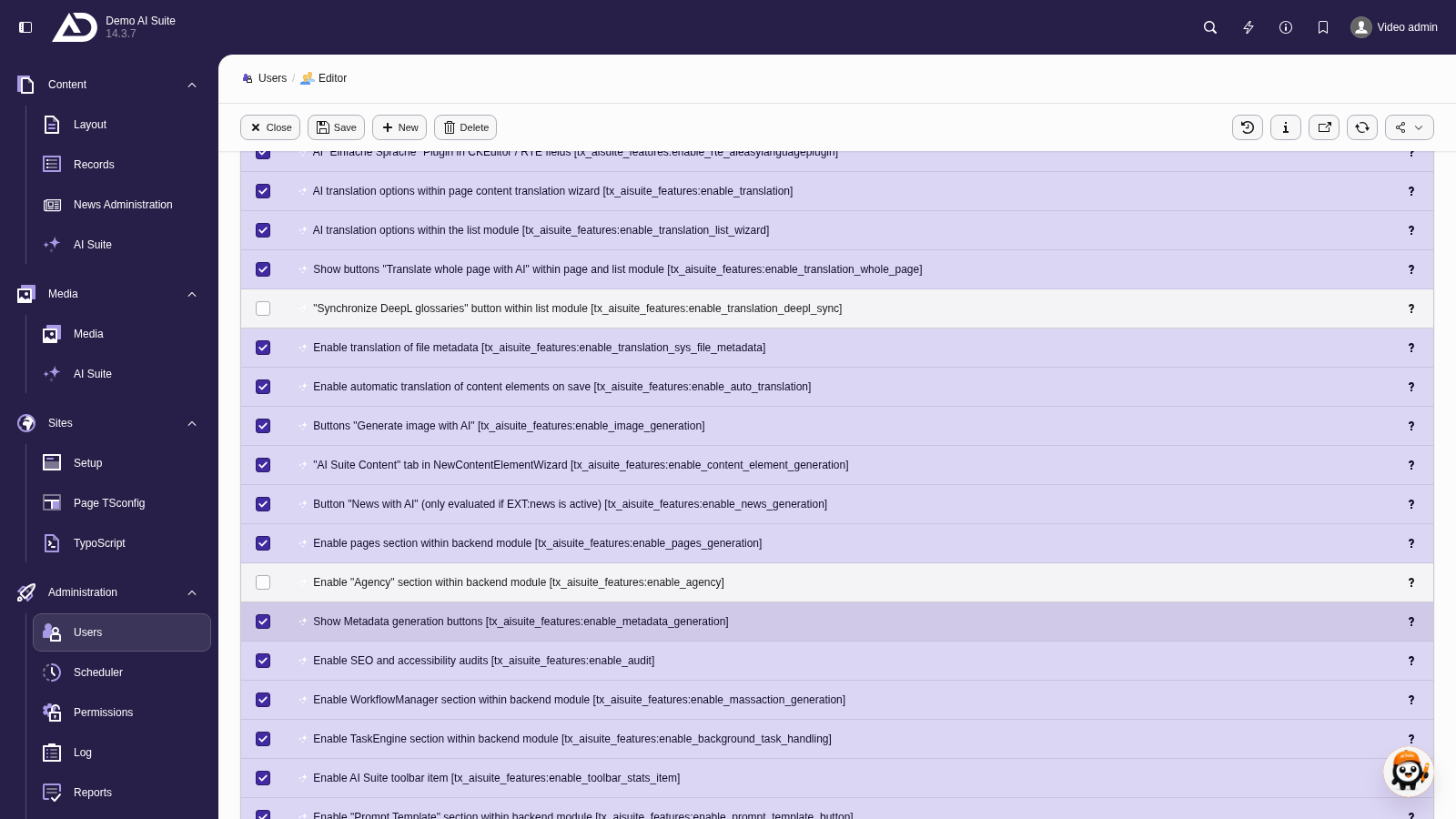
The permission “Enable SEO and accessibility audits” unlocks the area.
Extension settings
Since versions 14.6.2/13.18.2/12.24.2, the extension settings of the AI Suite have a tab of their own, “Audits”, with two options (in 14.5.0 to 14.6.1 they were located in the “General” tab):
- WCAG standard (auditWcagStandard): WCAG 2 Level A, Level AA and Level AAA are available. Level AA is preset. The value controls the HTML_CodeSniffer run. The axe run used in addition checks against its own rule set and is independent of it.
- Default text model for audits (auditDefaultTextModel): a model identifier, for example Anthropic. If a model is set here, the model selection in the audit form is skipped. If the field stays empty, editors choose per run themselves.
Since versions 14.5.0/13.17.0/12.23.0 there is also the setting System domain (aiSuiteSystemDomain) in the “License & server” tab. It holds the domain this installation is licensed for and is needed for CLI and cron runs, where no HTTP host is available. If it is set, one license applies to all sites of a multi-site setup. If you leave the field empty, the domain is derived from the backend host or the site configuration.
You can find the extension settings here.
-
Show larger version
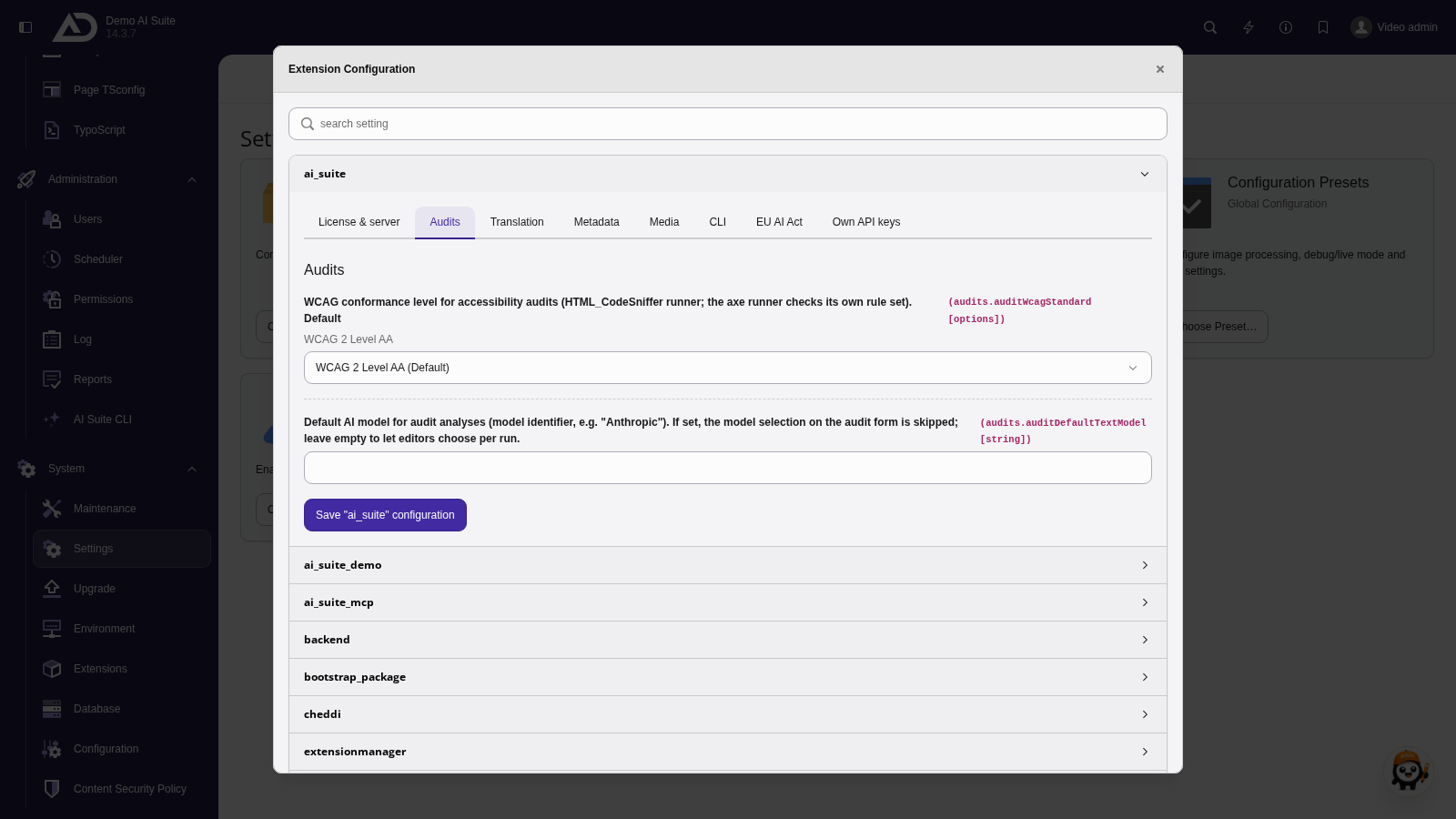
In the “Audits” tab of the extension configuration, we set the WCAG standard and the default text model for audits.
-
Show larger version
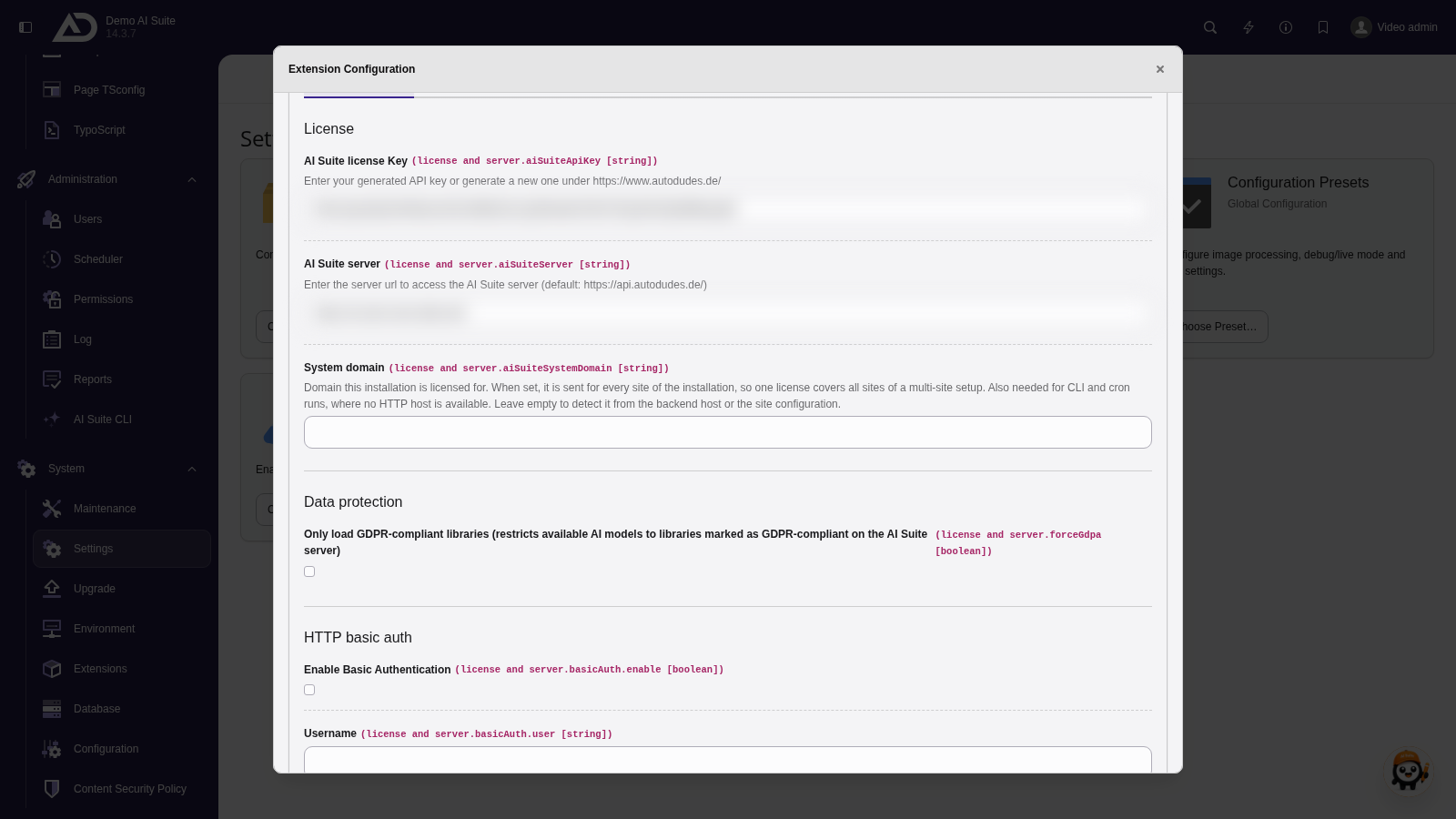
In the “License & server” tab, the licensed domain is in the “System domain” field. It is needed mainly for CLI and cron runs.
Storage of the results
Audit results are stored in the table tx_aisuite_audit_result, each with page, language, audit type, focus keyword used and timestamp. If you open a page that has already been checked, the stored result is shown with the note “Cached result from” and the date, instead of starting a new run. Results are kept separately per language.
Credit consumption
Audits consume credits from your AI Suite allowance. When auditing a whole page tree, the AI Suite calculates the expected credits before the start and shows the number of pages, the price per page and the total, currently 3 credits per page for SEO and for accessibility. If the balance is not enough for all pages, the AI Suite offers to check only part of them. Individual extra actions are labelled on the button, for instance “Determine keyword candidates (2 credits)” or “Generate answers as copyable text (1 credit)”. The consumption then also shows up in the statistics.
-
Show larger version
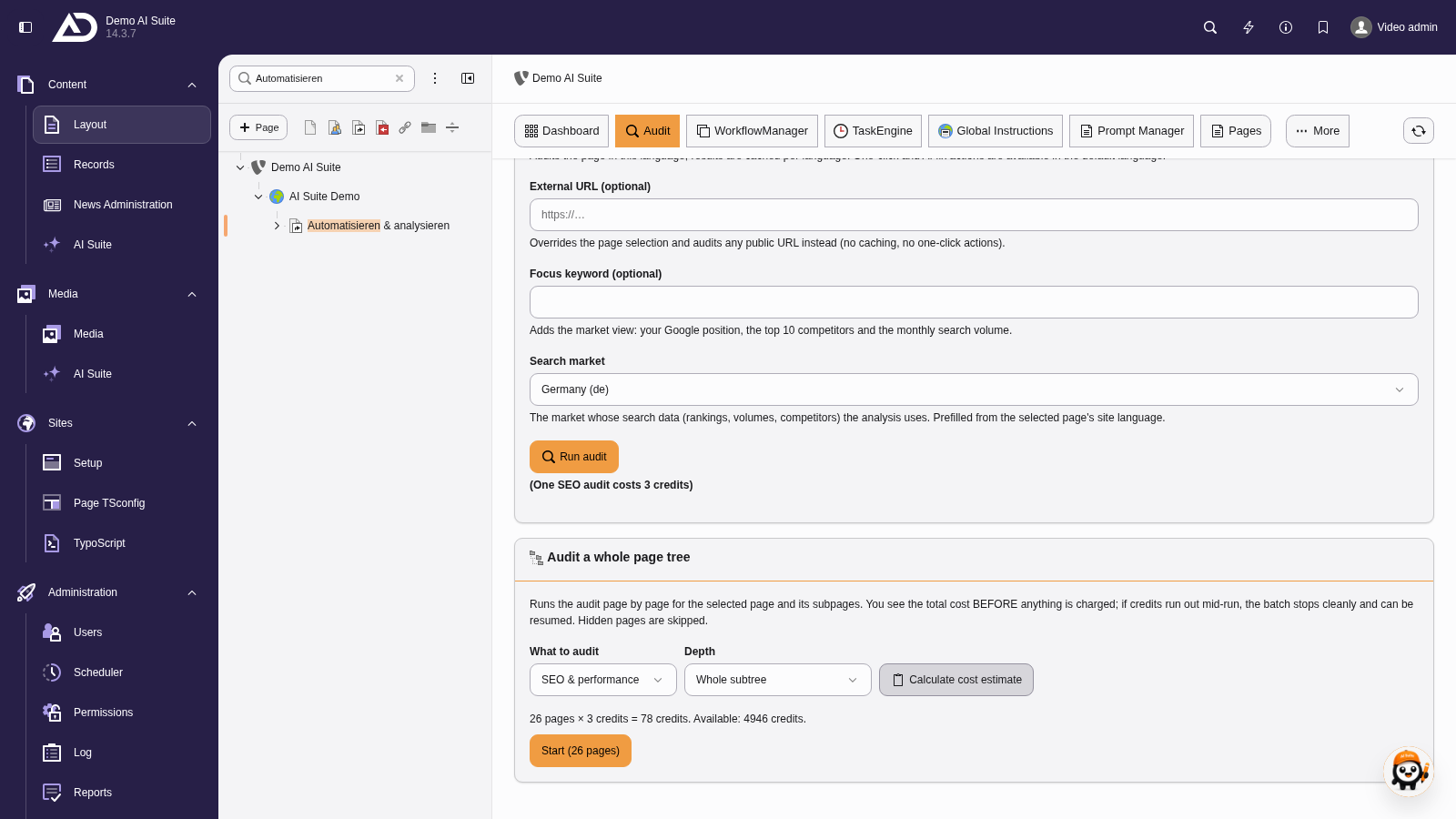
For an audit of the whole page tree, “Calculate cost estimate” shows in advance how many credits it costs.
 Data leaves the TYPO3 instance
For an audit, the page URL and the page content are handed over to the AutoDudes audit infrastructure. With the SEO analyses, search market data from external providers is added. This is also stated in the description of the permission enable_audit. Keep it in mind for internal or not yet published pages.