ChEddi comes with twelve settings of its own. They are located in the extension configuration under Admin Tools → Settings (TYPO3 14: System → Settings) at cheddi and are grouped into five categories. Version 0.3.0 removed the two content search settings.
The server address and the API key are deliberately not among them, they come from the AI Suite configuration. Unlike those, the ChEddi settings have no overrides per backend group.
Inheritance: Inherit and stricter values
Four settings are set to “Inherit” out of the box. Each has a counterpart in AI Suite MCP or in AI Suite and then behaves exactly like it. This way ChEddi is consistent with the rest of the installation right away, without a single setting.
For the table list, raw HTML and GDPR mode, a fixed rule applies: A value you set may only be stricter than the source, never more permissive. Specifically:
- The table list
chatExcludedTablesis added to the MCP list and never shortens it. chatAllowRawHtmlWrite = Yescannot permit what MCP forbids.chatForceGdpa = Nodoes not take the chat out of an installation-wide GDPR requirement.
The write mode and the verbose log, on the other hand, can be set to a different value freely.
The idea behind it: the chat sits closer to the editor than an external MCP client. It should not be possible to be allowed more through the more convenient route than through the technical one.
 Breaking change in 0.3.0
Version 0.3.0 removes chatSearchAdditionalTables and chatExcludeAdditionalTablesFromSearch, existing values are ignored. The reason is that AI Suite MCP resolves the searchable tables from the TCA itself since version 0.9.0. If you had taken tables out of the search with the second setting, they are searched again now. Add them to chatExcludedTables if they should stay out. Clear all caches after the update.
All settings at a glance
Chat
Model selection, data protection and the lifetime of conversations.
- GDPR compliant mode (chatForceGdpa)
-
Restricts the model selection to the GDPR-compliant ChEddi models, currently IONOS Qwen3.5. Web research then runs only through an EU search provider of the AI Suite server and stays off if there is none or if it does not serve the language region of the website, see Web research. “Inherit” follows the AI Suite setting
forceGdpa. If that is set to “Yes”, the chat stays restricted even with “No” here.Default:
Inherit from AI Suite - Session lifetime (days) (chatSessionLifetimeDays)
-
Days a conversation remains without activity before the clean-up run marks it as deleted. Seven days later it is removed for good, together with its messages, its change log and its attachments. An attachment is kept if it was moved out of the folder “cheddi” or is used elsewhere. See Operation.
Default:
20
Writes
Where confirmed changes are written.
- Write mode (chatWriteMode)
-
Where confirmed changes are written. “Draft workspace” puts them in a draft, created automatically if needed, which requires
ext:workspaces. “Live” writes straight to the live site. “Inherit” followsmcpWriteMode. Set the value explicitly if the editorial chat should behave differently from headless MCP usage. See Draft or live.Default:
Inherit from MCP - Allow raw HTML write (chatAllowRawHtmlWrite)
-
Whether ChEddi may store raw markup verbatim in code editor fields, for instance in a content element of type “HTML”, which TYPO3 renders unfiltered. “Inherit” follows
mcpAllowRawHtmlWrite. Here too: only stricter, never more permissive. If MCP is set to “No”, a write from the chat stays rejected as well. A rejected write stores nothing, so the existing value survives.Default:
Inherit from MCP
Tools & tables
Which tools and tables ChEddi may see at all. Both lists add to existing blocks and never shorten them: the tool list adds to the built-in block list, the table list to the list from AI Suite MCP. TYPO3 backend permissions apply in addition.
- Excluded tools (chatExcludedTools)
-
Tool names ChEddi must never offer, on top of a built-in block list. That list already covers bulk runs, media upload, workspace diff and server diagnostics, things a backend module exists for.
The list is applied identically on every turn. That is deliberate: a catalogue that changes from turn to turn destroys the provider's cache for the prompt prefix and was measured to cost more than it saves.
Default:
empty - Excluded tables (chatExcludedTables)
-
Tables ChEddi must never read or write, on top of the MCP list. Empty means exactly the MCP list. The exclusion also applies to administrators.
Default:
empty - Additional searchable tables (chatSearchAdditionalTables)
-
Removed in version 0.3.0, existing values are ignored.
Since version 0.9.0 the MCP server resolves the tables the full-text search sweeps from the TCA itself. Standalone record tables such as the news of EXT:news are therefore included automatically.
Default:
n/a - Exclude auto-detected tables from search (chatExcludeAdditionalTablesFromSearch)
-
Removed in version 0.3.0, existing values are ignored.
A table you had taken out of the search here is searched again since then. If it should stay out, add it under “Excluded tables” (
chatExcludedTables). Note that this also blocks it for reading and writing.Default:
n/a
Web research
Settings for web research. They only take effect once the backend group holds the permission enable_web_research, see Web research.
- Trusted sources (chatWebResearchAllowedDomains)
-
Domains web research is restricted to. Empty, the default, searches the open web and is the recommendation.
This is a hard filter, not a ranking preference: a question whose answer lives on none of the domains returns no sources at all, and an assistant without sources falls back on what it remembers. Use the list only where a subject really is confined to known sources, keep it short and review it regularly. A forgotten list narrows every search from then on. At most ten domains are sent.
Default:
empty - Excluded sources (chatWebResearchBlockedDomains)
-
Domains web research never returns. The safer instrument for most installations. Ignored while a trusted-source list is set, because both providers accept only one of the two lists. At most ten domains are sent.
Default:
empty - Country override (chatWebResearchCountry)
-
Two-letter ISO country code the results are localised for. Empty takes the region of the site's default language, which is right for almost every installation. Set it if the editorial team writes for a different market than the website itself.
Default:
empty - Searches per turn (chatWebResearchMaxSearches)
-
How many searches a single turn may run. 0 leaves the decision to the server. A higher value buys depth on comparison questions and costs a flat fee per search, a lower one caps a runaway research turn.
Logging
Logging of the chat.
- Verbose INFO log (chatLogVerbose)
-
Writes the verbose trace to
var/log/cheddi.log: chosen model, offered and called tools, charged credits. “Inherit” followsmcpLogVerbose. The warning log atvar/log/cheddi_warnings.logruns independently either way. Switch it off in production once monitoring is mature. That reduces write load and the amount of personal data in the log.Default:
Inherit from MCP - Log redaction patterns (chatLogRedactionPatterns)
-
Additional regular expressions whose matches are replaced with
[REDACTED]in the log. Bearer tokens, 64-character hex hashes and email addresses are built in already, as are the patterns from the MCP configuration. Yours are added on top.Default:
empty
-
Show larger version
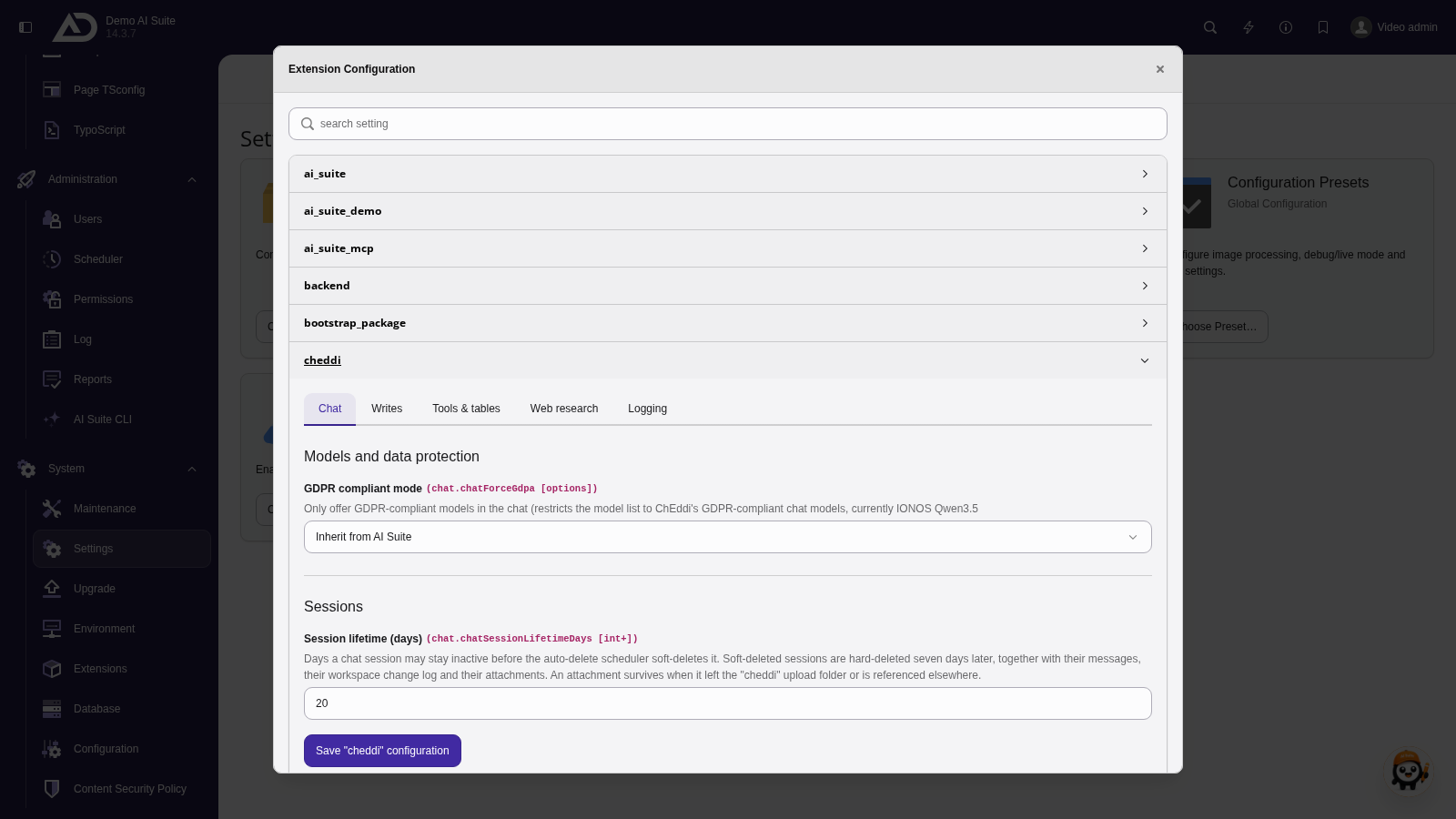
We configure ChEddi under Admin Tools → Settings (TYPO3 14: System → Settings) in the extension configuration of cheddi. The settings are sorted into five categories. The Chat tab contains the GDPR mode and the lifetime of conversations. If the GDPR mode is set to Inherit, the AI Suite setting applies.
-
Show larger version
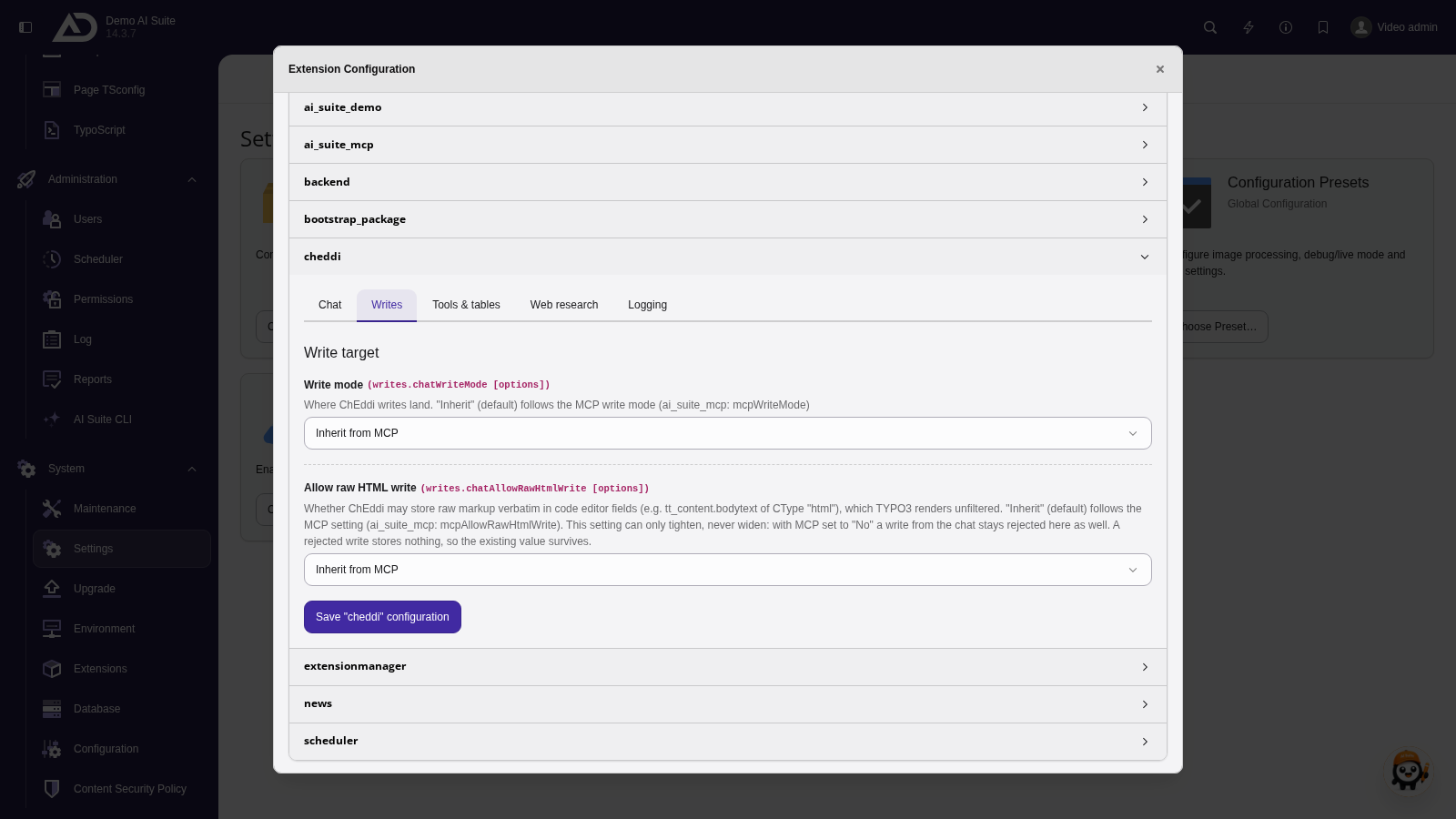
Under Writes we decide whether ChEddi writes to a draft or live. If a value is set to Inherit, the AI Suite MCP setting applies.