Where confirmed changes go is set by your administrator in the extension configuration. The top of the chat always shows what applies: “Live” or “Workspace” with the name of your draft workspace (as long as there is none yet: “Draft will be created”). It is repeated before every confirmation.
| Mode | What it means |
|---|---|
| Draft | Changes land in a workspace and stay invisible to visitors until you publish them. This is the default setting |
| Live | Every confirmed change is immediately visible on the website |
If there is no draft workspace yet, ChEddi automatically creates a personal one with the first confirmed change. The chat points this out beforehand as well.
-
Show larger version
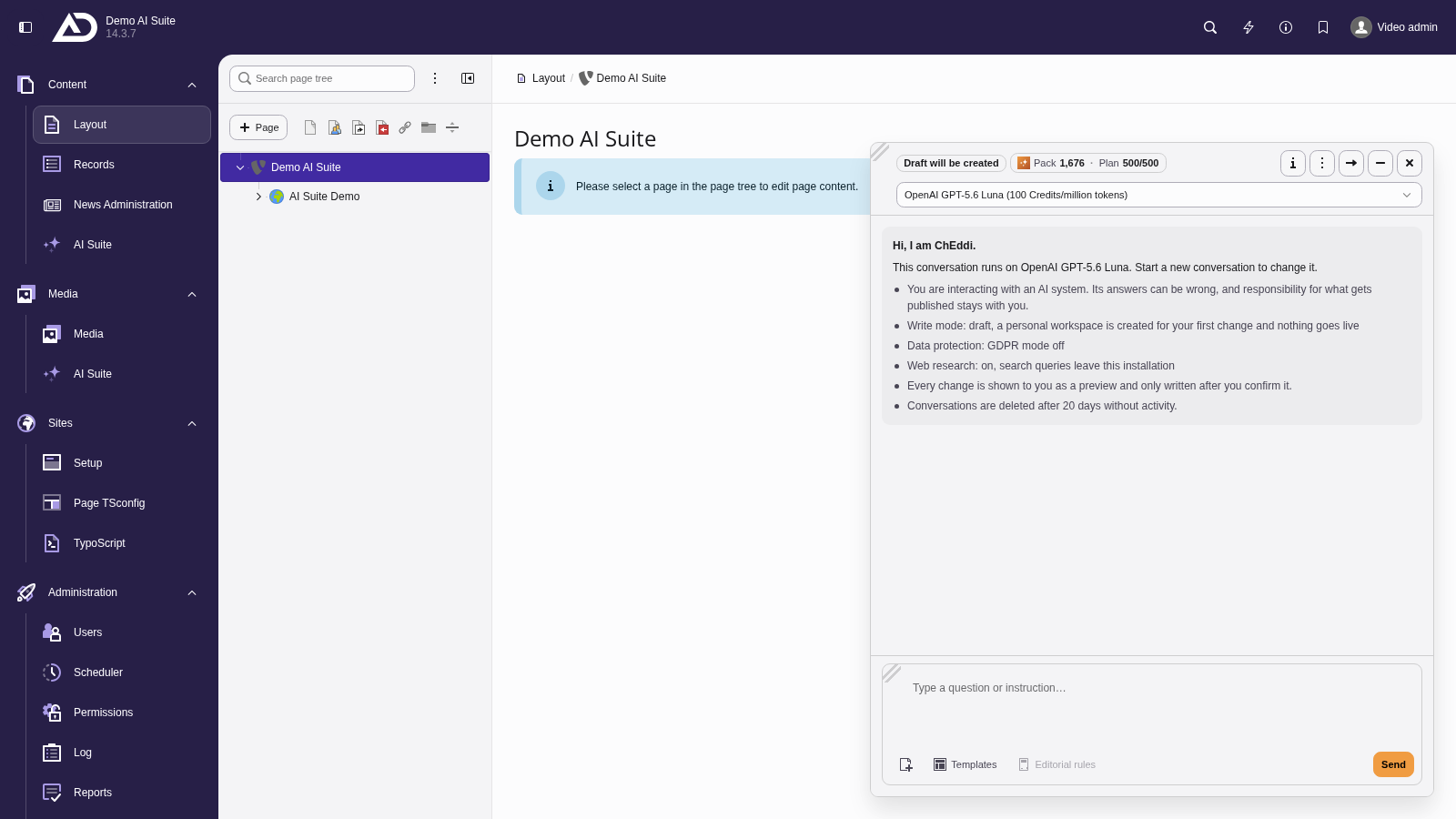
The top of the chat shows where confirmed changes go. In the draft write mode, they land in a workspace. If there is none yet, ChEddi creates a personal one with the first change.
-
Show larger version
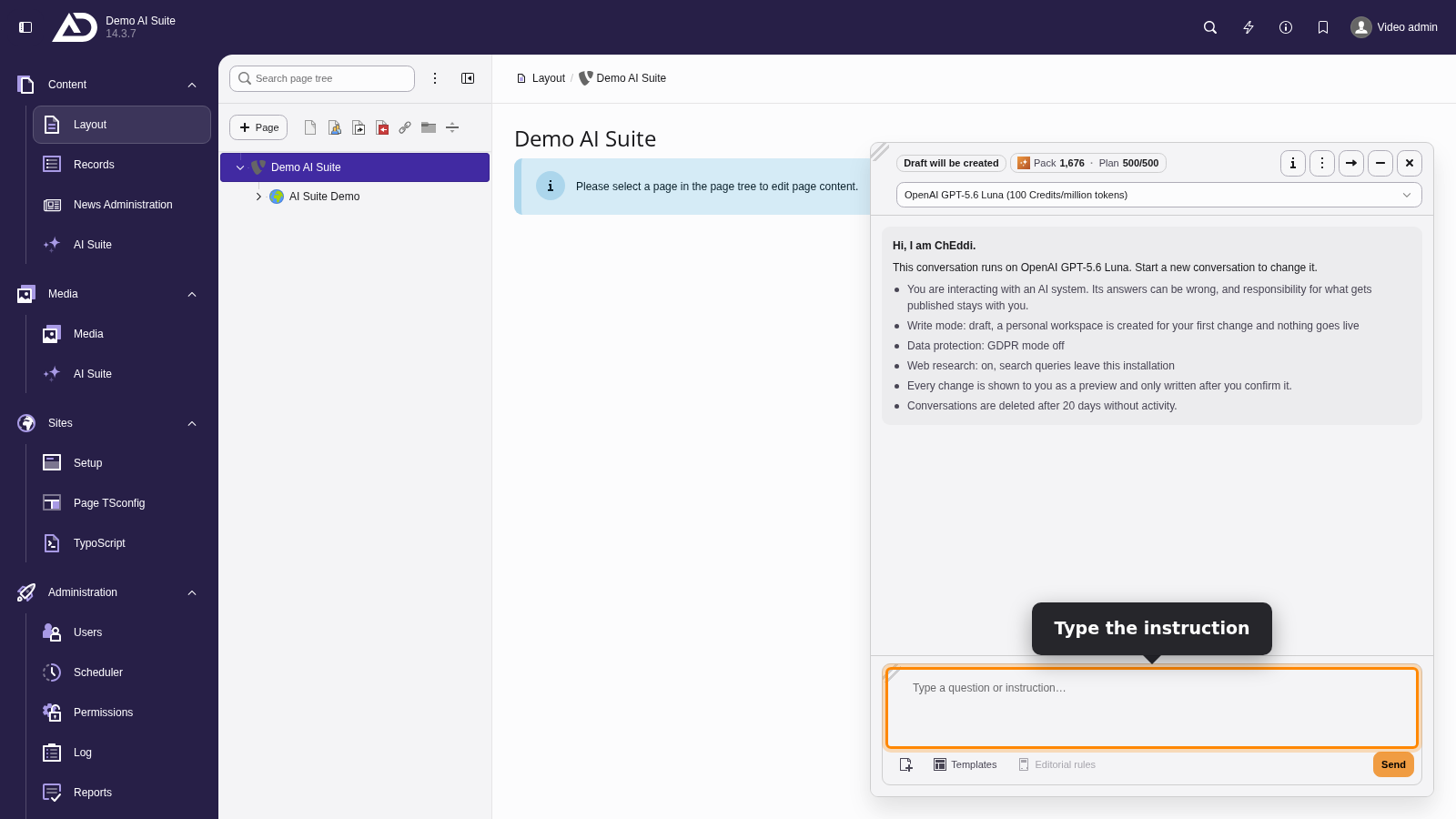
We type the instruction. ChEddi is about to change the meta description of the page ChEddi. After the first confirmed change, the name of the workspace is shown at the top.
-
Show larger version
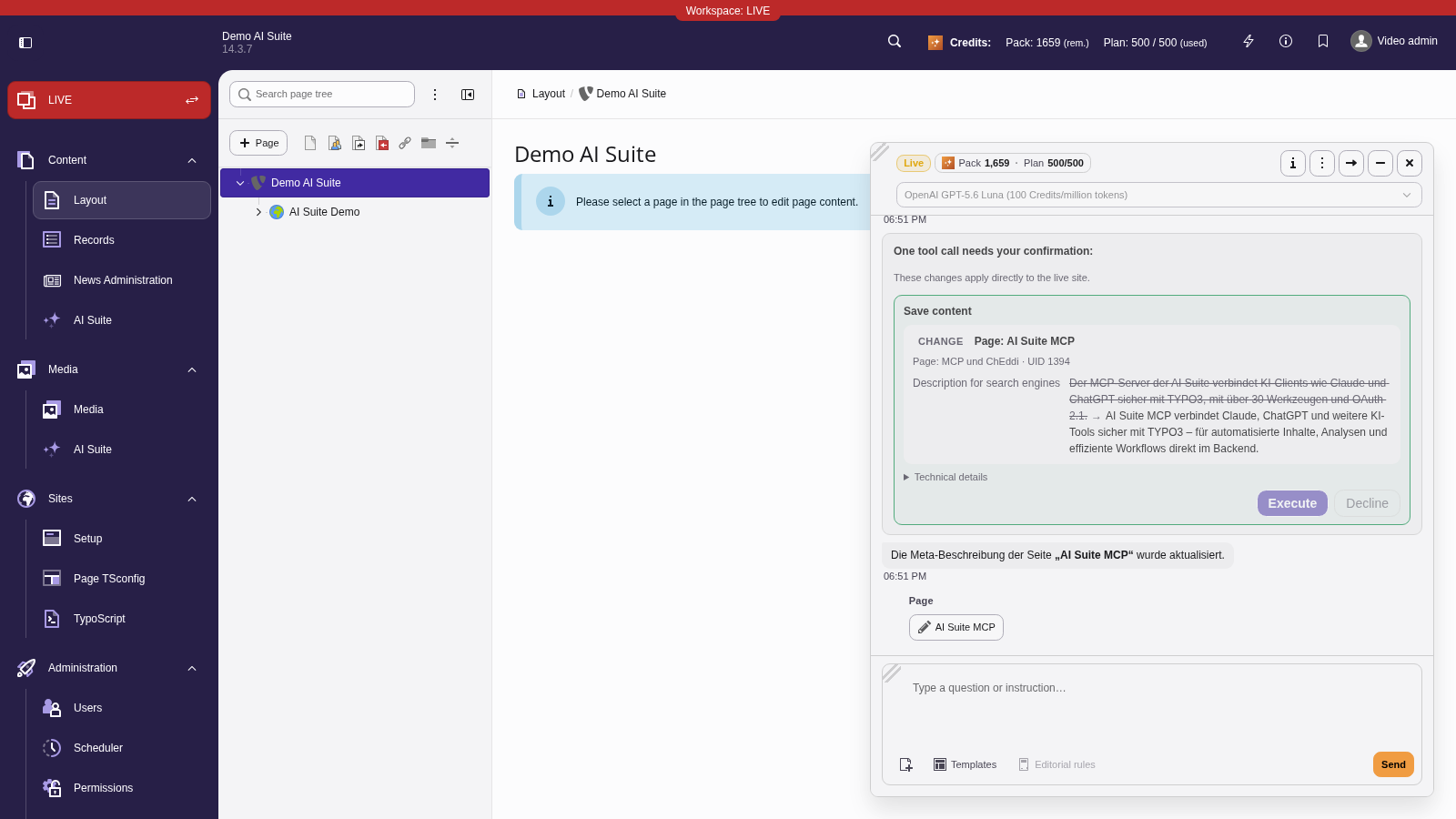
If the write mode is set to Live, the chat shows “Live” at the top. Before the confirmation, the card says that the change applies directly to the live site.
Publishing or discarding changes
Drafts are collected per conversation. Via the actions menu you get to the changes of this conversation and see exactly the records this conversation has touched.
For each record, “Publish” and “Discard” are available, for all of them together “Publish all” and “Discard all”. “Open in the Workspaces module” takes you to the Workspaces module. Discarding removes the change from the draft and cannot be undone, so the chat asks for confirmation.
-
Show larger version
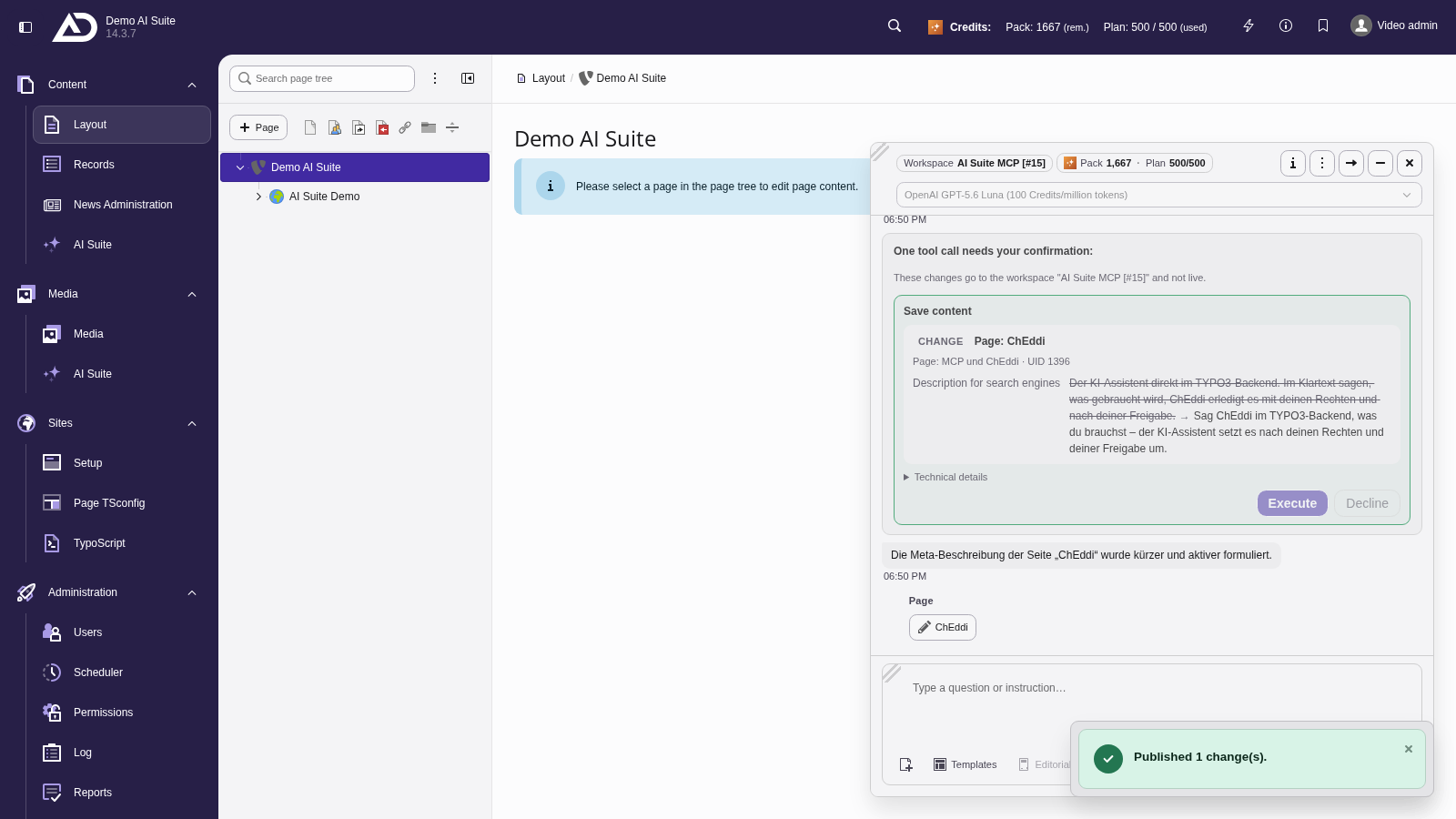
The confirmed meta description is in the workspace. We published it via “Changes of this conversation”, and the notice at the bottom reports “Published 1 change(s).”
 Where the draft does not apply
Reversibility comes from the draft, not from the chat. Two things follow from that:
- In live mode, a confirmed change takes effect immediately, so there is nothing to discard.
- Even in draft mode, the tool for generating images always saves its file directly. The same applies to attachments you upload to the chat: they are in the file list right away. ChEddi does not offer a tool for uploading media.
The second point is not a peculiarity of ChEddi but normal TYPO3 behaviour: workspaces version records, not the files themselves. A generated or attached file therefore exists in the file system immediately, regardless of the workspace. Only its link to a record is versioned, for example the image on a content element.
The practical consequence: if you discard a change, the link disappears, but the file stays in the file list and has to be removed there by hand if needed.