The chat sits in an expandable area that overlays the current backend view. You open it with the floating button that is available on every backend page. The width can be dragged, and both the size and the open or closed state are remembered per browser.
Since version 0.3.0, the chat can be docked to the right edge with the “Dock to the right” button in the chat header. The backend then frees up exactly that width, so the opened record and the conversation are visible side by side, instead of the chat covering what it has just opened. With “Detach from the edge”, on closing or in a narrow browser window, the backend gets the width back automatically. If you click into the backend next to the chat, it collapses. When docked, it stays open.
At the top left you see where changes go, next to it your credit balance, below it the model selection. In a new conversation, a welcome card sums up how ChEddi works. Since version 0.3.0, it first tells you that you are talking to an AI system whose answers can be wrong, and that responsibility for what gets published stays with you. This is what Art. 50(1) of the EU AI Act requires. On the right you find the info button “How ChEddi works here”, which opens the help window, and the actions menu with “New conversation”, “Conversations” and “Changes of this conversation”. Since version 0.3.0, the help window is organised in topic cards, for example on how a request is processed, on data protection, models and credits, or on attachments. Each card opens a detail view, and you move between topics with Next and Previous.
-
Show larger version
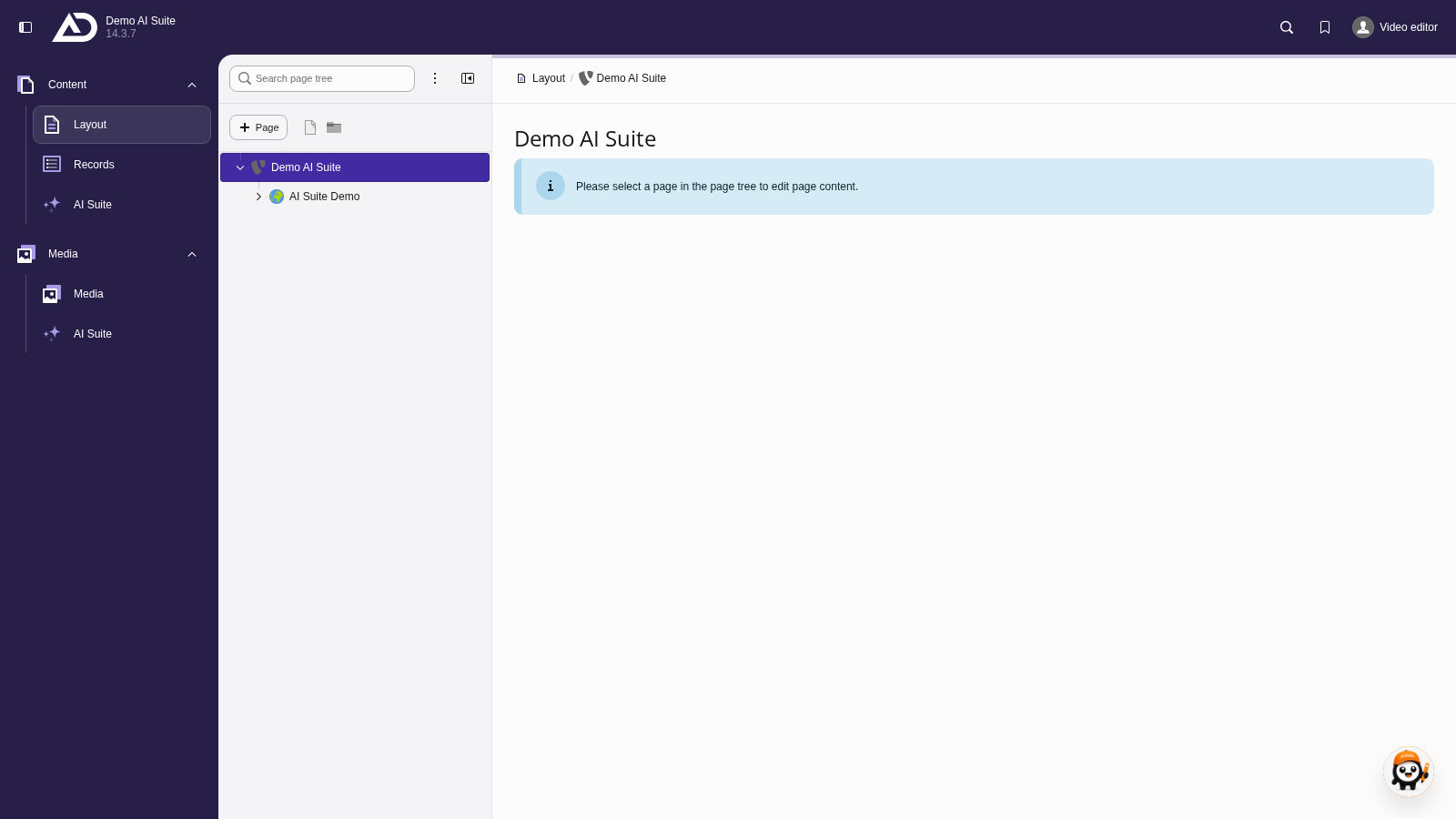
On every backend page, the button “Open ChEddi” sits at the bottom right. A click opens the chat over the current view.
-
Show larger version
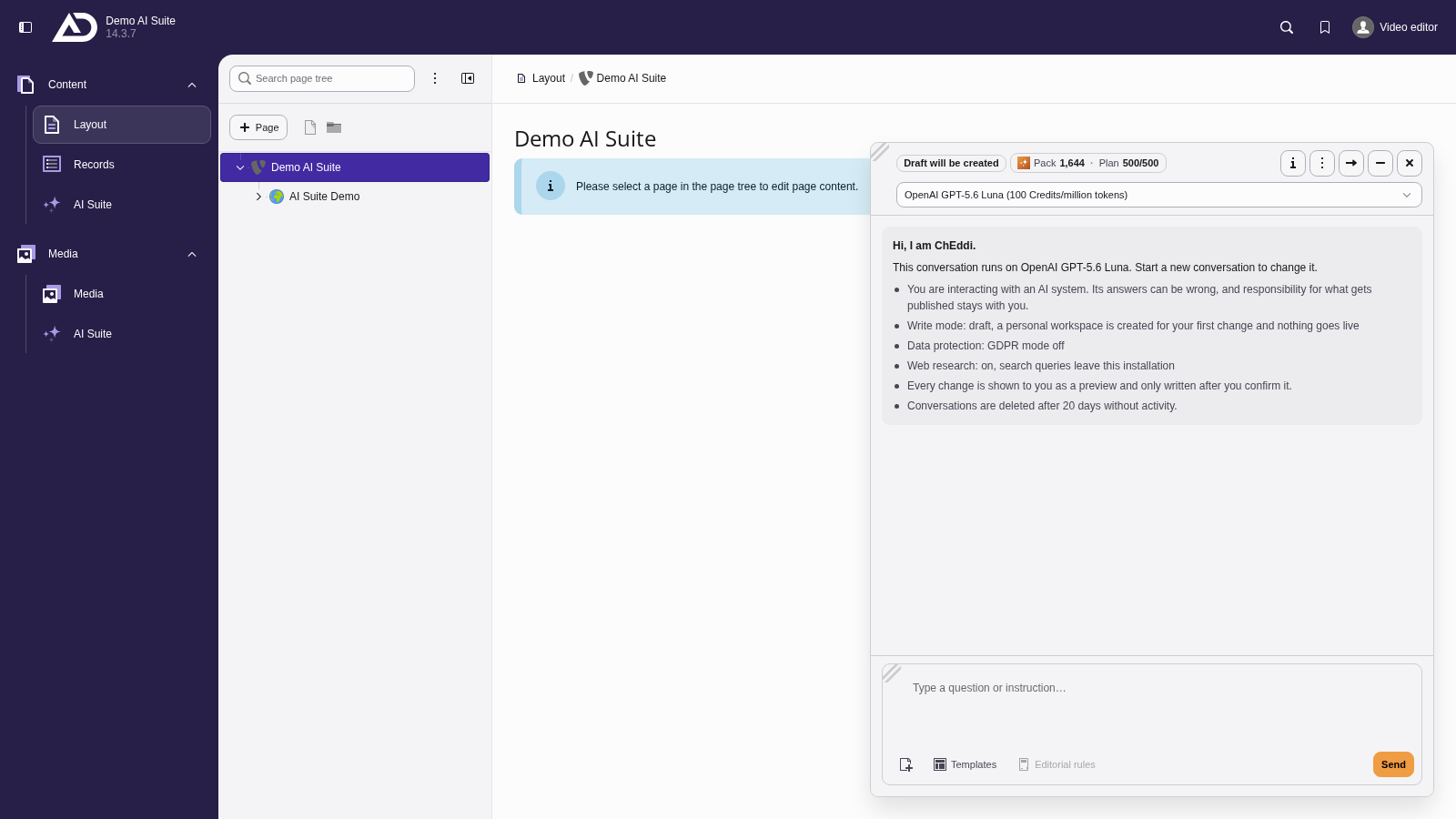
Top left shows where changes go: as a draft into a workspace. Next to it the credit balance, the conversations sit in the actions menu. Below we choose the model, and the notices sum up how ChEddi works.
2. Tell it which page you mean
ChEddi does not see your screen. Phrases like “this page” or “here” therefore do not reliably identify what you mean. Better name the page by its title or its slug. If the name matches several pages, ChEddi asks.
If you have a record open, the chat passes the corresponding table and the UID along with your message and reads the record in at the start of the task. In that case it knows what you are looking at. Do not rely on it, though: when in doubt, name the target.
3. One goal per message
Several independent instructions at once make the result harder to follow and the confirmation harder to keep track of.
Some bulk runs are better covered by the backend module “AI Suite” itself, for example metadata or translations for a whole page tree, as well as the audits, which can be run there across an entire subtree.
If ChEddi claims that it has no tools available, a new conversation usually helps.
4. What appears below the answer
Below its answer, ChEddi attaches what you need next:
- Links to records. What a request has written is listed under the name of the table, for example “Page Content”. If it did not change anything, the hits are listed under “Found:”. Each entry opens the record in the backend, and with many hits “+ more” sums up the rest. Clicking a link closes the chat, so the opened record is not covered. If the chat is docked to the right, it stays open and the record opens next to it.
- Audit results. After an audit, “Open audit result” takes you to the result view of AI Suite, provided you are allowed to open the audit module. For SEO and accessibility audits, “Download CSV” downloads the list of findings directly.
- Tables as CSV. If an answer contains a table, you can ask ChEddi to provide it as a CSV file. A button with the file name and the number of rows then appears below the answer. It remains available when you reopen the conversation later, as long as the history has not been summarised.
The “Found:” section and the CSV downloads have been available since version 0.3.0. A download leaves the chat open.
-
Show larger version
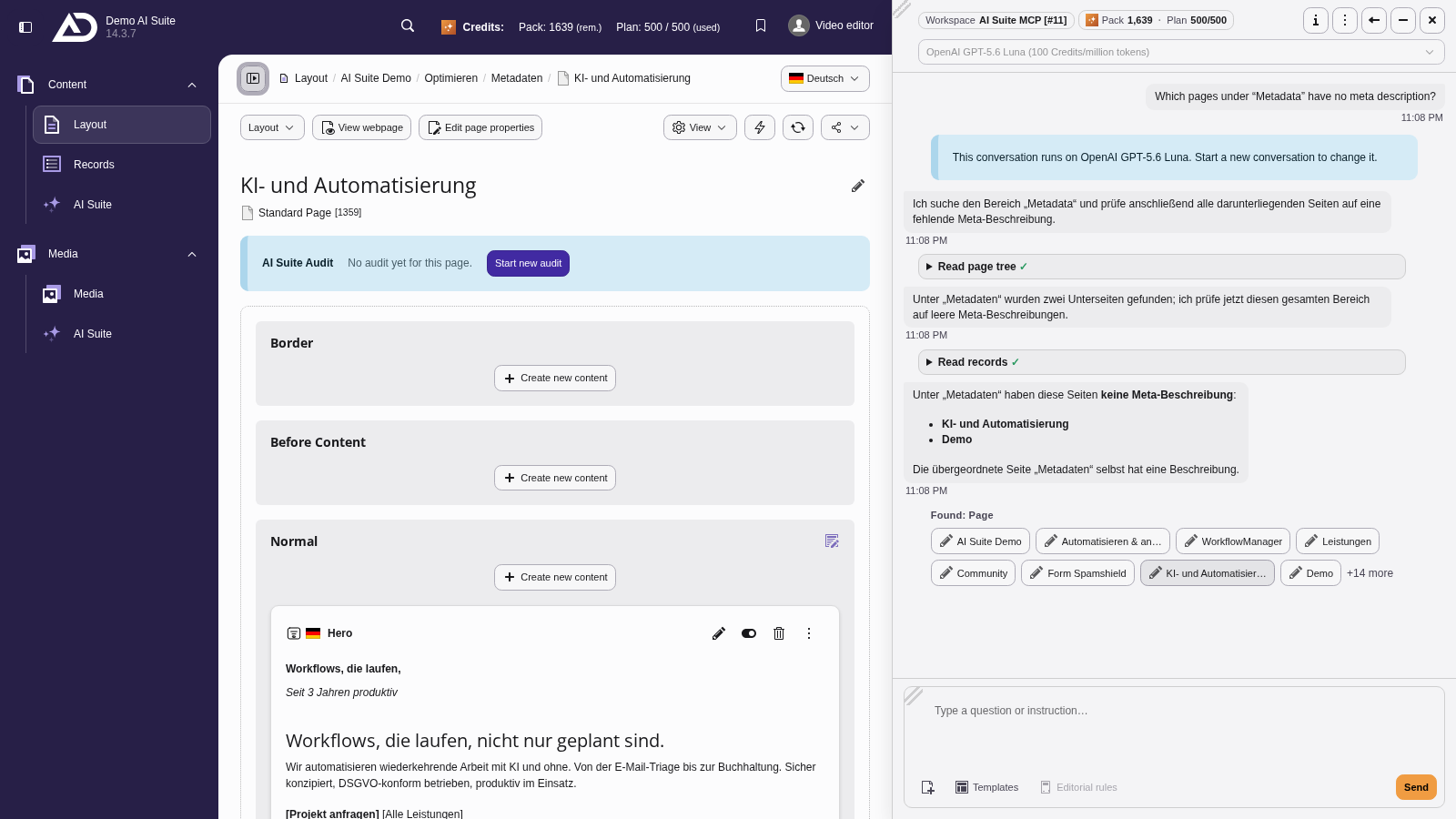
Below the answer, the pages it found are listed as links. A click opens the page next to the docked chat.