By default, ChEddi works on the records in your draft workspace. Changes there are invisible to visitors until you publish them, see Draft or live. Independently of that, every tool call is classified into one of three levels, and the level decides whether you are asked first.
| Level | What happens |
|---|---|
| Read-only | Runs immediately, without asking. Searching, reading, listing. Exception: audits cost credits and therefore need a click on “Execute”. |
| Write | Is shown to you and needs a click on “Execute” |
| Hard to undo | Needs a second, confirming click. The button first says “Execute permanently” and then asks “Really execute permanently?” |
With “Decline” you discard a single call. You decide a whole group with “Decline all” and, since version 0.3.0, also with “Execute all”. “Execute all” executes every call whose own “Execute” button is active. It leaves out calls that are hard to undo, which you still confirm individually with two clicks. “Decline all” only affects the calls you have not decided on yet. Your decisions remain visible in the conversation history and are therefore traceable.
If you leave a conversation while a call is waiting for your confirmation, it offers you the confirmation again the next time you open it.
-
Show larger version
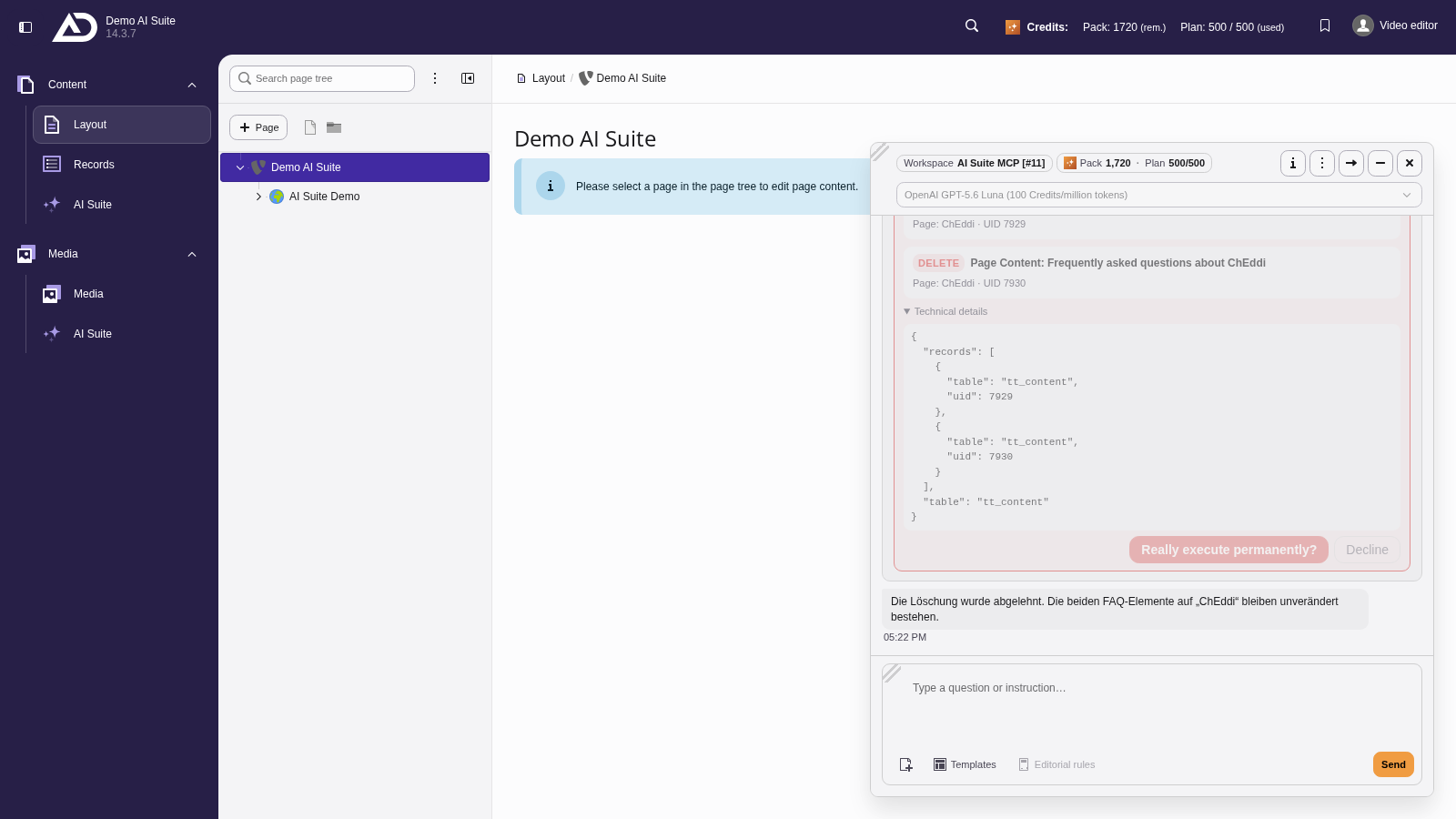
The first click on “Execute permanently” asks once more. We decline instead, and the element is kept.
Where the classification comes from
The classification comes exclusively from what the tool itself declares, from the same hints that every external MCP client sees. There is no guessing by name and no heuristic.
The most important point: a tool that declares nothing at all counts as a write and asks for confirmation. A tool without annotations can therefore never change records silently.
One exception: a read-only tool with fixed credit costs, for example an audit, is confirmed like a write call.
A second exception: if a generation, translation or image tool is called without a model, it only lists which models it could use. That counts as read-only and costs no credits. Since version 0.3.0, this no longer applies to translatePage and translateRecord: without a model they create the translation so that the chat model fills it itself, and are therefore confirmed like any other write call.
What you see before confirming
Before confirming, you see what the call would do, including a preview of the old and the new value. If a call costs credits, this is shown as a badge. Calls that are hard to undo additionally carry the badge “hard to undo”. Under “Technical details” you can view the complete call.
If a call contains invalid records, it is blocked and cannot be confirmed.
-
Show larger version
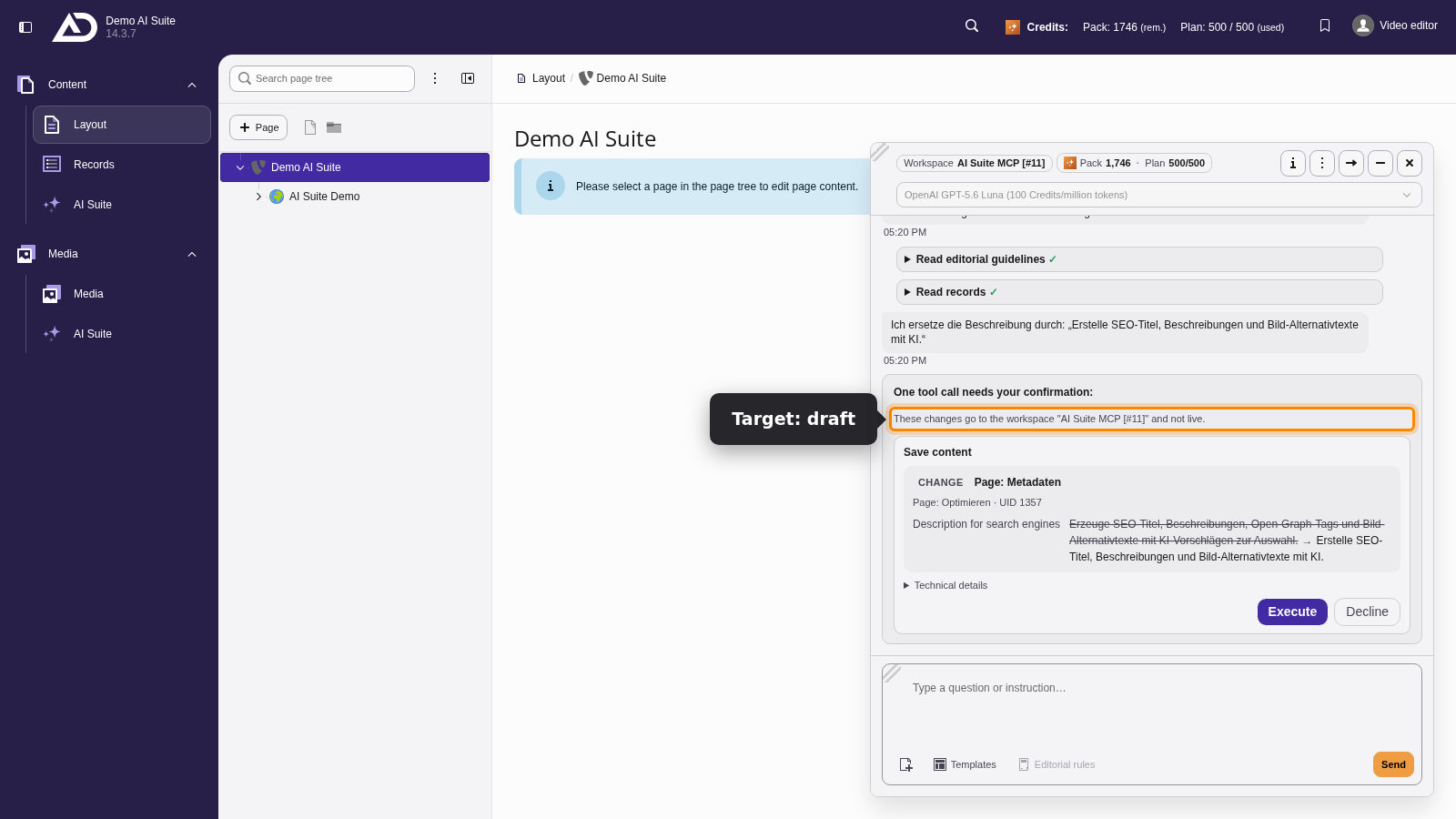
The card shows where the change goes and previews the old and the new text. The technical details can be expanded.
-
Show larger version
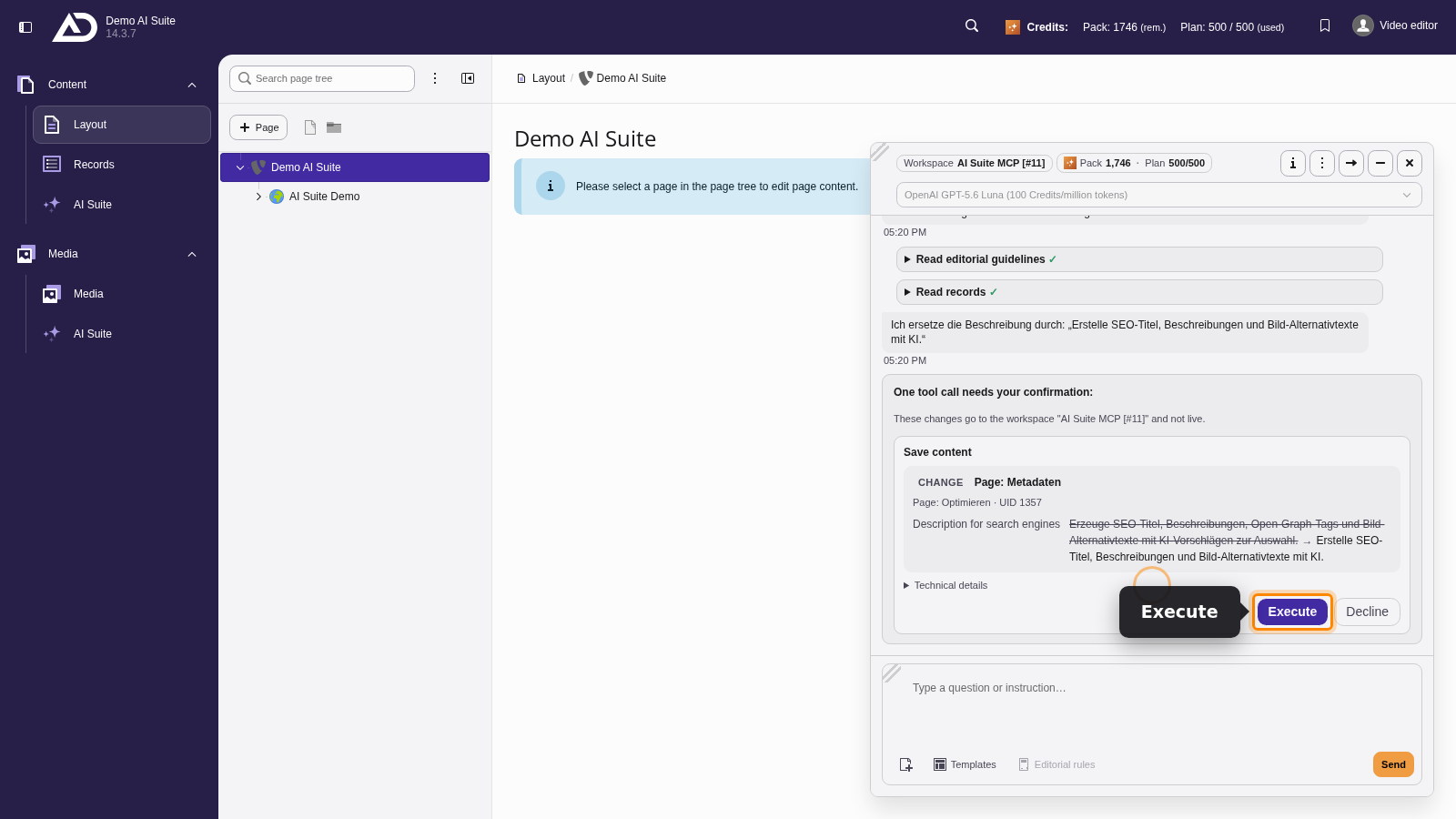
Nothing is written until you click “Execute”.
-
Show larger version
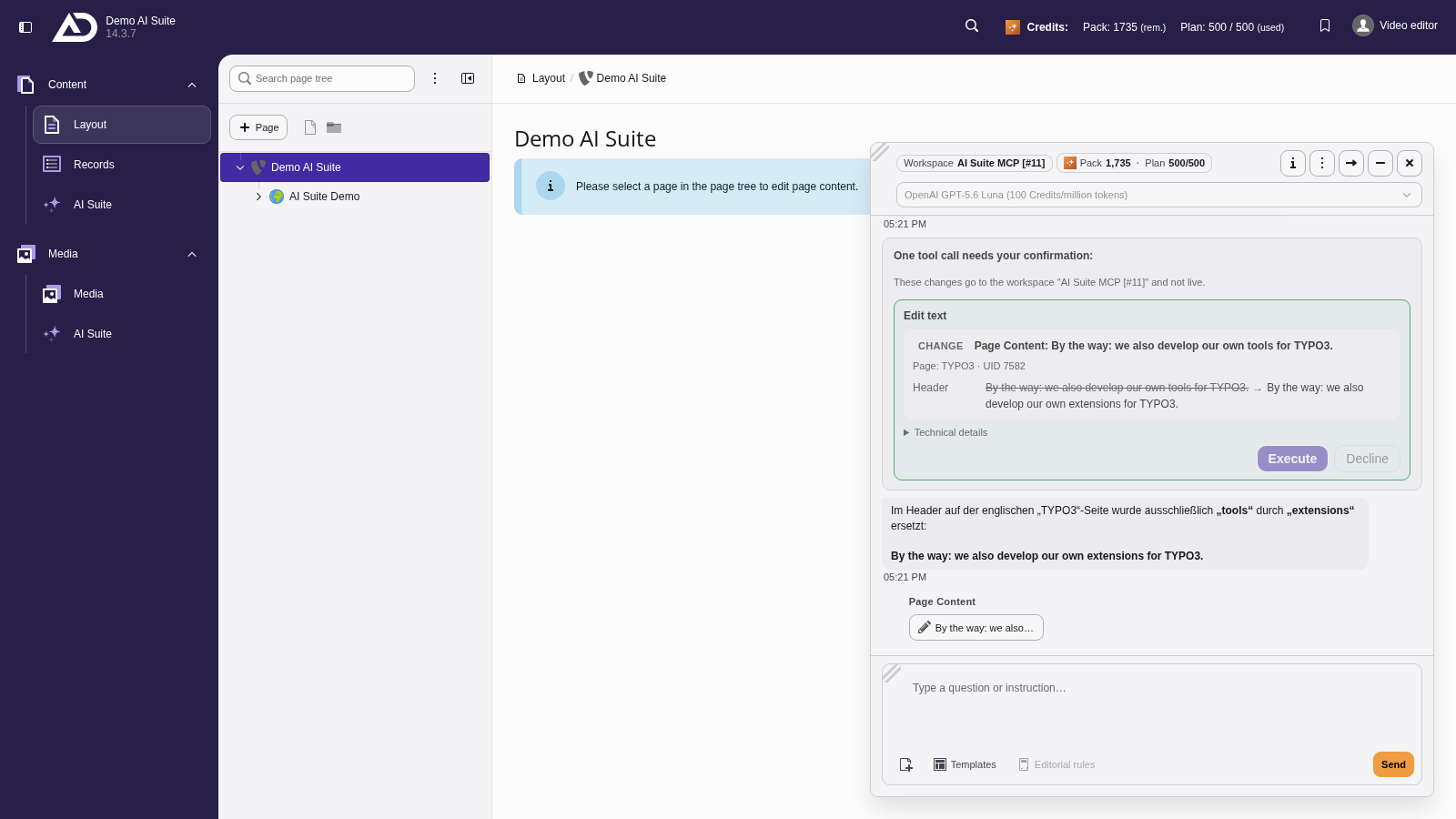
For small corrections, ChEddi replaces only the affected passage. Here too, the card shows the text before and after.
 Limit for tool calls
So that ChEddi does not get lost in a loop, the number of tool calls per request is limited. From 20 calls on, you get a warning. If a request needs more than 40 tool calls, it is aborted. The counter starts over with every new message from you.
If this happens, the task is usually too large or phrased too vaguely. Split it into smaller steps.