Use the “Attach a document” button at the bottom left of the input area to attach a document. ChEddi extracts the text and works with it, for instance to create content elements from a PDF.
Text-based documents are read: PDF, Word, spreadsheets and plain text files. Allowed are PDF (up to 50 MB), Word and spreadsheets in the formats DOCX, DOC, ODT, RTF, XLSX, XLS and ODS (up to 25 MB), and text files as TXT, JSON or XML (up to 5 MB). You can attach at most five files per message. CSV and Markdown files are currently not accepted. The response to the upload tells you per file whether it can be read at all. So you find out before you send the message. Possible notes are “Too large to read”, “This format cannot be read on this installation” or “Text cannot be read from this file”.
-
Show larger version
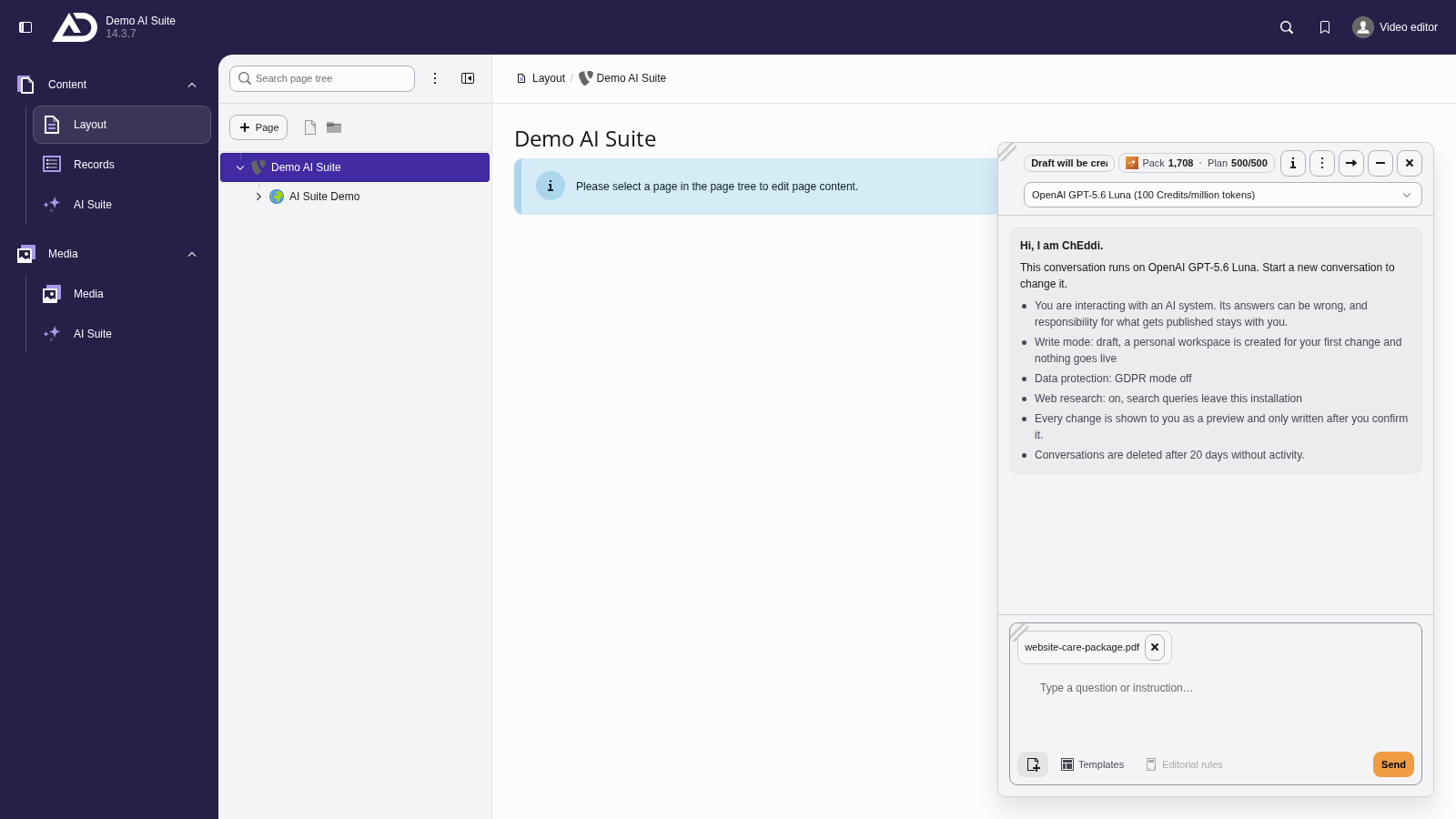
Using the “Attach a document” button, we attach a document, here a short service description as a PDF.
-
Show larger version
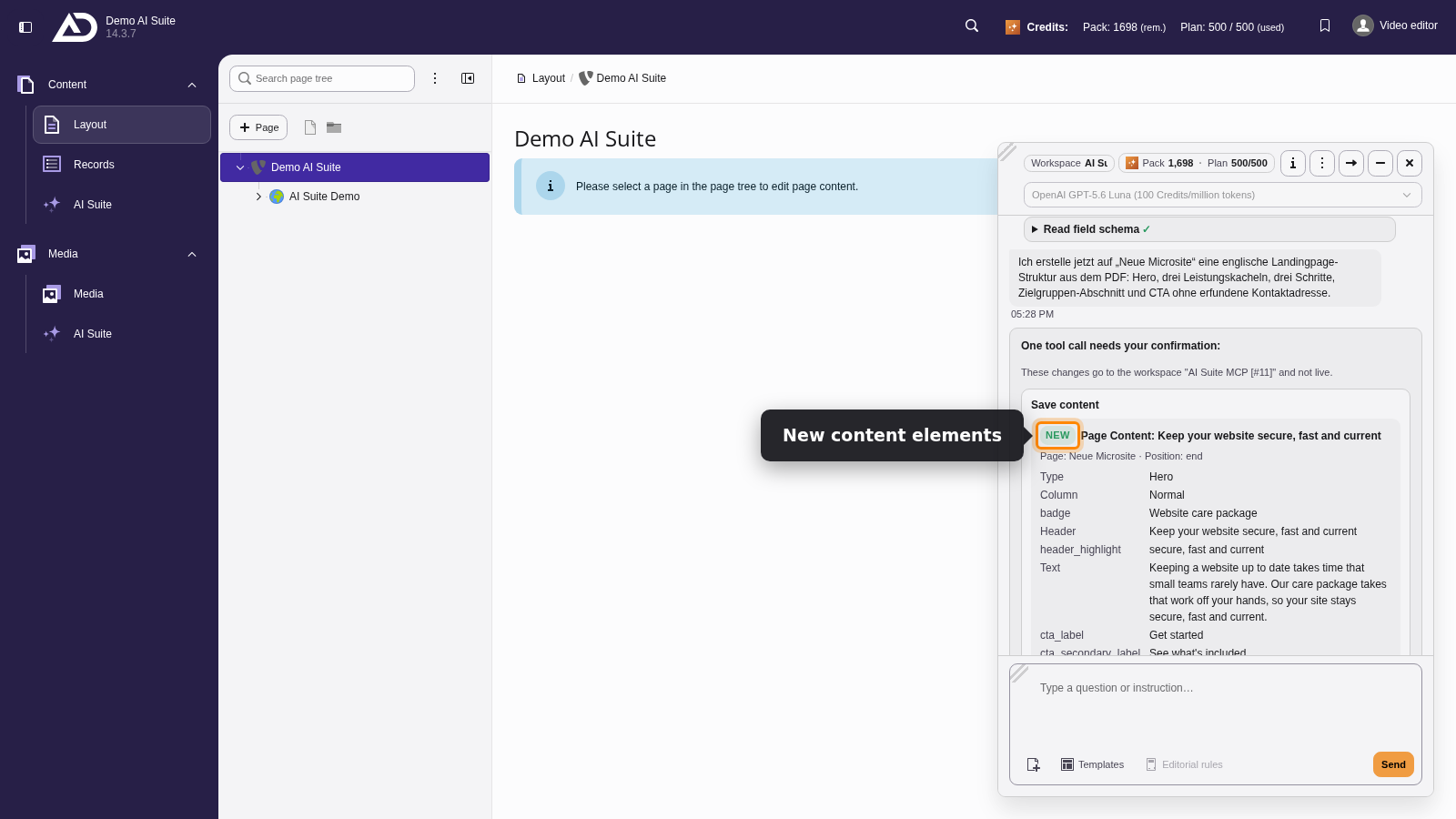
The confirmation card lists the new content elements with their texts. With “Execute” they go into the draft.
 Images as attachments
Images are not yet supported as attachments and are rejected on upload. The background is technical: messages currently travel to the server as plain text, so image content would not reach the model at all. Image formats are therefore not on the list of permitted file types for now.
What happens to the files
Attachments land in the file list, not in the message text. If a conversation is permanently deleted (see Operation), its attachments go with it. One exception applies to files that have since been moved out of the “cheddi” folder or are used elsewhere. Those are kept.
-
Show larger version
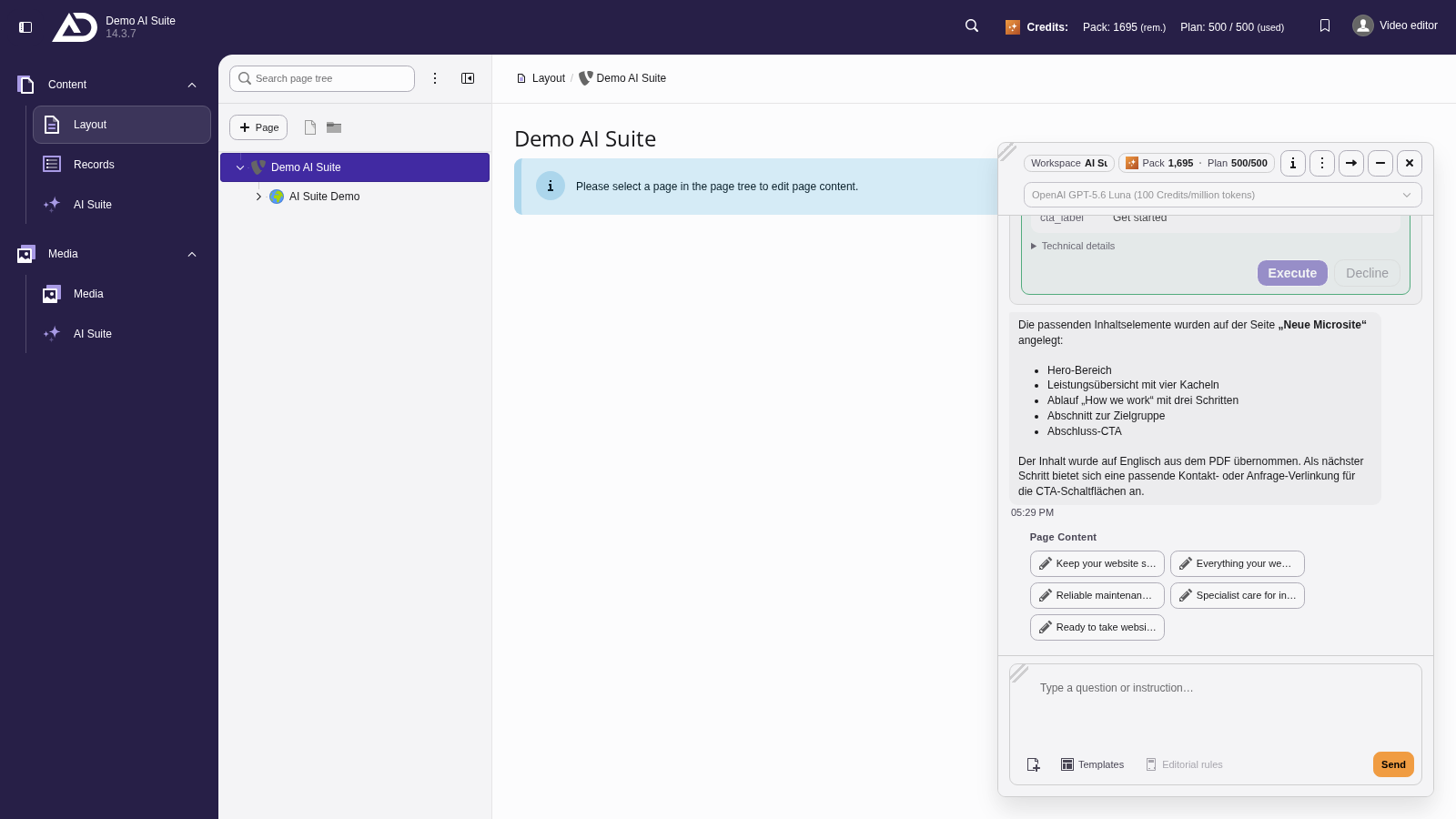
Below the answer, the new elements are listed as links. A click opens the element directly.