The MCP server of the AI Suite comes with three console commands. Without Composer, you call typo3/sysext/core/bin/typo3 instead of vendor/bin/typo3.
| Command | Purpose |
|---|---|
| ai-suite-mcp:create-token | Generates a token without going through the OAuth flow. For tests, local clients and automation, not for regular operation. |
| ai-suite-mcp:cleanup | Cleans up expired OAuth data, session and task files. Mandatory in production. |
| ai-suite-mcp:server | Starts a local MCP server via stdio, see Local stdio transport. |
Generate token
The command issues a token directly and thus bypasses the OAuth flow. This is practical for tests and automated environments, but does not belong in regular operation. For everyday use, the backend module “AI Suite” under “MCP” (in a narrow view via “More”) is the right way.
--user takes the UID or the username, without a value UID 1 applies. --client sets the client ID (default mcp-inspector). Without --scopes, the token receives all scopes the user is authorized for. The validity is determined by mcpTokenLifetimeDays.
--workspace=<uid> binds the token to a workspace. --audience sets the canonical resource URI if the CLI host differs from the public URL.
vendor/bin/typo3 ai-suite-mcp:create-token --user=1 --workspace=3
vendor/bin/typo3 ai-suite-mcp:create-token --user=1 --audience="<canonical resource URI>"
-
Show larger version
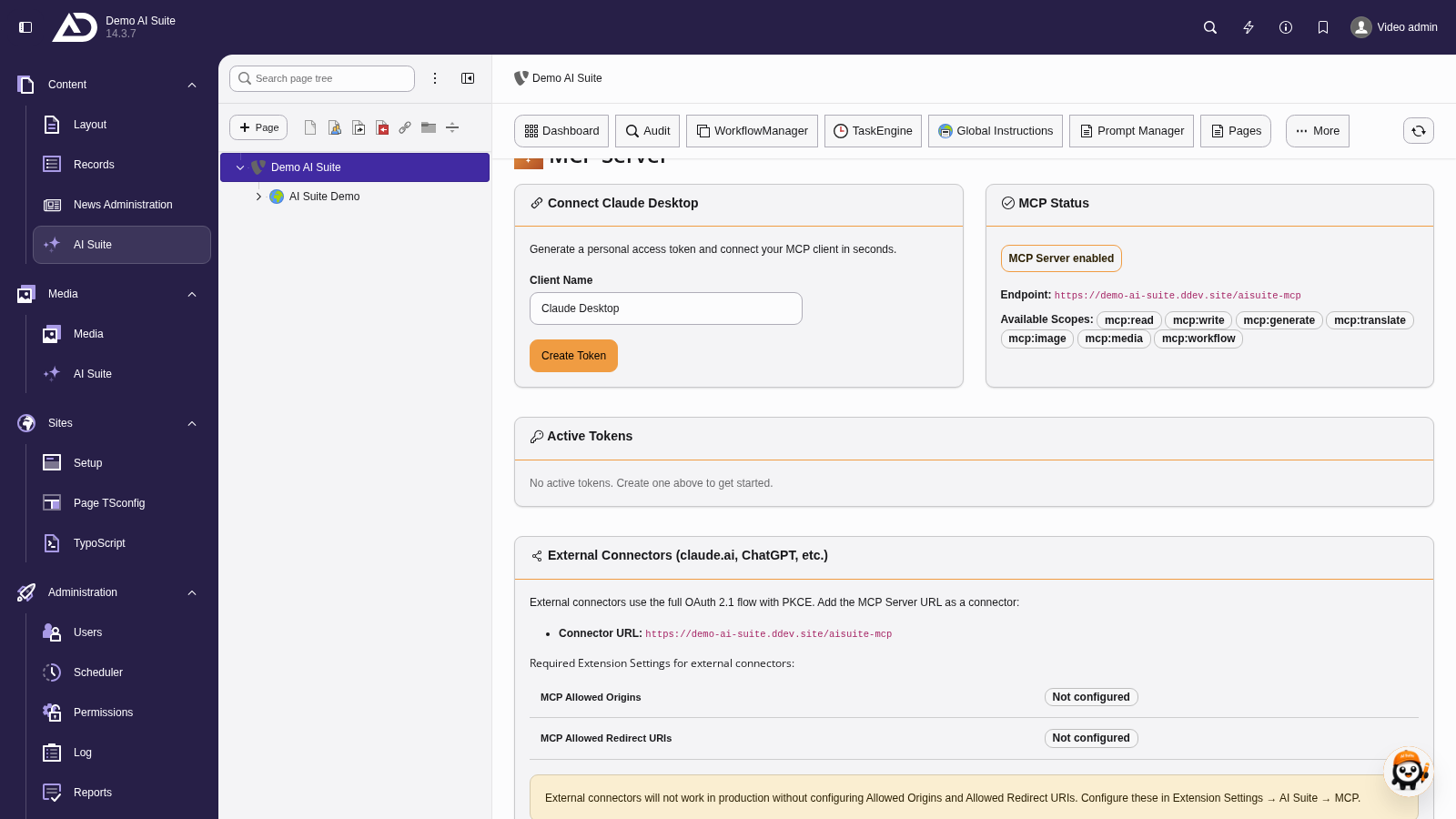
In everyday use, tokens are not created on the command line but in the backend module “AI Suite” under “MCP” (if the bar does not fit the width, via “More”). There, every user creates their own token and sees their active tokens.
Generate token for a backend user
vendor/bin/typo3 ai-suite-mcp:create-token --user=1
Token with restricted scopes
vendor/bin/typo3 ai-suite-mcp:create-token --user=admin --scopes="mcp:read mcp:write mcp:generate"
Token for a specific client
vendor/bin/typo3 ai-suite-mcp:create-token --user=1 --client=claude-code
Cleanup
The command removes:
- authorization codes older than 10 minutes
- access tokens that expired more than 37 days ago (fixed value, independent of
mcpTokenLifetimeDays) - revoked tokens older than 30 days. They are permanently deleted from
tx_aisuite_oauth_tokensto comply with the right to erasure. Until then, they remain as soft deletes, so that the reuse of a rotated refresh token can still be detected as theft. After that, the signal is worthless anyway. - session files under
var/aisuite_mcp_sessions/older than twicemcpSessionTimeoutSeconds, but at least one hour (so one hour with the default value) - task files under
var/mcp_tasks/older than 30 days
In production, the command should run at least hourly, via the scheduler or via system cron. If it does not run, the table of authorization codes grows without limit, the directories for sessions and tasks fill up, and expired tokens pile up. On installations with many concurrent users, it is worth looking at the row count in tx_aisuite_oauth_tokens. If it grows faster than it is cleaned up, a smaller value for mcpTokenLifetimeDays helps.
-
Show larger version
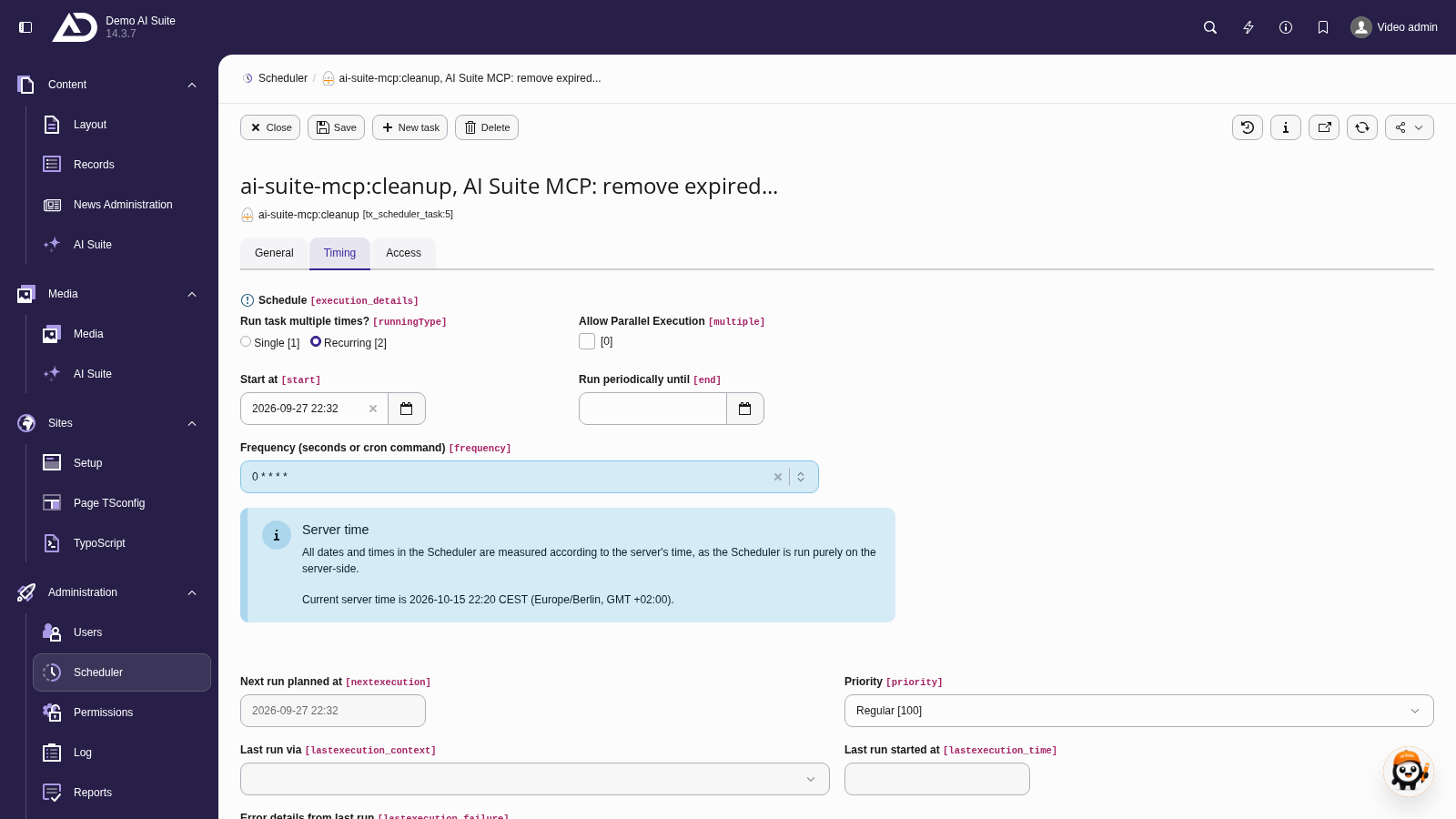
In the scheduler, ai-suite-mcp:cleanup runs as a recurring task. Under Timing we set the frequency, here hourly with the cron expression 0 * * * *.
Clean up expired data
vendor/bin/typo3 ai-suite-mcp:cleanup