AI Suite MCP is installed like any other TYPO3 extension. All required dependencies, in particular the AI Suite, the system extension reports (Reports) and TYPO3 workspaces, are installed automatically and do not need to be added separately. Without Composer, you install the extension from the TER, see Installation without Composer (TER).
At least AI Suite version 14.6.1/13.18.1/12.24.1 is required. Clear all caches after every update.
1. Install extension via Composer
composer require autodudes/ai-suite-mcp
2. Set up extension
vendor/bin/typo3 extension:setup
Installation without Composer (TER)
AI Suite MCP also runs in TYPO3 installations without Composer (classic mode) under TYPO3 14.x/13.x/12.x. The extension itself ships the only library that TYPO3 does not bring along, the MCP SDK. You do not have to copy anything by hand. You can find the extension in the TYPO3 Extension Repository (TER).
- Activate the system extensions
workspacesandreports. - In the Extension Manager, first install and activate
ai_suiteand thenai_suite_mcp, each from the TER or by upload. Keep to this order. - Open the “Status report” under System → Reports (TYPO3 14: Administration → Reports). The section “AI Suite MCP Environment” reports missing PHP extensions and an MCP SDK that cannot be loaded. Both point to an incomplete upload.
- Where the documentation mentions
vendor/bin/typo3, you calltypo3/sysext/core/bin/typo3from the TYPO3 root directory. Without a system cron, you runai-suite-mcp:cleanupvia the scheduler task for executing console commands.
Differences from the installation with Composer:
- Paths: Instead of
var/, TYPO3 usestypo3temp/var/. Sessions are then stored intypo3temp/var/aisuite_mcp_sessions/, task results intypo3temp/var/mcp_tasks/and the logs intypo3temp/var/log/. Under Apache, the TYPO3.htaccessblocks this directory. Under Nginx, you add a rule yourself, for examplelocation ^~ /typo3temp/var/ { deny all; }, otherwise the session files are publicly readable. - Host root only: The MCP endpoint, the OAuth endpoints and the documents under
/.well-known/are answered at the root of the host. A TYPO3 in a subdirectory (such asexample.com/cms/) is not supported. - Web server: The rules for the
Authorizationheader from Production Operation apply unchanged.
Activate the MCP endpoint
Right after installation, the MCP server is deliberately disabled. The endpoint at /aisuite-mcp only becomes available once the switch enableMcp has been activated in the extension configuration. As long as it is disabled, TYPO3 answers all requests under /aisuite-mcp as well as the OAuth documents under /.well-known/ with 404 (mcp_disabled), only the interstitial page /aisuite-mcp/open for backend links that have already been issued remains reachable.
You can find the extension configuration in the backend under Admin Tools → Settings (TYPO3 14: System → Settings) → Extension Configuration → ai_suite_mcp. The individual options are described under Configuration.
In addition, the section “AI Suite MCP Security” in the status report under System → Reports (TYPO3 14: Administration → Reports) checks the most important settings after setup.
-
Show larger version
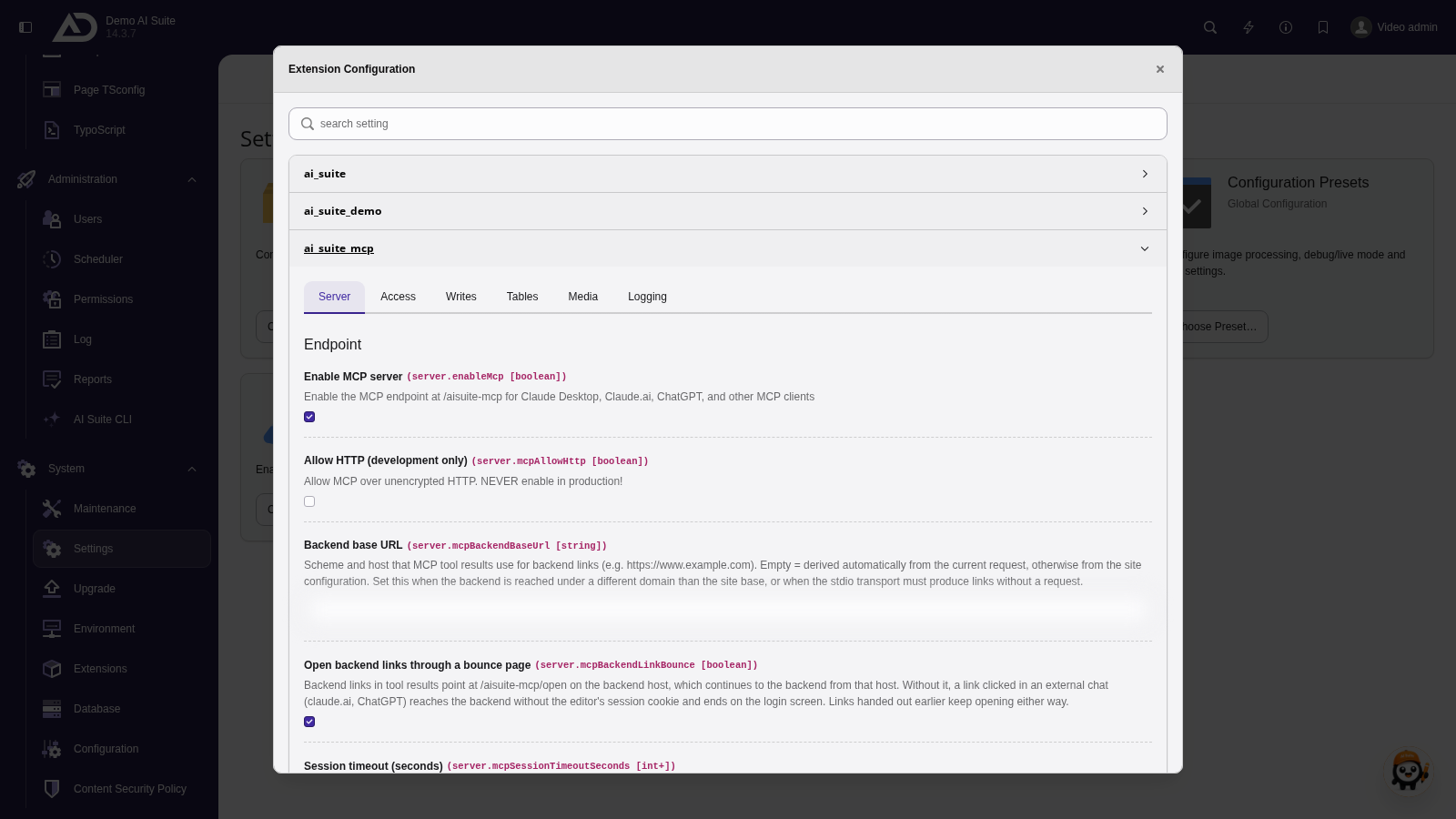
The MCP server of the AI Suite is switched off at first. It is switched on in the extension configuration of ai_suite_mcp.
-
Show larger version
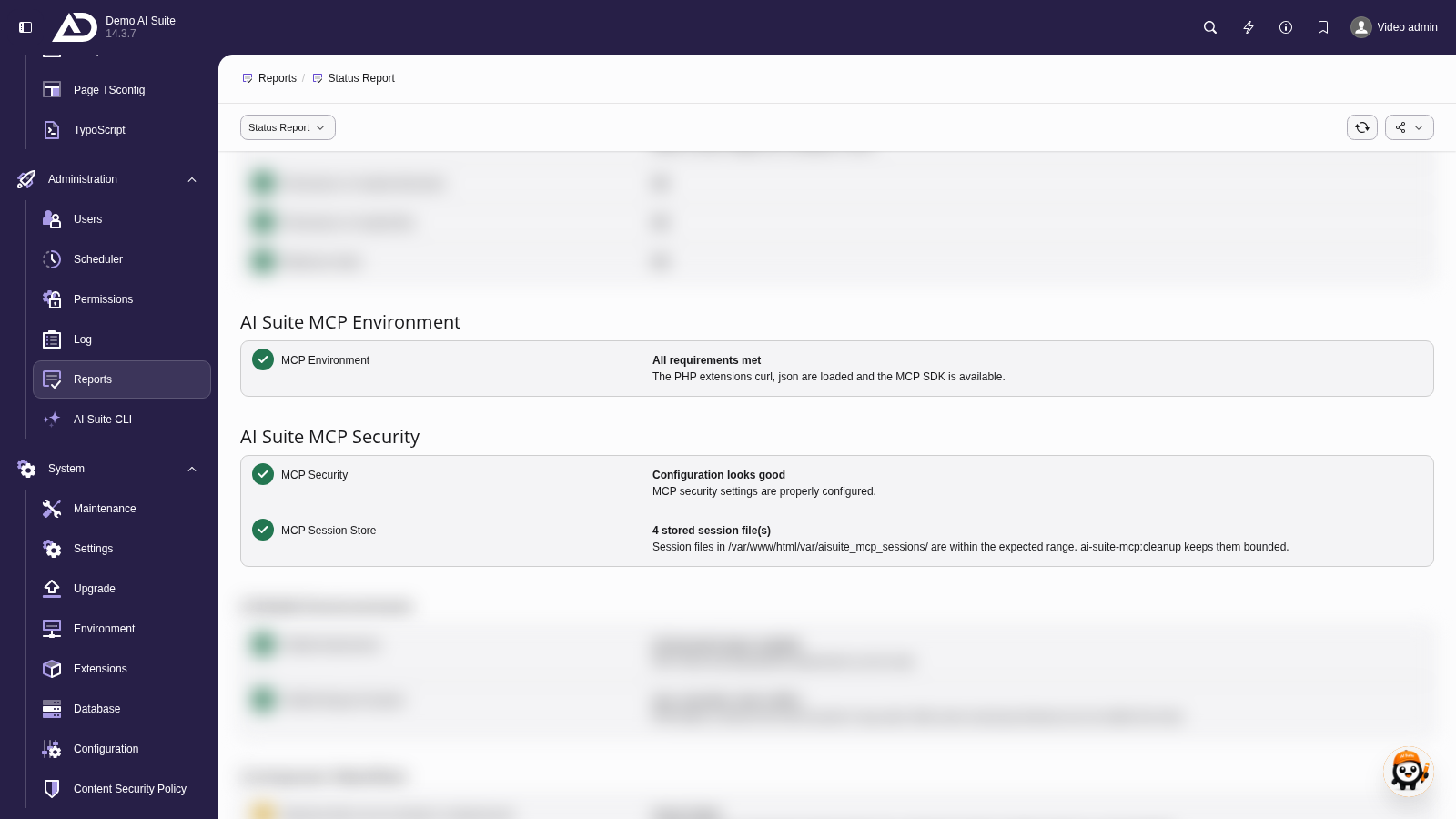
In the status report, the section “AI Suite MCP Security” checks the requirements for safe operation.