Every action that runs through the MCP server is executed as the backend user for whom the token or the OAuth grant was issued, with that user's full TYPO3 permissions. Page and file mounts, table and field permissions as well as the feature and model permissions of the AI Suite are enforced unchanged.
The OAuth scopes apply on top. They can only restrict access, never extend it beyond the user's TYPO3 permissions.
Backend permission
For a user to be allowed to use the MCP server of the AI Suite at all, their backend group must have the feature permission enable_mcp_access. If it is missing, TYPO3 already refuses the OAuth consent, and every request to the MCP endpoint is rejected with 403 (access_denied).
Which further tools are available for using AI Suite features is determined by the respective AI Suite feature permissions (for example metadata generation, translation, image generation). Without the matching permission, the affected tool does not even appear in the model's tool list. Permissions are assigned per backend group as usual, see Permission management.
These feature permissions are required for AI Suite MCP:
- Enable MCP Access (enable_mcp_access): mandatory. Main switch for MCP and the “MCP” tab in the “AI Suite” backend module, checked directly with every request. No OAuth scope corresponds to this permission.
- Show Metadata generation buttons (enable_metadata_generation), “AI Suite Content” tab in NewContentElementWizard (enable_content_element_generation) or Enable pages section within backend module (enable_pages_generation), any one of them is sufficient: for generateFileMetadata and, together with enable_massaction_generation, for batchGenerateMetadata and batchGenerateFileMetadata.
- AI translation options within page content translation wizard (enable_translation): for translateRecord, translatePage and translateFileMetadata. This also applies when you call translateRecord or translatePage without model and your client translates itself. Together with enable_massaction_generation, it also applies to batchTranslatePage and batchTranslateFileMetadata.
- Buttons “Generate image with AI” (enable_image_generation): for generateImage.
- Enable WorkflowManager section within backend module (enable_massaction_generation): for the four batch* tools. Status, results and applying the background tasks do not need a permission of their own.
- Enable MCP Media Upload (enable_mcp_media_upload): for uploadMedia.
- Enable MCP Rendered Page Read (enable_mcp_rendered_page_read): for readRenderedPage.
- Enable SEO and accessibility audits (enable_audit): for auditSeo, auditAccessibility and auditContent, since version 0.8.0.
A permission normally applies to an entire scope. There are two exceptions. The first is readRenderedPage. The tool sits in the permission-free scope mcp:read but additionally needs enable_mcp_rendered_page_read. It renders the page through a backend preview session of the MCP user and therefore also returns hidden pages, unpublished pages and workspace drafts, that is, content that a simple request to the public URL never reaches. The permission is attached to the tool and not to the scope, because otherwise a single switch would remove all reading tools. Without the permission, the tool does not appear in the tool list, and a forced call ends with a permission error. The user's page permissions still apply on top.
The second exception is the audit tools added in version 0.8.0. They also sit in the scope mcp:read, because they only read from TYPO3, and still need their own permission enable_audit. The reason points the other way: they send the page URL, and with it the page content, to the AutoDudes audit infrastructure, so the data leaves the TYPO3 instance. The permission applies to auditSeo, auditAccessibility and auditContent, without it these three do not appear in the tool list. The free readAuditResults does not need a permission of its own, only read access to the page.
Shared permission: since 14.5.0/13.17.0/12.23.0, the AI Suite uses the same permission enable_audit for its audit module in the backend. It is one single permission: whoever receives it may start audits both in the backend and via MCP.
-
Show larger version
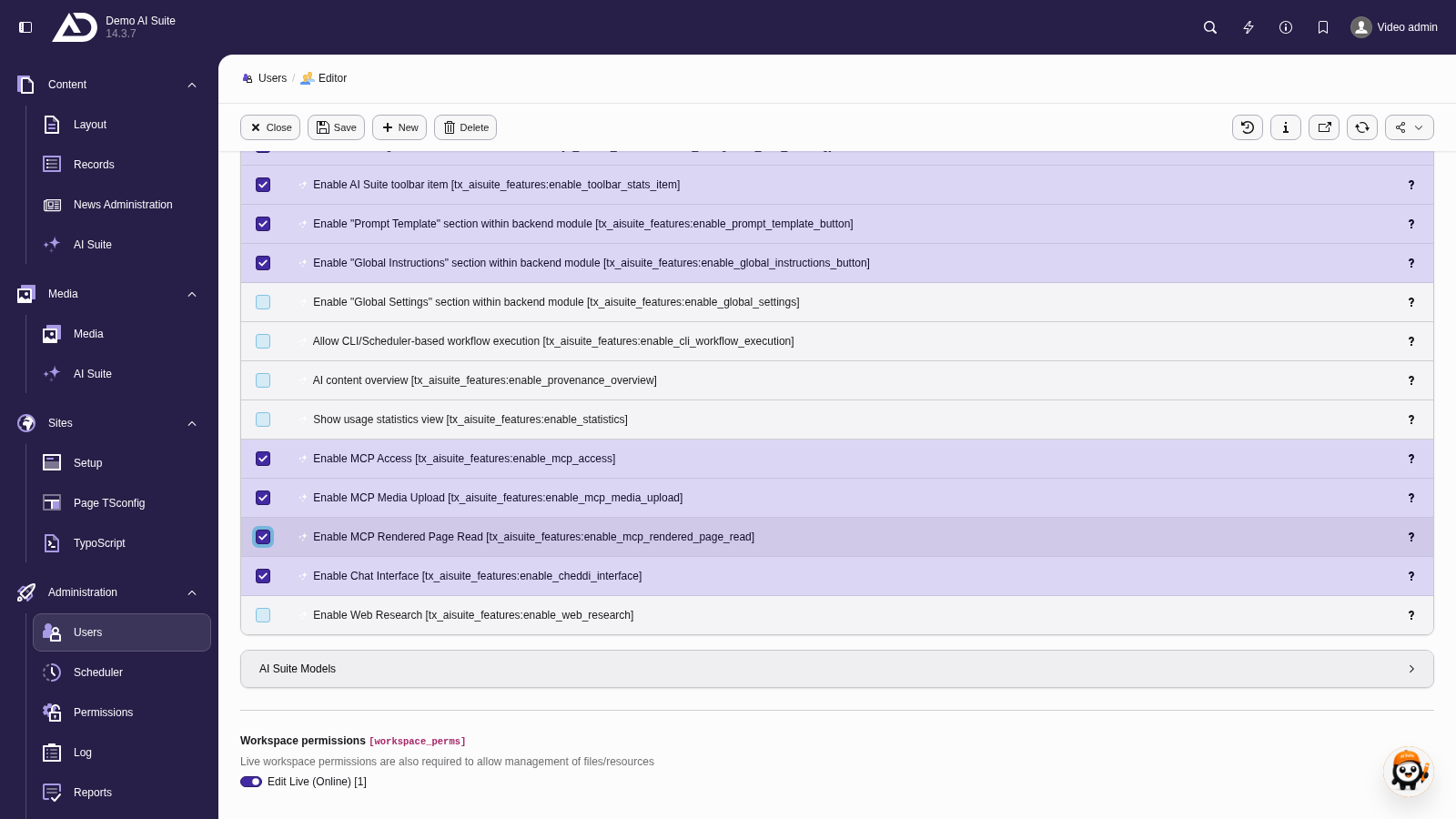
We enable MCP access as well as uploading media and reading rendered pages.
OAuth scopes
Each tool is assigned to a scope. A scope is only granted to a token if the backend group has at least one of the associated AI Suite feature permissions.
| Scope | Required AI Suite permission | Covers |
|---|---|---|
mcp:read | none (basic) | All reading and exploring tools |
mcp:write | none (approval by the client, by default changes land as a draft in the workspace) | Record CRUD via the DataHandler |
mcp:generate | enable_metadata_generation, enable_content_element_generation, enable_pages_generation | Generation of file metadata (generateFileMetadata). The batch generations sit under mcp:workflow and additionally check one of these permissions. |
mcp:translate | enable_translation | translateRecord, translatePage, translateFileMetadata (the batch translations sit under mcp:workflow and additionally check enable_translation) |
mcp:image | enable_image_generation | AI image generation |
mcp:media | enable_mcp_media_upload | Media upload to FAL (uploadMedia) |
mcp:workflow | enable_massaction_generation | Batch tools (batchGenerateMetadata, batchGenerateFileMetadata, batchTranslatePage, batchTranslateFileMetadata). readTaskStatus and readTaskResults sit under mcp:read, applyTaskResults under mcp:write. |
There are no further scopes. The DeepL glossary is not a scope of its own but part of the translation tools under mcp:translate: the site's glossary is applied automatically. Easy language is not available via MCP. The consent page lists the scopes a token actually receives when connecting.