All settings of AI Suite MCP are located in the extension configuration under Admin Tools → Settings (TYPO3 14: System → Settings) → Extension Configuration → ai_suite_mcp. You can edit them directly in the backend, and they take effect immediately.
The most important switch is enableMcp, which activates the MCP endpoint (see Installation). The following options control ongoing operation.
Most important settings
| Setting | Default | Function |
|---|---|---|
enableMcp | 0 | Main switch for the MCP endpoint. As long as it is disabled, TYPO3 answers all requests under /aisuite-mcp as well as the OAuth documents under /.well-known/ with 404 (mcp_disabled), only the interstitial page /aisuite-mcp/open for backend links that have already been issued remains reachable. |
mcpWriteMode | workspace | Determines how writing tools store data (Draft workspace, Live). See below for details. |
mcpTokenLifetimeDays | 30 | Validity period of the OAuth access tokens in days. |
mcpMaxCreditsPerSession | 0 | Credit budget per token, since version 0.8.0. 0 means no budget and matches the previous behavior. Details under Security & Operation. |
mcpSessionTimeoutSeconds | 1800 | Idle timeout for MCP sessions in seconds. 0 = SDK default (3600). Since version 0.9.0 it only applies to the older protocol revisions, MCP revision 2026-07-28 has no protocol session. |
mcpAllowedOrigins | (empty) | CORS origin allowlist for browser-based clients. In production, empty means “same origin only”, in development “all allowed”. |
mcpAllowedClientIds | (empty) | Allowlist of permitted OAuth client IDs. Empty = all clients allowed. |
mcpAllowedRedirectUris | (empty) | Allowlist of external OAuth redirect URIs (prefix comparison). localhost is always allowed. |
mcpBackendBaseUrl | (empty) | Scheme and host for the backend links in tool results, for example www.example.com. Empty means the address is taken from the current request and, without a request, as with the stdio transport, from the site configuration. Set the value when the backend is reachable under a different domain than the site. Since version 0.7.0. |
mcpBackendLinkBounce | 1 | Backend links in tool results go through an interstitial page under /aisuite-mcp/open, so that they open in the running backend session even from an external chat such as Claude.ai or ChatGPT instead of landing on the login screen. Since version 0.9.0, details under Available Tools. |
mcpMaxRequestBodyMb | 1 | Upper limit for an MCP request body in MB. Increase it for Base64 uploads of larger media and raise client_max_body_size (Nginx) and post_max_size (PHP) accordingly. |
The settings mcpSearchAdditionalTables and mcpExcludeAdditionalTablesFromSearch were removed in version 0.9.0, existing values are ignored. Which tables searchContent searches is now derived from the TCA. The only remaining control is mcpExcludedTables, see Security & Operation.
Which redirect URIs and origins a particular client needs is listed under Connecting Clients. Further security-related options (allow HTTP, write raw HTML, exclude tables, trusted proxies, logging, media upload) are described under Security & Operation.
-
Show larger version
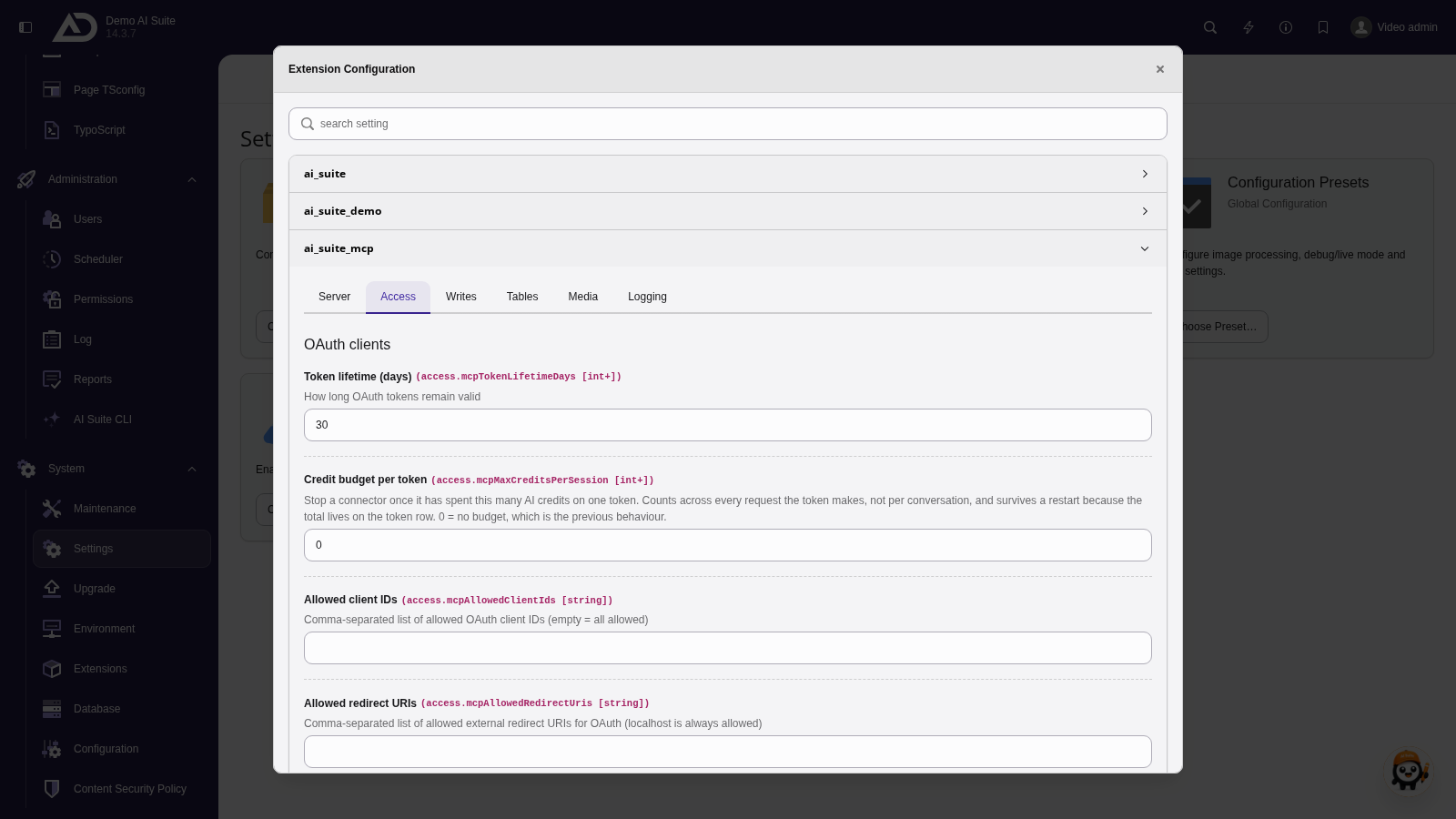
Under Access are the lifetime and credit budget of the tokens as well as the allowed clients and redirects. The Server tab is shown in the screenshot on the Installation page.
Write mode (mcpWriteMode)
The write mode controls how all writing tools store their changes. It is set globally in the extension configuration. When issuing a token, you can additionally bind a fixed workspace, which always takes precedence. ChEddi inherits the write mode by default, but can set it differently with its own setting (see ChEddi: Configuration).
| Mode | Behavior | Use |
|---|---|---|
| workspace (default, labeled “Draft workspace” in the select field) | Forces every write operation into a draft workspace. The default workspace of the backend user is used, otherwise an existing MCP workspace of this user, otherwise one is created automatically (title AI Suite MCP [#<UID of the backend user>], user as member). This way, write operations never go live unnoticed. Since version 0.6.0, AI Suite MCP refuses the call when no draft workspace can be resolved or created, instead of falling back to live. | The safe default. AI changes are always available as reviewable drafts. |
| live (labeled “Live” in the select field) | Bypasses workspaces and writes directly into the live records. | Non-critical automation where a review is not worth the effort. |
The extension typo3/cms-workspaces is a mandatory dependency and is installed along with the extension. The target workspace is resolved in this order:
- A token-bound workspace, set when issuing the token. It always takes precedence.
- mcpWriteMode = live writes live.
- Every other value, workspace included, takes the default workspace of the user, otherwise an existing MCP workspace, otherwise a newly created draft workspace. If none can be resolved or created, the call aborts with an error since version 0.6.0 and nothing is written.
An automatically created workspace is not saved as the user's TYPO3 default (be_users.workspace_id remains untouched). It therefore only affects MCP write operations, while the normal backend session stays on the usual workspace. Reading tools automatically follow the resolved workspace, so previews show the state after the write operation.
Two tools are not workspace-capable and write live in every mode, namely uploadMedia and generateImage. They create a sys_file record plus a physical file via FAL, and FAL has no versioning. No write mode can undo this. Both are therefore tied to their own scope (mcp:media or mcp:image) and their own feature permission, both disabled by default. Credits consumed by paid tools (generate*, batch*, audit* and translate* with model) cannot be recovered either, even if these tools only return suggestions.
-
Show larger version
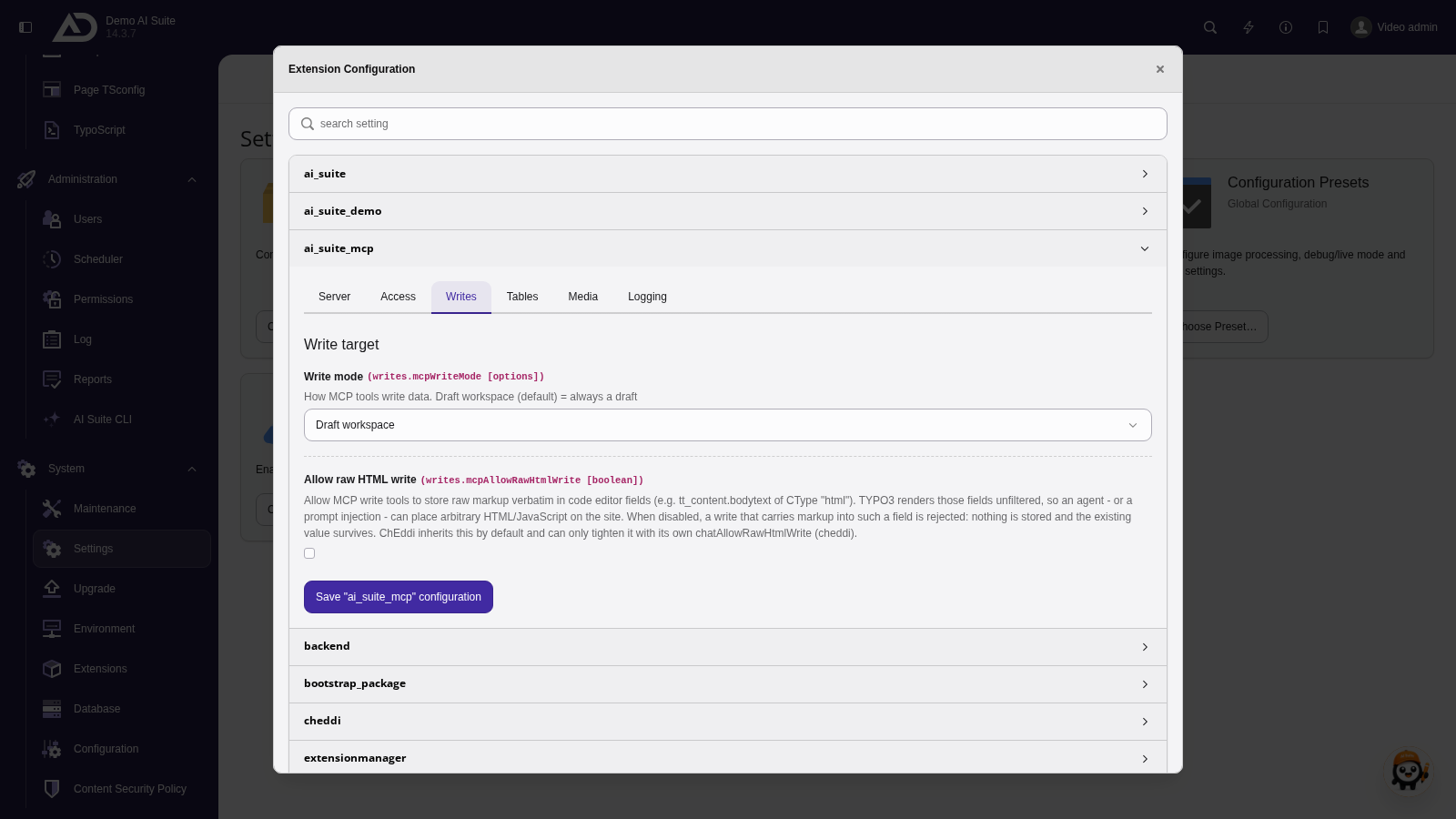
Under Writes, the write mode decides whether MCP tools write into a draft workspace or straight to live. It also sets whether raw HTML is allowed.
 Change in version 0.6.0: no more fallback to live
Up to version 0.5.0, the workspace mode fell back to a live write when no draft workspace could be provided. Since version 0.6.0, the call aborts with an error message in that case, nothing is written and the existing state remains unchanged. If your installation relies on the former fallback, switch mcpWriteMode to “Live”. Also clear all caches after the update.
Change in version 0.7.0: auto mode removed
The auto mode was removed in version 0.7.0. It was the only mode in which a write could silently go live, because the target depended on the user's workspace assignment rather than on a deliberate decision. An installation that still has auto configured now writes into a draft workspace. If you want to keep writing directly to live, set the write mode explicitly to “Live”. The select field now offers only “Draft workspace” and “Live”. Clear all caches after the update.