Modification of Content
For the modification of content, we have developed our own plugin, which you can use in all RTE fields of your content elements and records. With targeted instructions, you optimize, shorten or expand existing texts or adjust them in other ways.
The plugin and the rich text editor are also available for you to review your generated content elements.
In addition, the RTE offers the plugin “Easy Language”, which you use to convert texts into “Easy Language”.
-
Show larger version
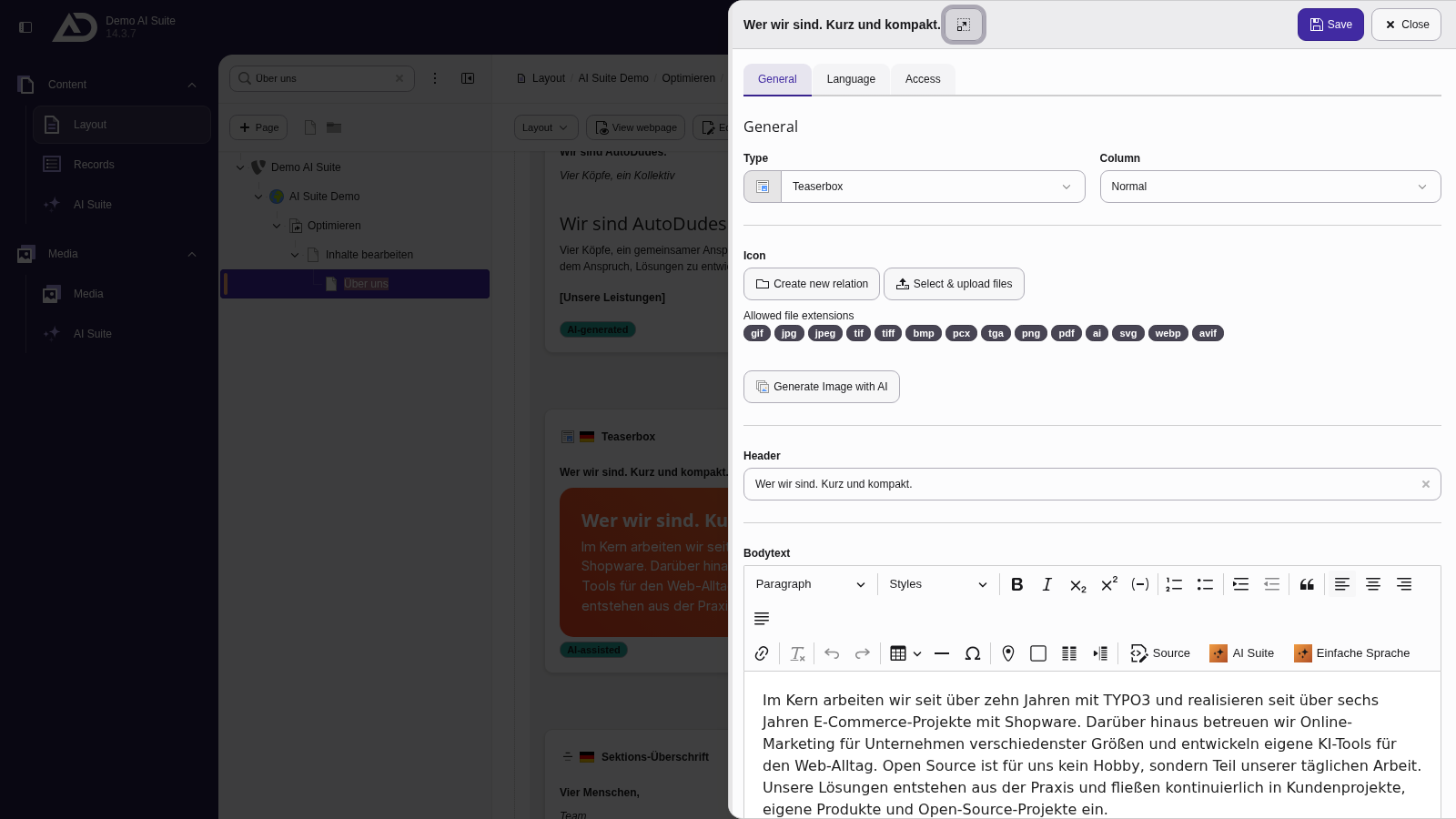
We open the text element. The “AI Suite” button is located in the toolbar of the rich text editor.
-
Show larger version
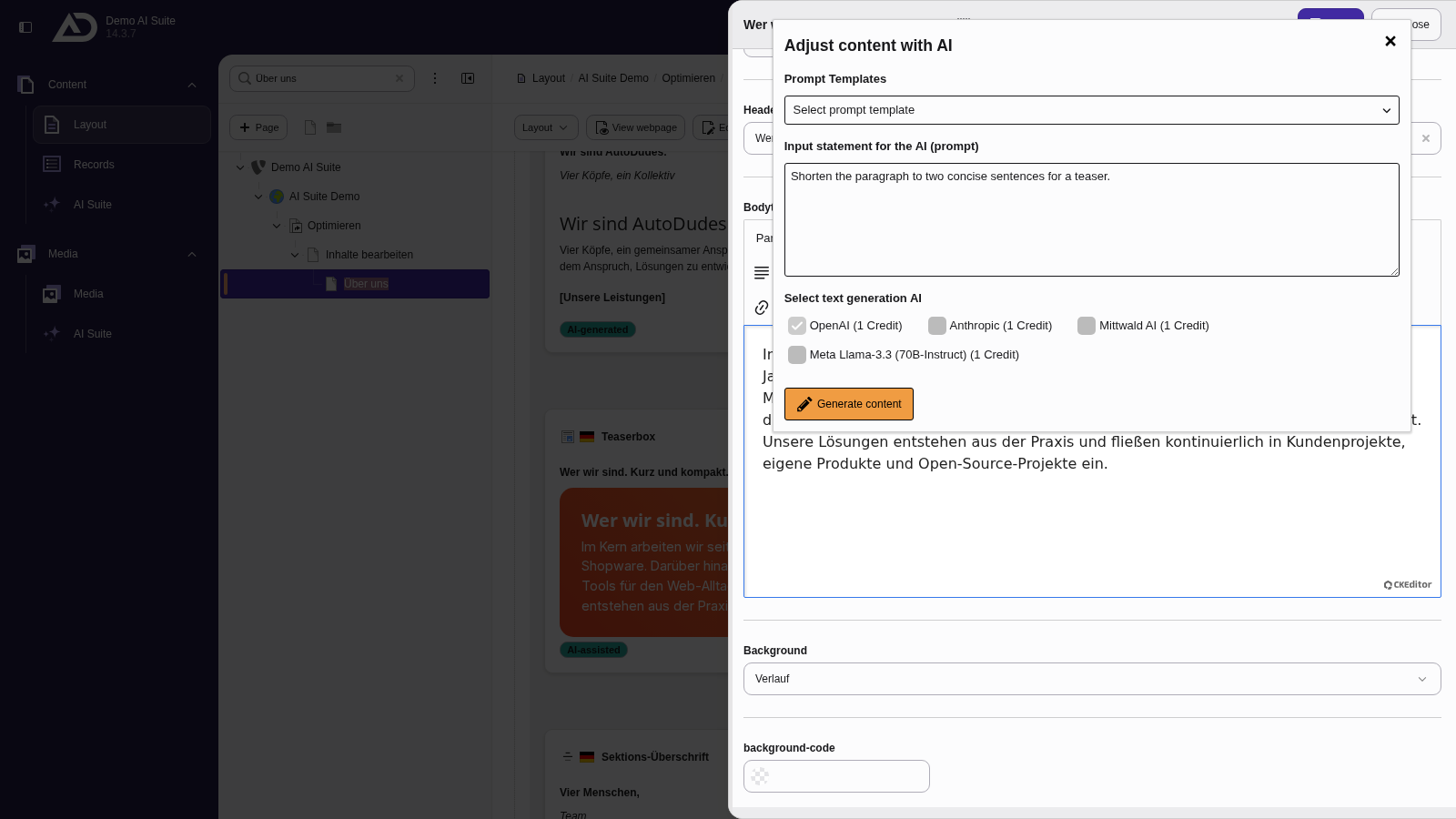
In the “Adjust content with AI” dialog, we describe what should happen to the paragraph and choose a text model. A prompt template is not needed.
 General Notes on Functionality
- If you highlight text before opening the input form, this text will be modified according to your prompt.
- If no text is highlighted beforehand, the newly generated content will be inserted at the current cursor position.
- The AI Suite always generates content in the page language, regardless of the language you write the prompt in.
- Since versions 14.7.0/13.19.0/12.25.0, the AI Suite no longer writes the result straight into the text. It first shows it in the “Compare with the original” dialog, where removed and new words are marked as “Removed” and “Added”. “Accept” puts the result into the text, “Discard” takes you back to the input form with your prompt and model kept.
3.1 Modification of existing content
When modifying existing content, you must mark the desired area before calling the plugin. Then, using the prompt templates and/or your individual input of the prompt, you can edit the selected content (expand, summarize, shorten, optimize, etc.). Once you accept the result in the comparison dialog, it replaces the selected text.
In the example, a paragraph is highlighted and shortened via prompt.
-
Show larger version
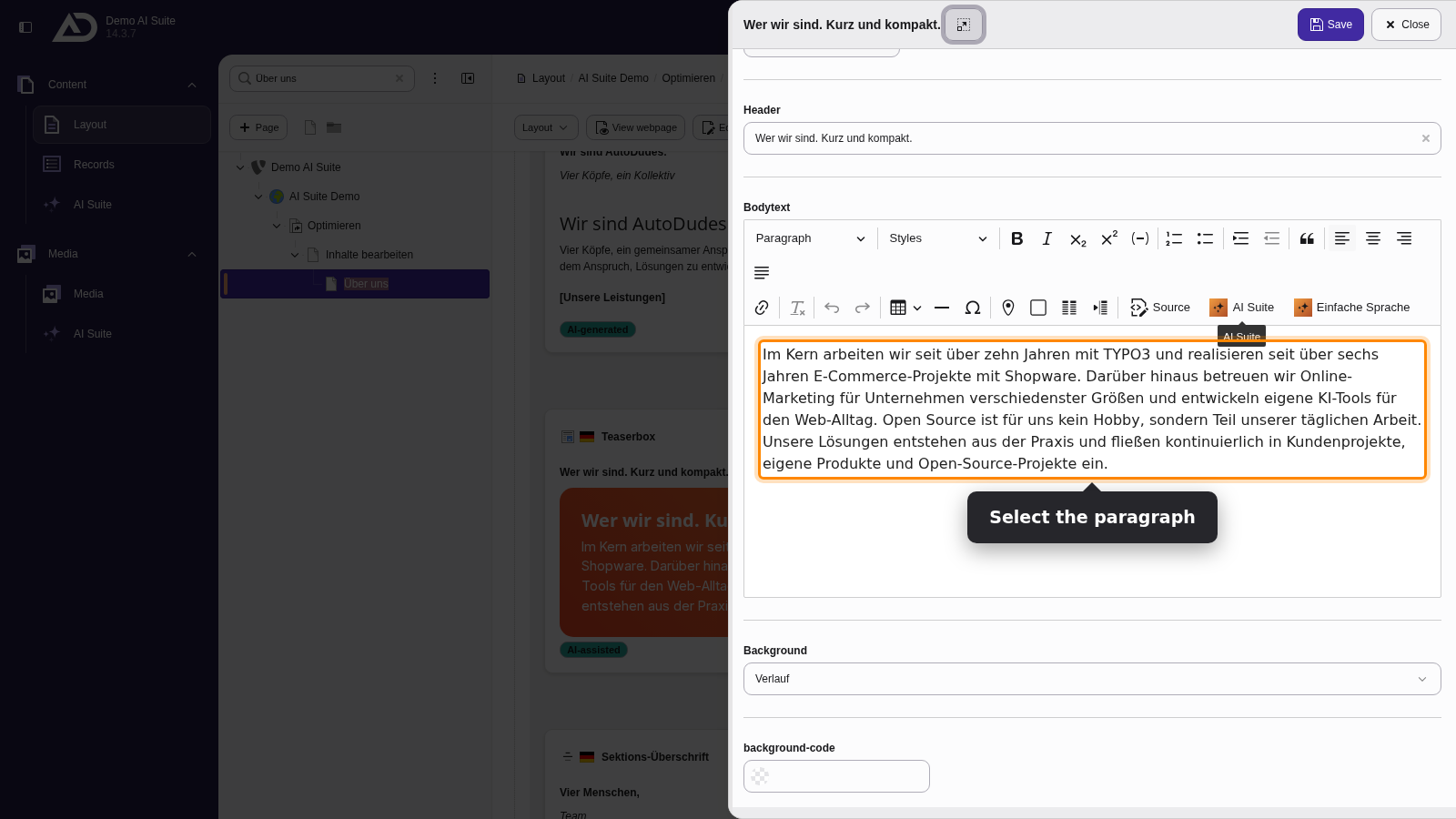
We select the paragraph and click “AI Suite”.
-
Show larger version
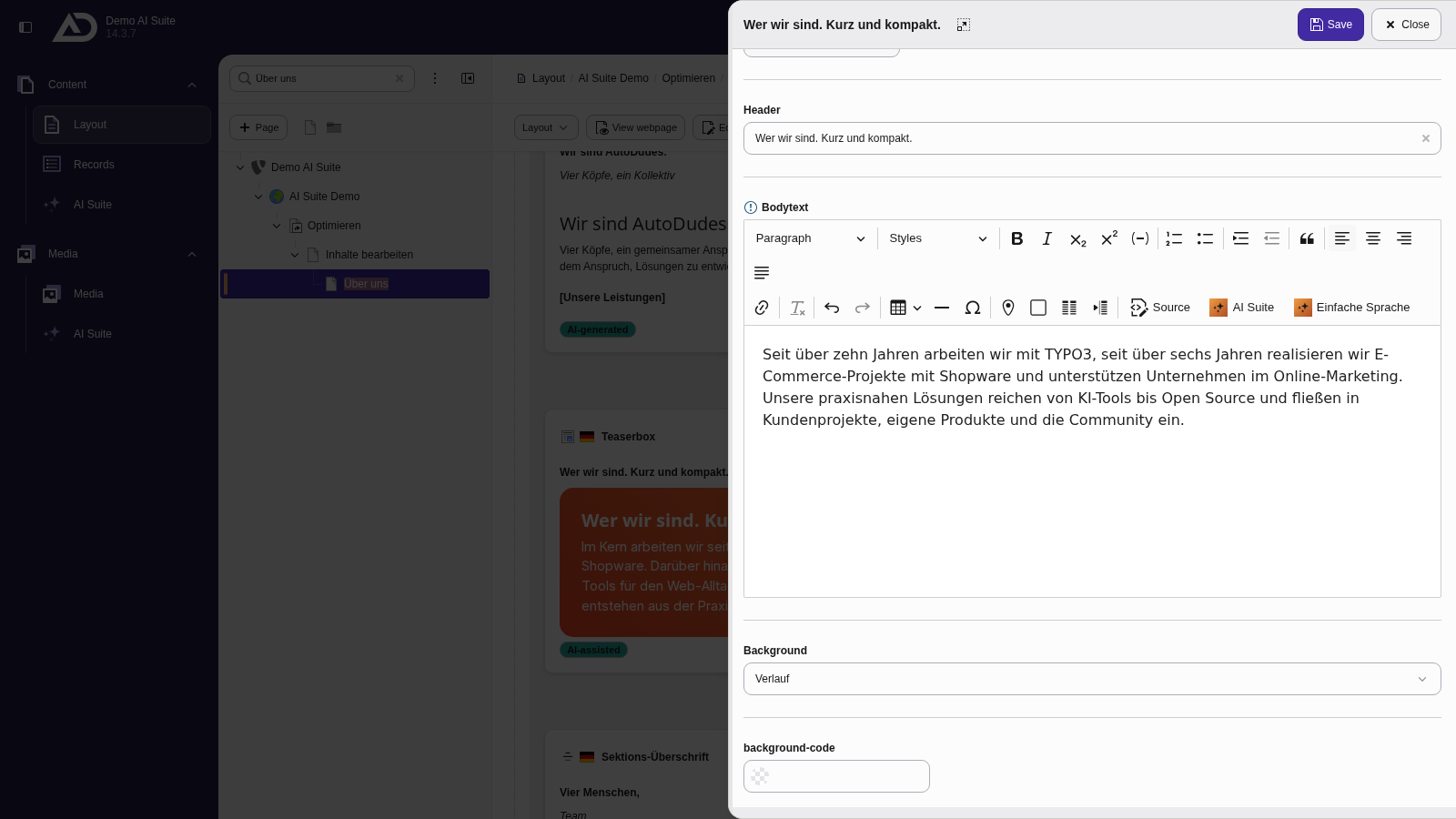
A click on “Generate content” replaces the selected paragraph with the shortened version.
-
Show larger version
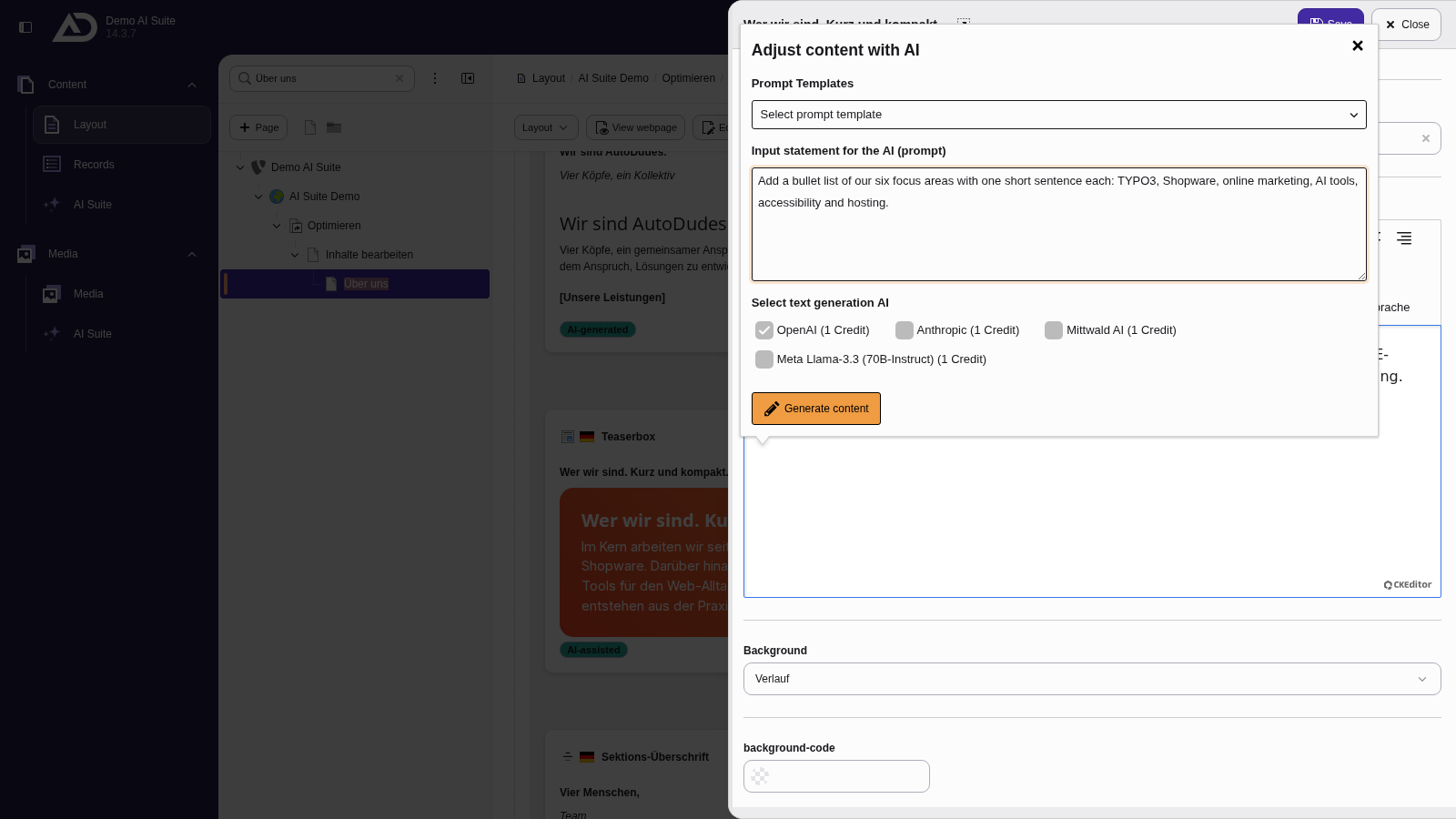
Without a selection, the AI Suite adds new text at the cursor position. We put the cursor at the end and ask for a list of our focus areas.
-
Show larger version
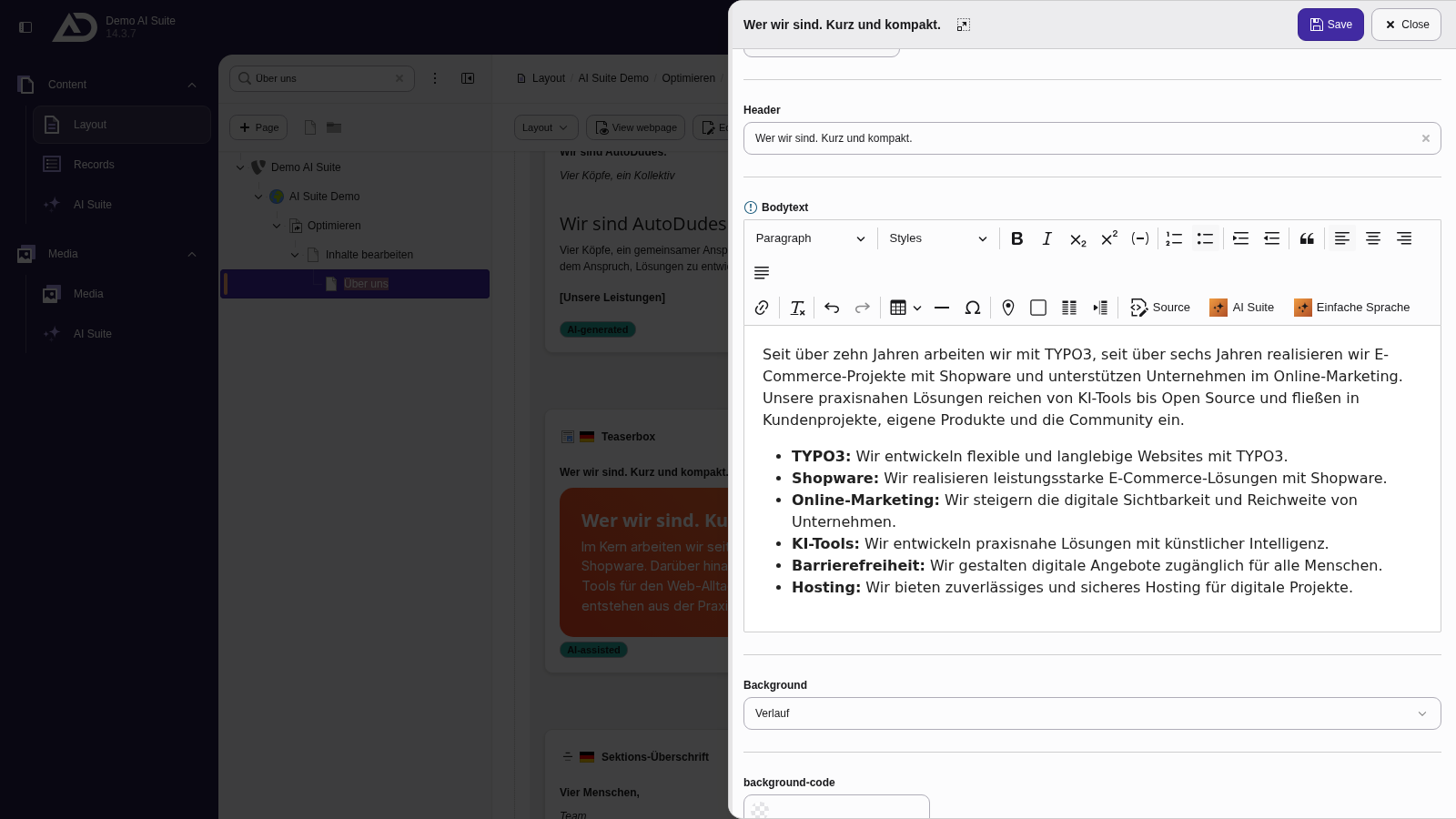
The list lands exactly where the cursor was.