WorkflowManager for editors
Since versions 13.1.0/12.7.0, you create and edit metadata with the WorkflowManager of the AI Suite. It currently supports page metadata, metadata of file references and metadata of files. In addition, the workflows “Page translations” and “Translation of file metadata” are available. Since versions 13.5.0/12.11.0, the WorkflowManager remembers your filter settings, so you do not have to set them again every time.
 Processing of Tasks
If you create metadata or translations via our shared server (https://api.autodudes.de) with the WorkflowManager, the processing time depends on the tasks that are currently being generated. The required time can vary depending on how much metadata you want to create and what needs to be generated beforehand. If you want to use your own resources, our SaaS solution is just right for you.
Generate in the background & auto-fill
Since versions 14.1.0/13.13.0/12.19.0, in addition to direct execution the WorkflowManager offers the button “Generate with AI and auto-fill in background” (for translations “Translate with AI and auto-fill in background”). The tasks are then not processed interactively right away, but created as background tasks, processed by the scheduler, and automatically written back into the records.
The button only appears when all of the following prerequisites are met:
- the permission “Allow CLI/Scheduler-based workflow execution” (
enable_cli_workflow_execution) is set - the TYPO3 extension EXT:scheduler is installed
- an active scheduler task runs the command
ai-suite:process-tasksregularly
For details on the commands and the setup, see CLI Commands. The corresponding permissions are described under Permission management.
-
Show larger version
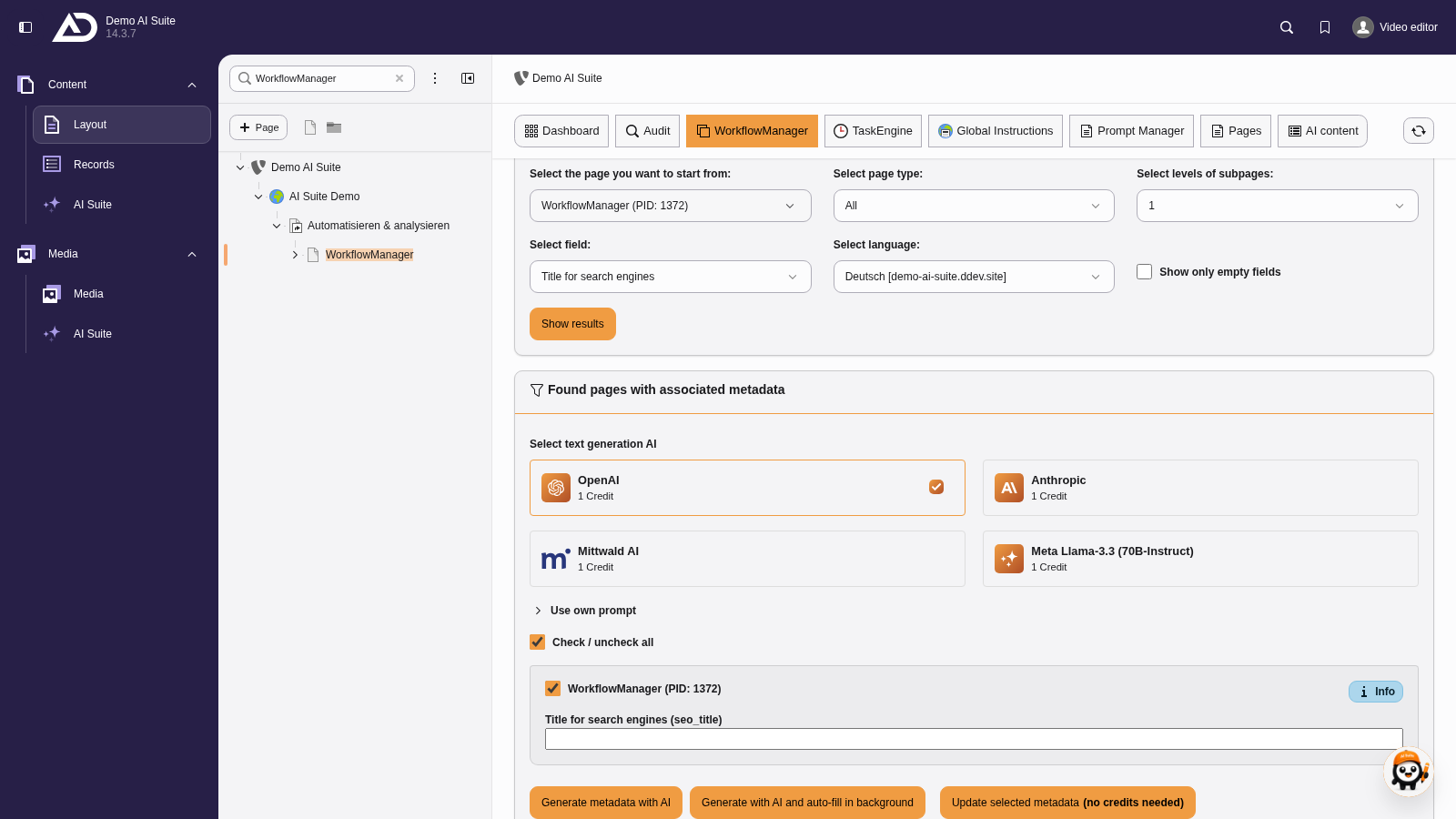
The WorkflowManager lists the pages found with the selected field. Below, “Generate metadata with AI” or “Generate with AI and auto-fill in background” start the processing.