-
Show larger version
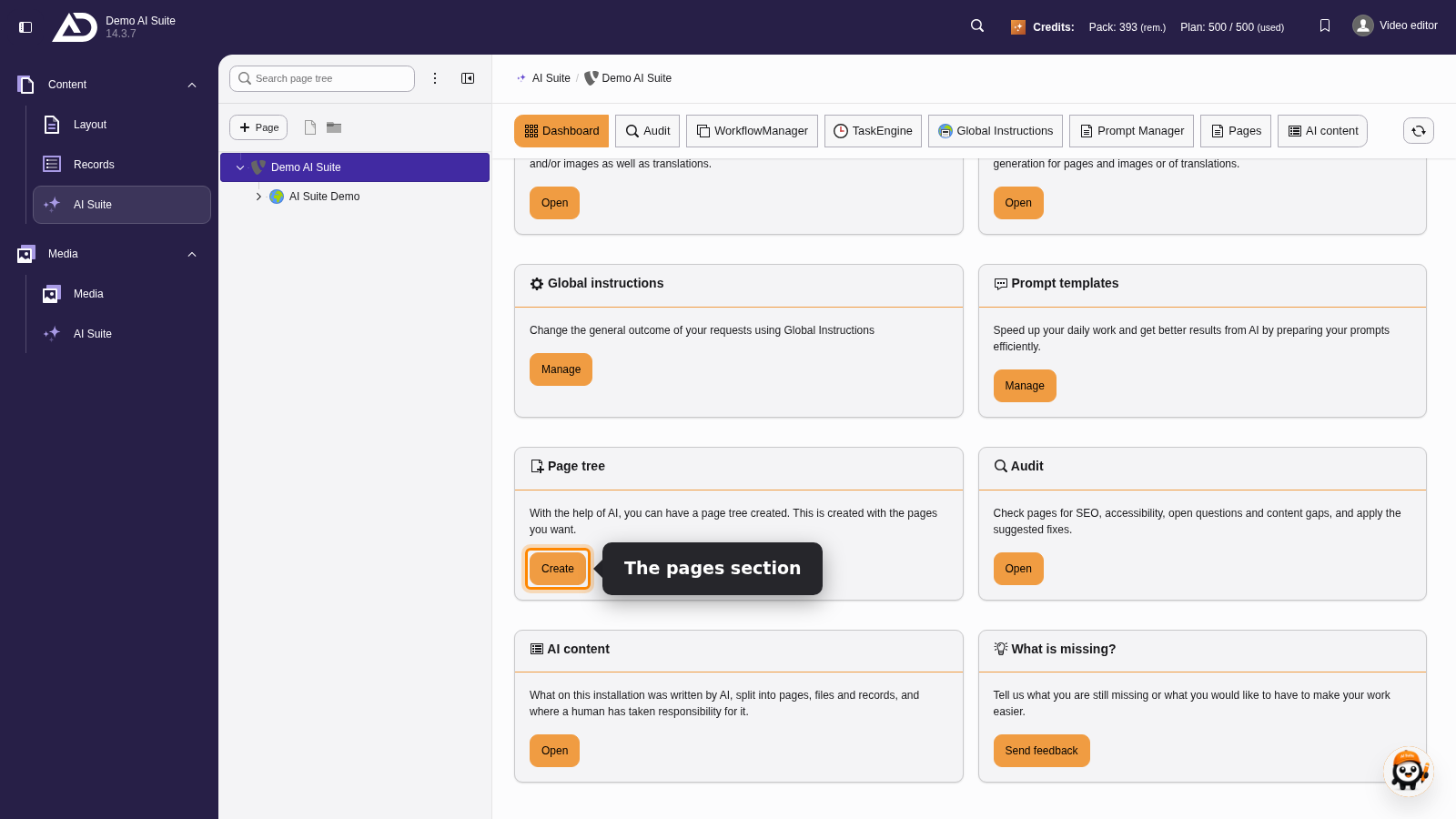
On the dashboard of the backend module “AI Suite”, “Create” on the “Page tree” card starts the generator.
-
Show larger version
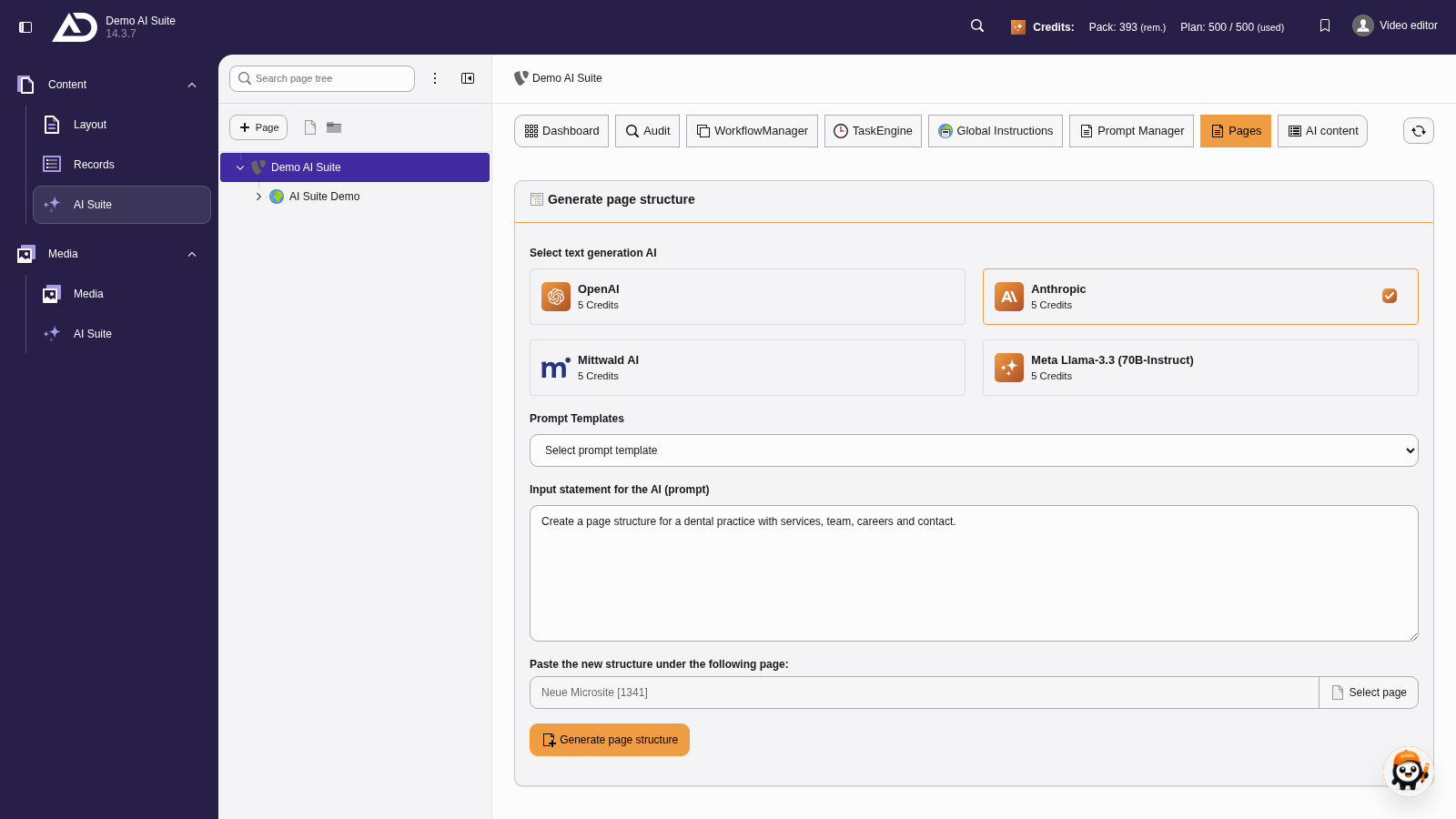
The new pages should go below the page “Neue Microsite”. With “Select page” we search for the page and select it.
-
Show larger version
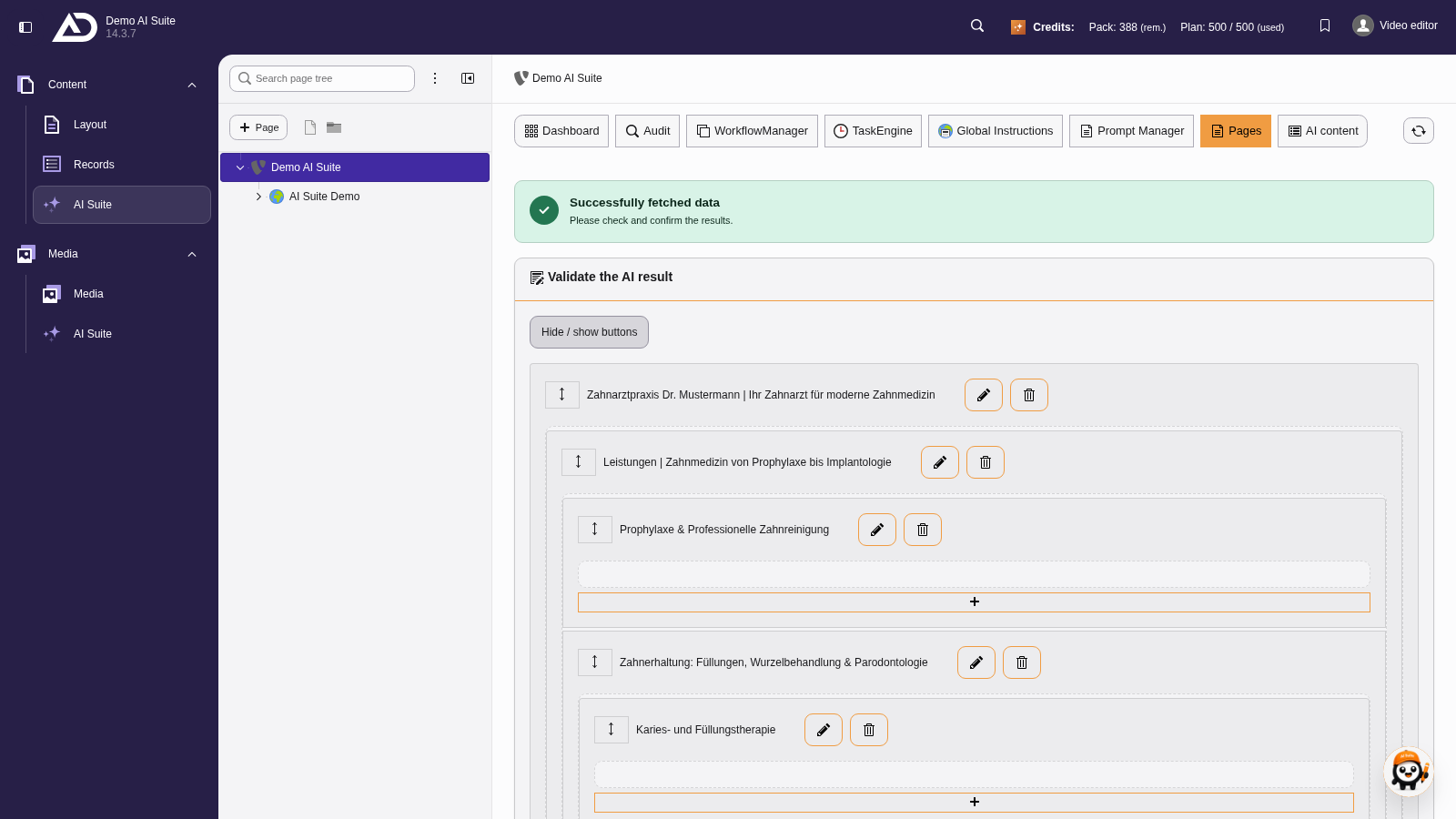
We review the suggestion at our own pace. “Hide / show buttons” gives a better overview.
-
Show larger version
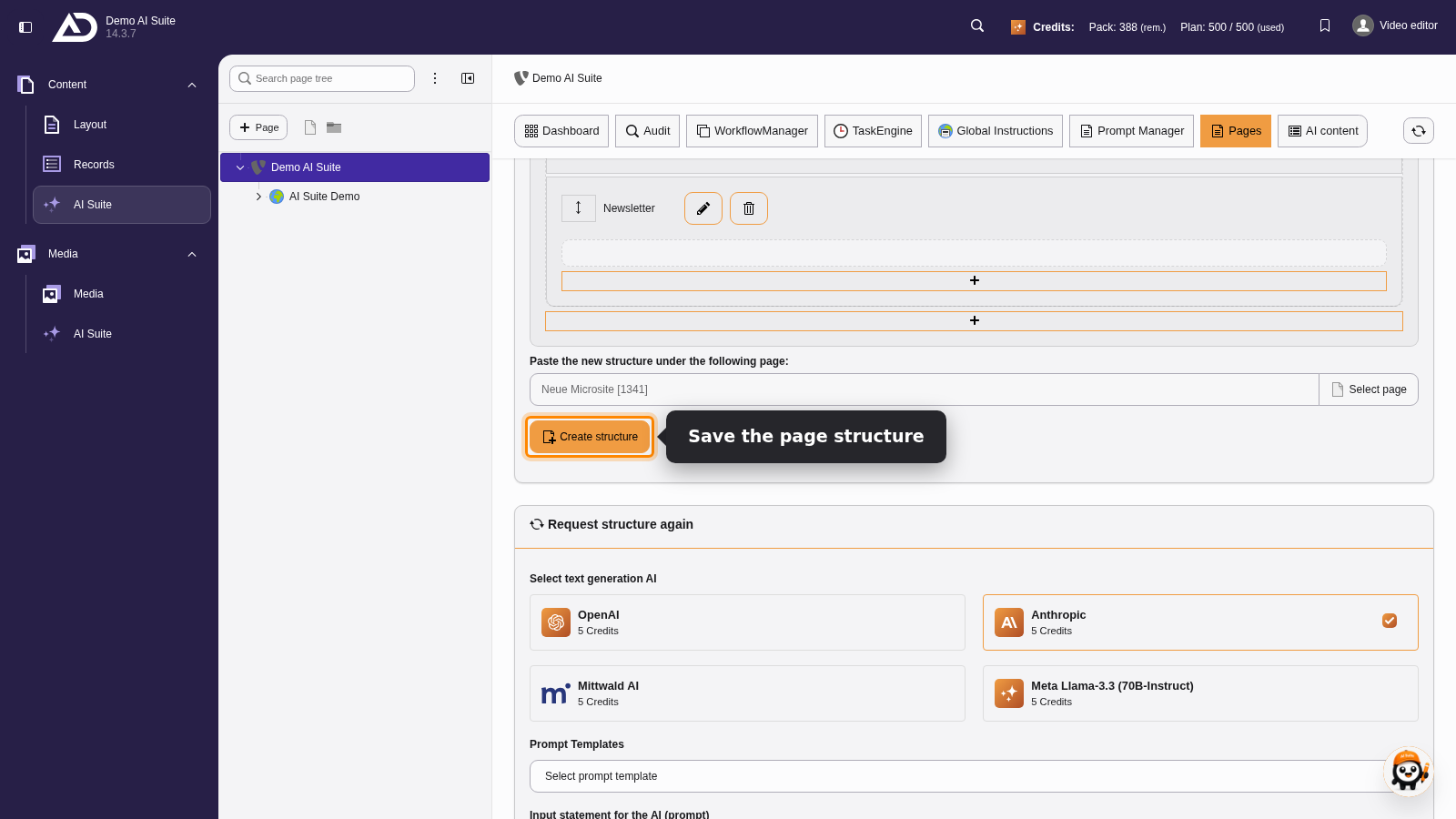
Below the suggestion, we see once more where the pages will go. “Create structure” creates them.
-
Show larger version
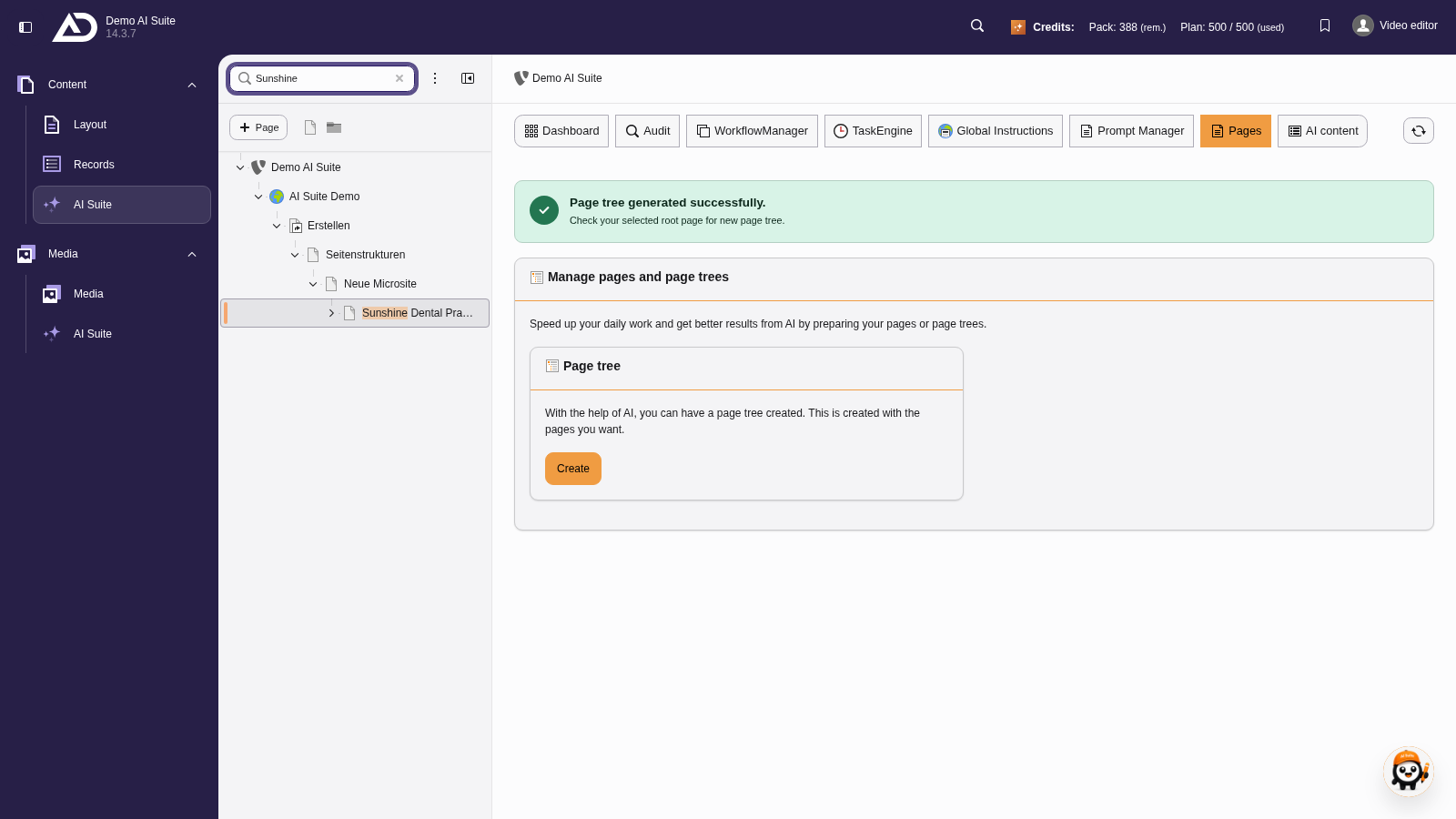
Afterwards the new pages are right there in the page tree.
-
Show larger version
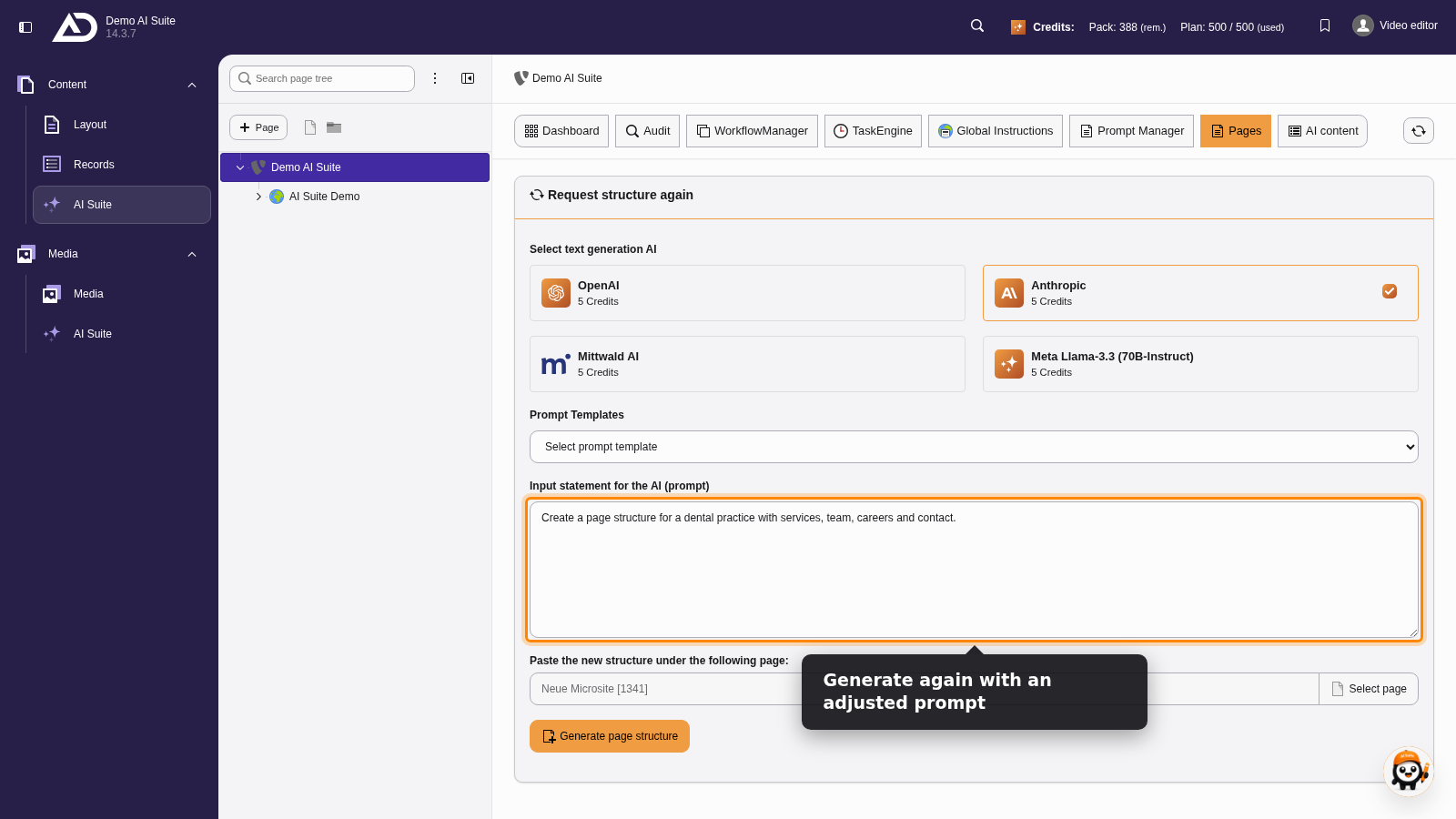
If the suggestion does not fit, we change the prompt under “Request structure again” and generate again.