-
Show larger version
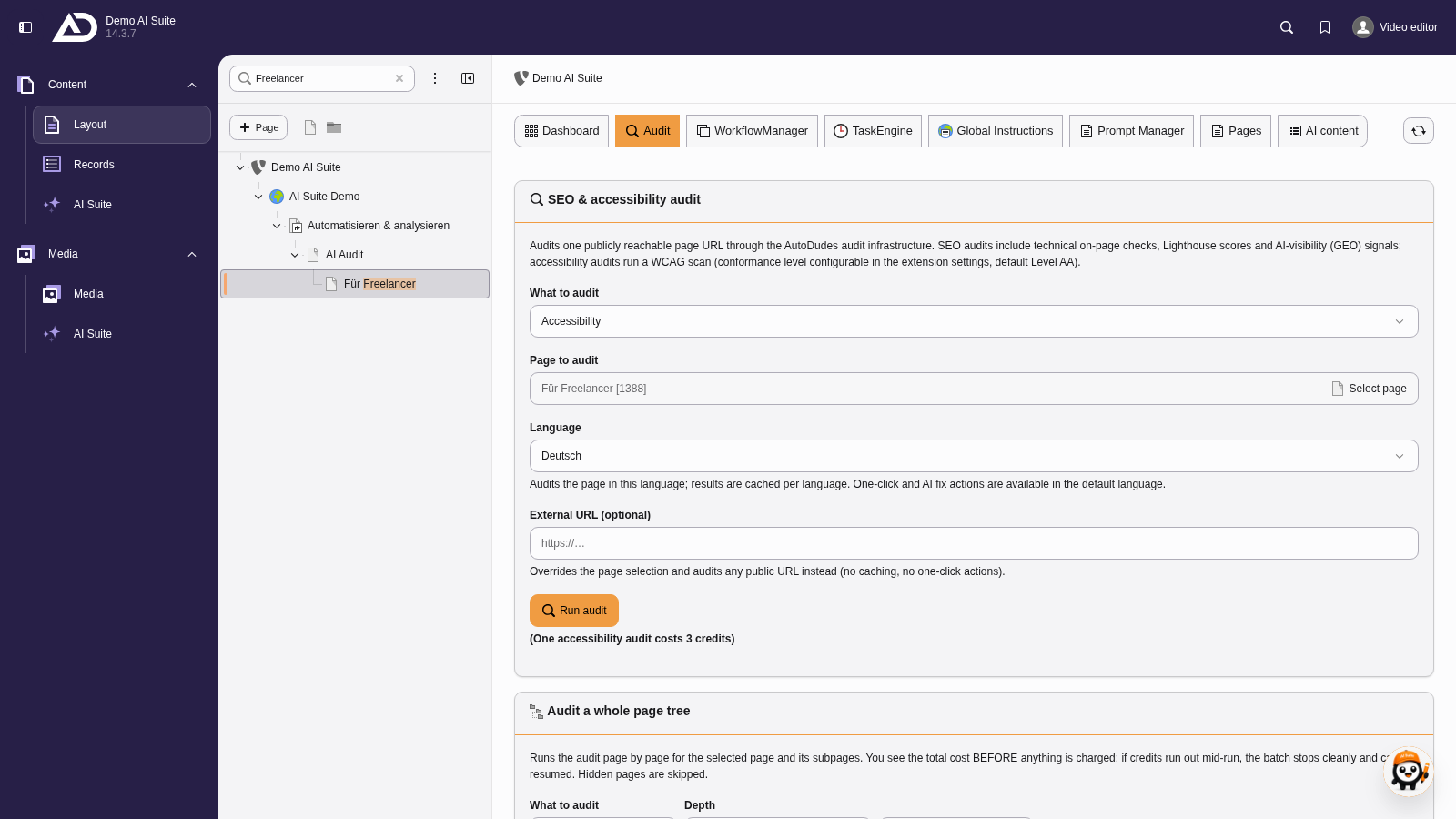
We choose accessibility. The page is preset, alternatively the audit checks an external URL. Then the language, and we start.
2. Structure of the result
You get an audit score from 0 to 100 and the findings, split into errors, warnings and notices. Each finding names the criterion affected and carries a classification of how it can be fixed. The mix is typical: missing alternative texts are usually fixable straight away, whereas contrast or focus problems belong in the template and therefore with development or your agency.
-
Show larger version
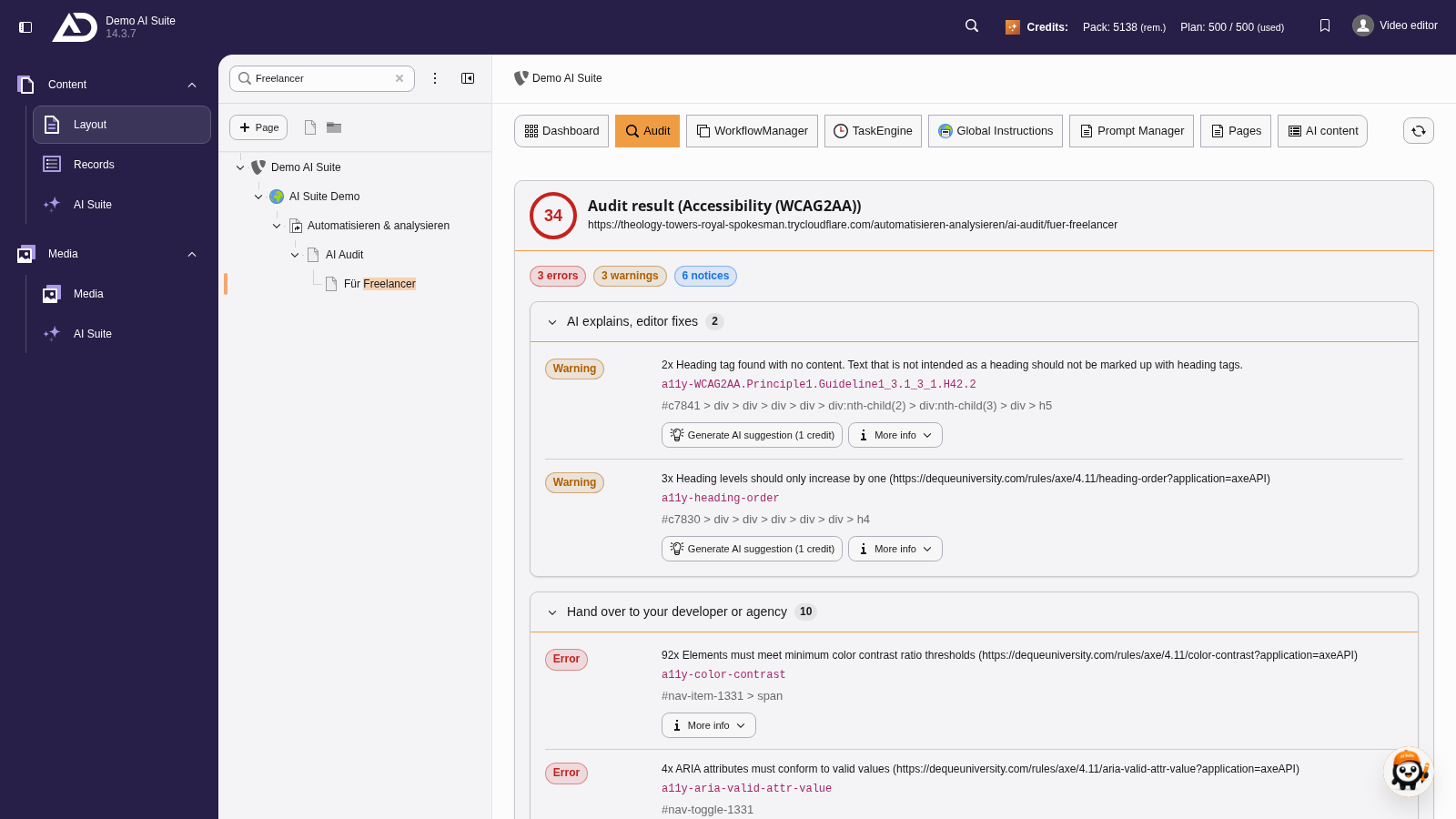
At the top are the score and the number of errors, warnings and notices. Below, the findings are grouped by who fixes them: the AI Suite, the editors with help from the AI, or developers and agency.
3. Fixing findings and passing them on
Missing alternative texts can be generated straight from the result, see Fix with AI (fix wizard). For everything that depends on the template, it is best to export it with “Export CSV” and pass the list on.
-
Show larger version
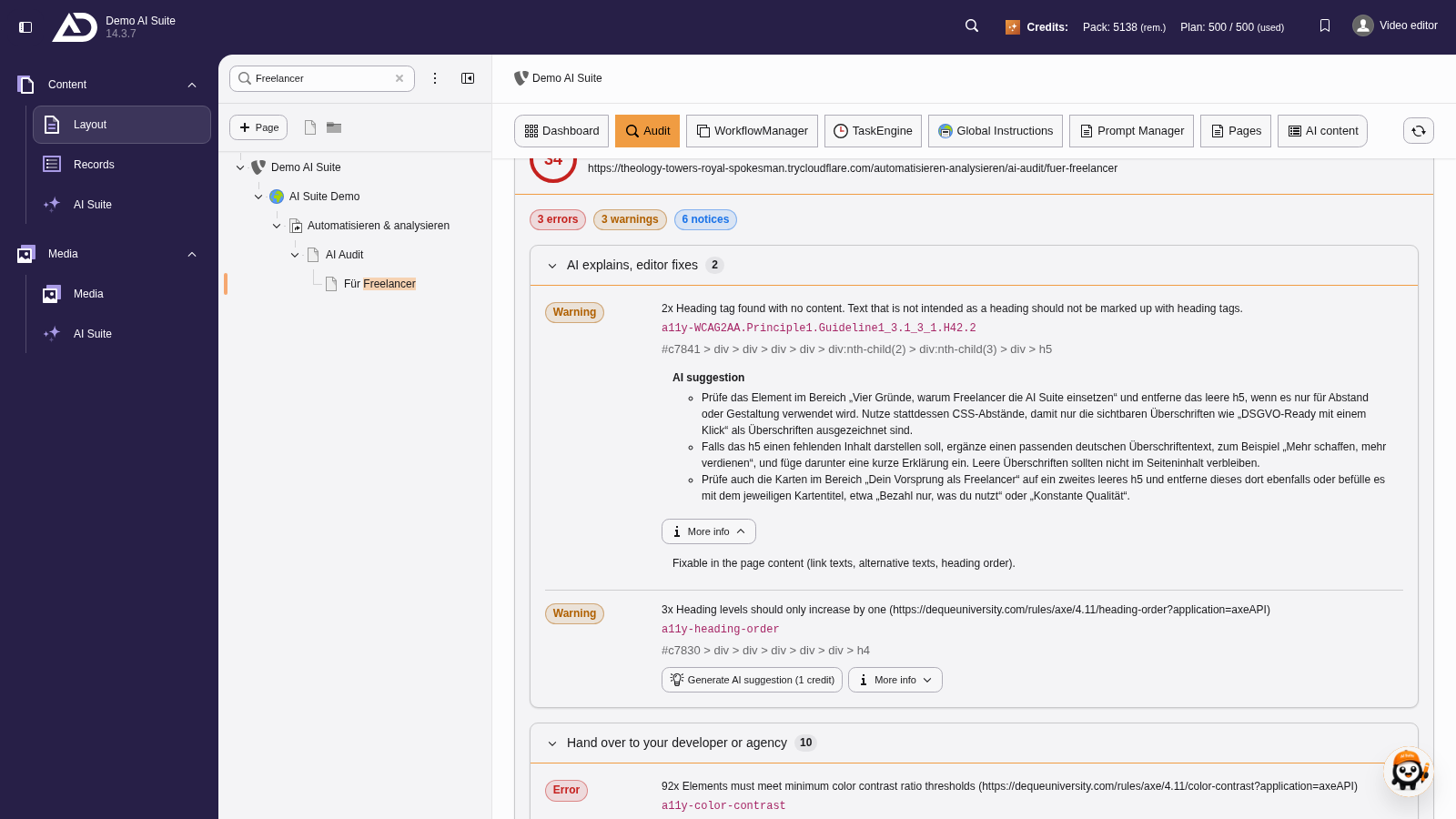
Each finding names the problem and where it occurs. Under “More info” it says where the finding can be fixed. For findings the editors implement, the AI generates a suggested fix.
-
Show larger version
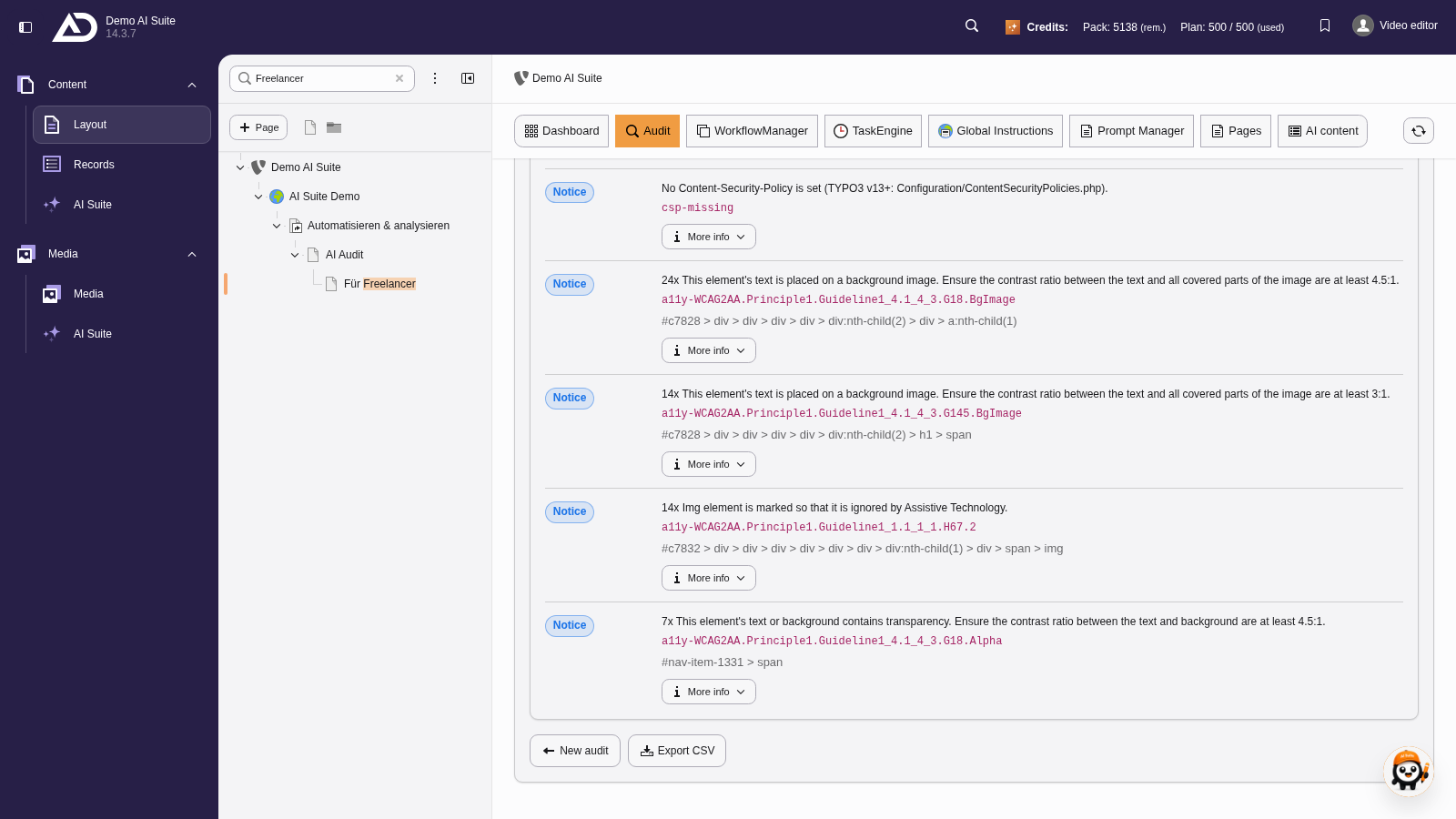
With “Export CSV” the findings can be exported, for example to hand them over to the agency.
 A scan is no substitute for an audit
Automated tests find only part of the barriers. Criteria such as comprehensible language, sensible order or meaningful link texts cannot be assessed reliably by machine. A green score therefore does not mean the page is accessible.