1. Starting the audit
Choose the type “SEO & performance”, then the page to check or an external URL. A focus keyword is optional, but it makes the result considerably more informative: only with a keyword can the AI Suite show you search volume, search intent and your own position in the search results.
-
Show larger version
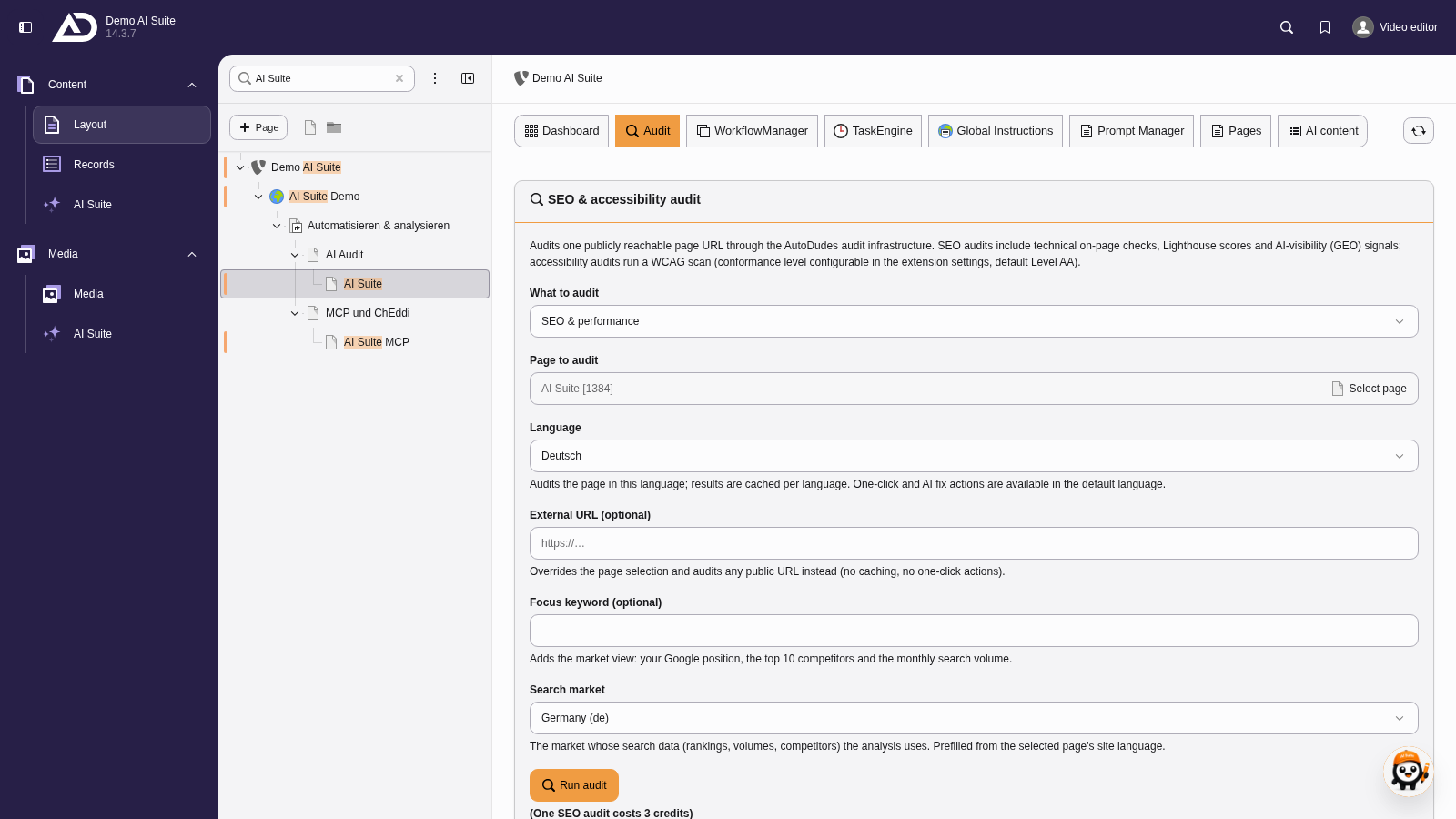
We choose SEO and performance. The page is preset, alternatively the audit checks an external URL. Then language, search market and an optional focus keyword.
2. Structure of the result
The result is structured as follows:
- Audit score from 0 to 100, calculated from the findings.
- Errors, warnings and notices as a list of findings, each with a classification of its fixability.
- Lighthouse: scores for performance, accessibility, best practices and SEO.
- Market view: with a focus keyword set, the search volume, the detected search intent, your own position and a note if the page does not appear in the top 20 for that keyword.
- Average title length in the top 10 as a guide for the metadata.
-
Show larger version
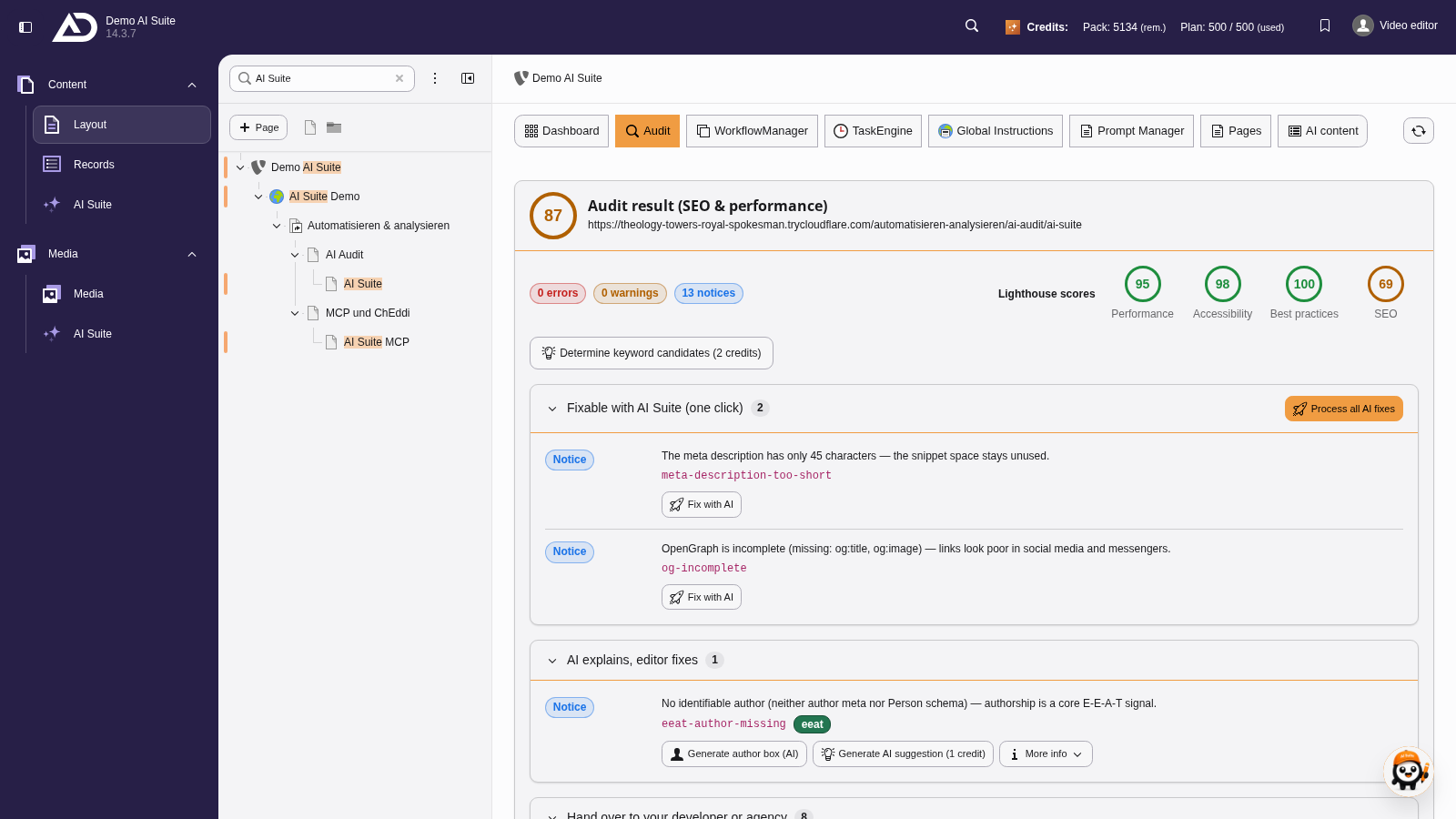
At the top are the overall score and the Lighthouse scores, next to them the number of errors, warnings and notices. Below, the findings are grouped by who fixes them.
-
Show larger version
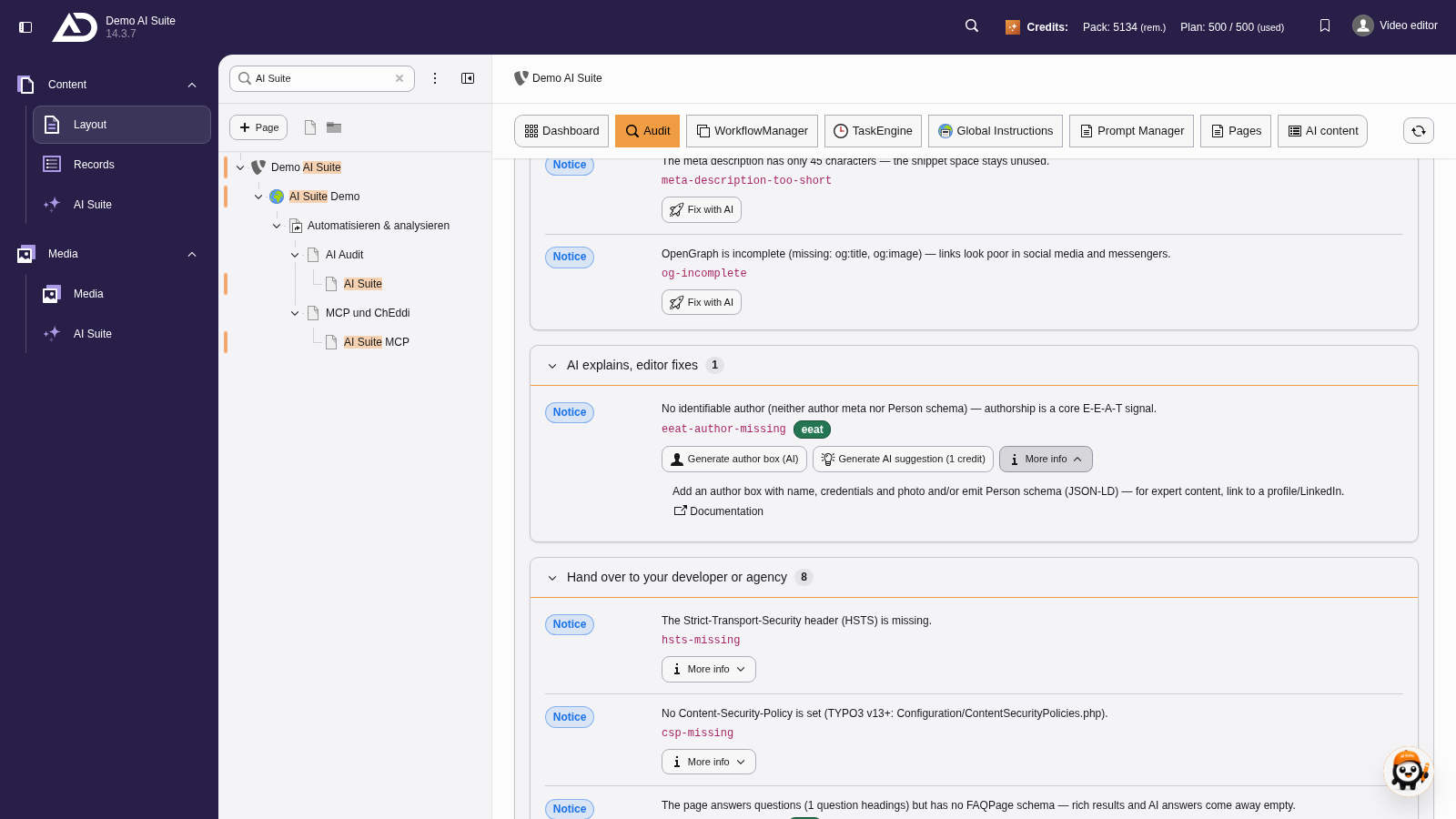
Each finding names the problem and where it occurs. “More info” explains the background and links the documentation.
-
Show larger version
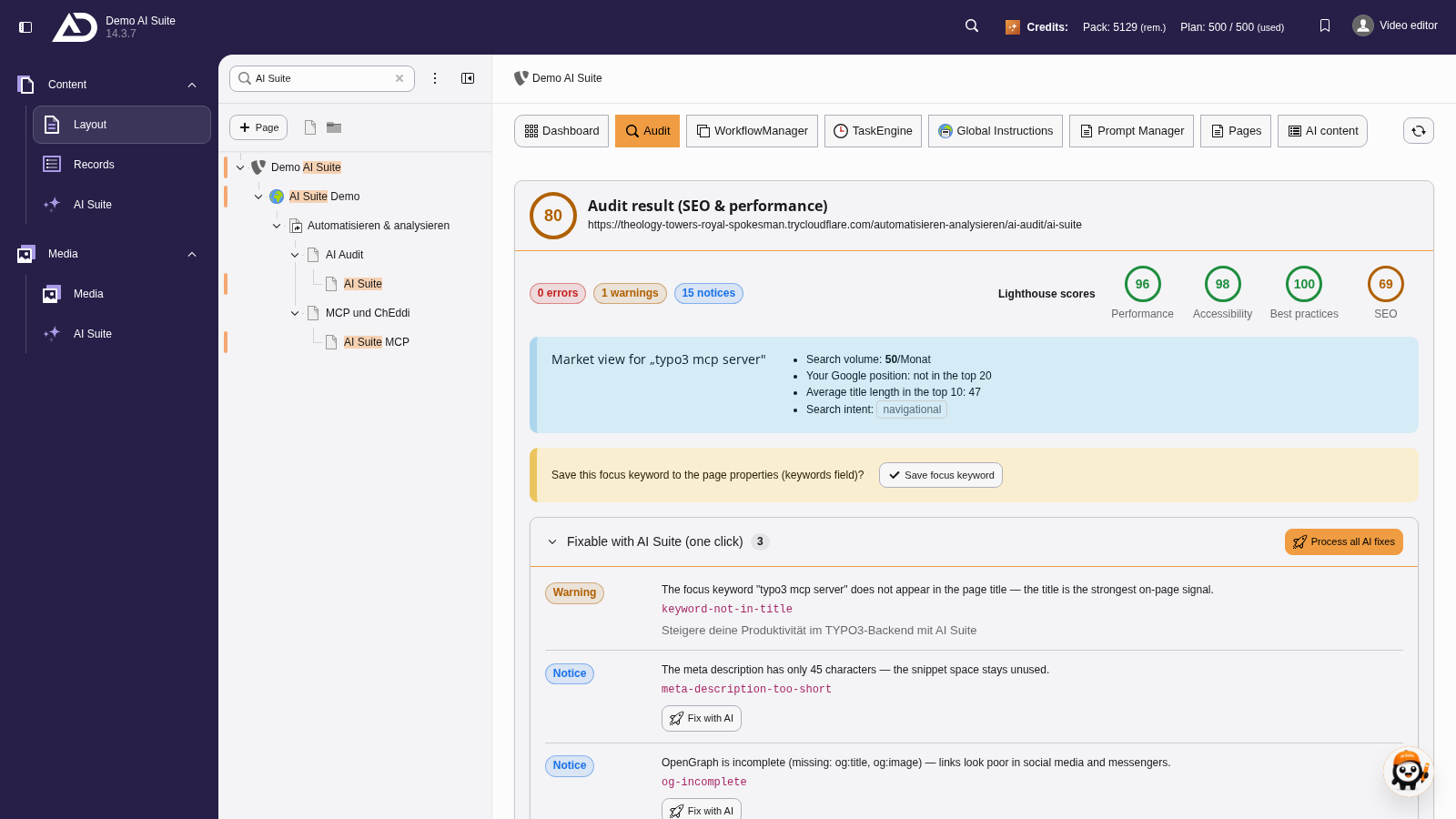
With a focus keyword, the result also shows the market view with search volume, search intent and your own position.
3. Keyword candidates
Through “Determine keyword candidates (2 credits)” the AI Suite suggests keywords that fit the page, each with searches per month, competition and difficulty. A candidate can be taken straight into the audit with “Adopt as focus keyword”. A chosen keyword can be saved on the page so that future audits reuse it.
Competition is a value between 0 and 1 and tells you how contested the keyword is in paid search, meaning how many advertisers bid on it. Difficulty is a value from 0 to 100 and tells you how hard it is to reach the organic top 10 for that keyword. For the focus keyword it is shown as “x/100”. The two are unrelated: an expensively advertised keyword can be easy to win organically, and a cheap one hard fought.
-
Show larger version
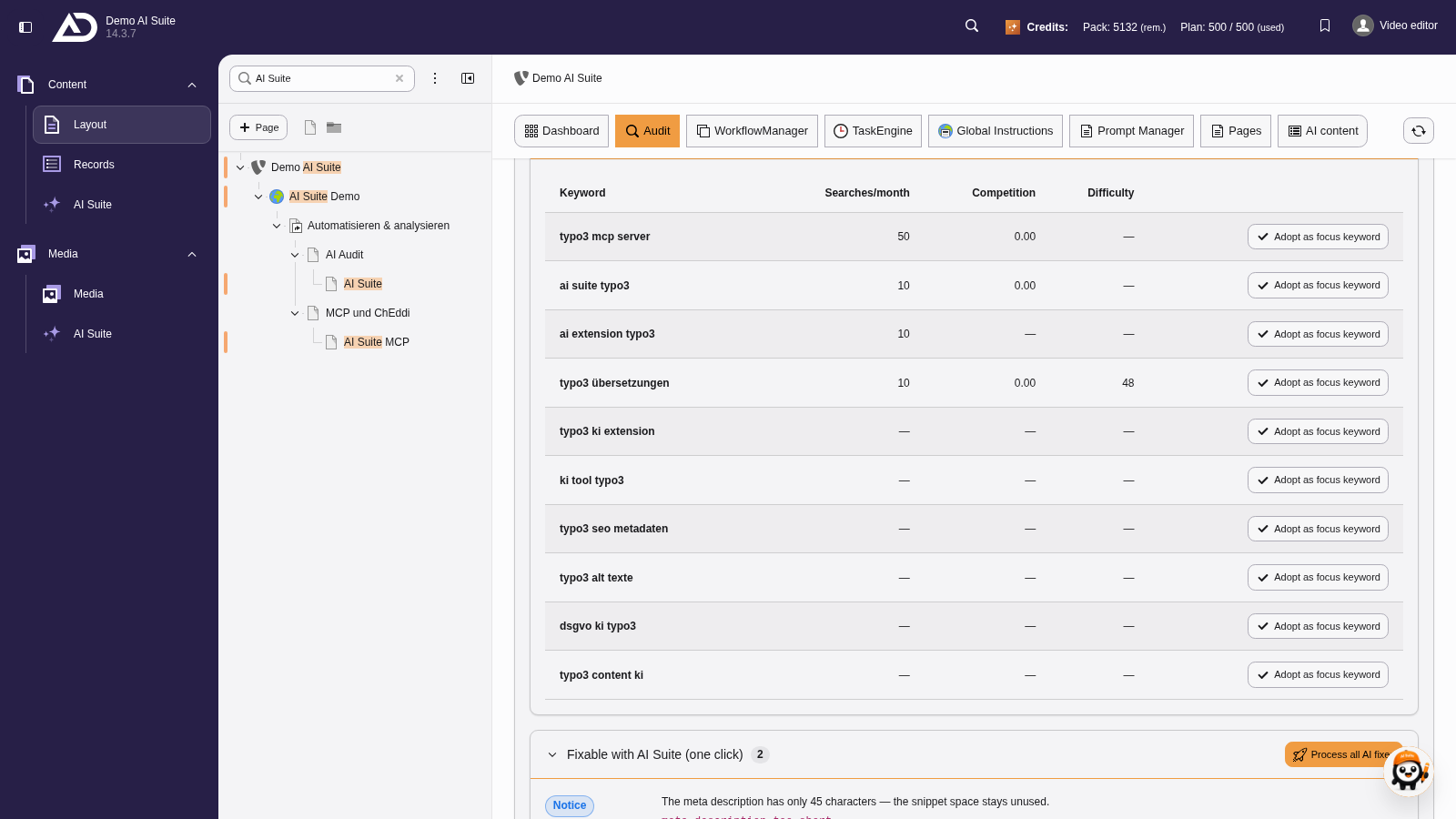
For two credits, “Determine keyword candidates” finds matching keywords with monthly searches, competition and difficulty.
4. Fixing findings
Metadata findings and missing alternative texts can be fixed straight from the result, see Fix with AI (fix wizard). After fixing, the AI Suite points out that you should run the audit again so that the score reflects the changes.
-
Show larger version
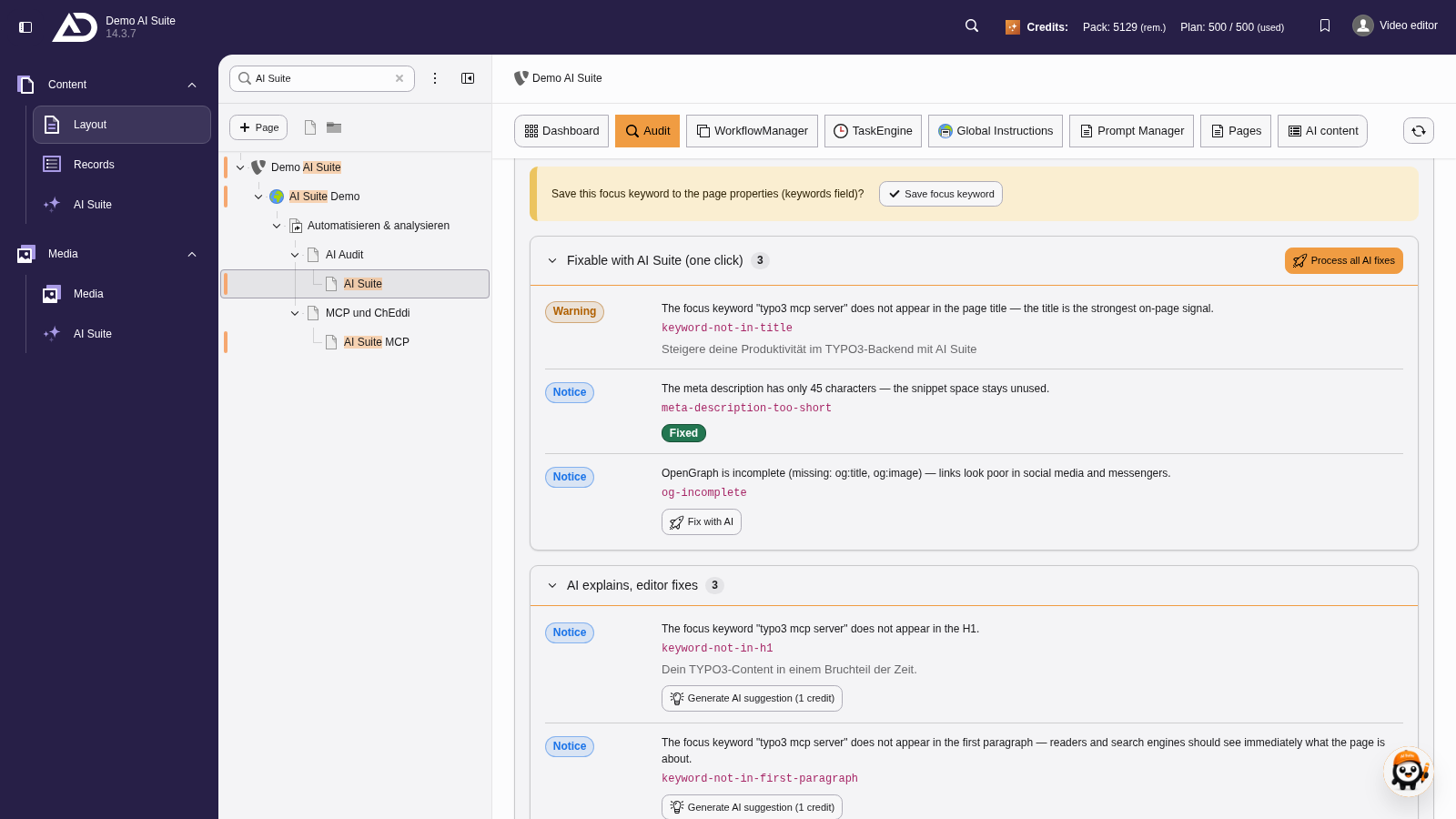
Findings under “Fixable with AI Suite” are fixed by the fix wizard. We choose a model, have suggestions generated, pick one and save.