-
Show larger version
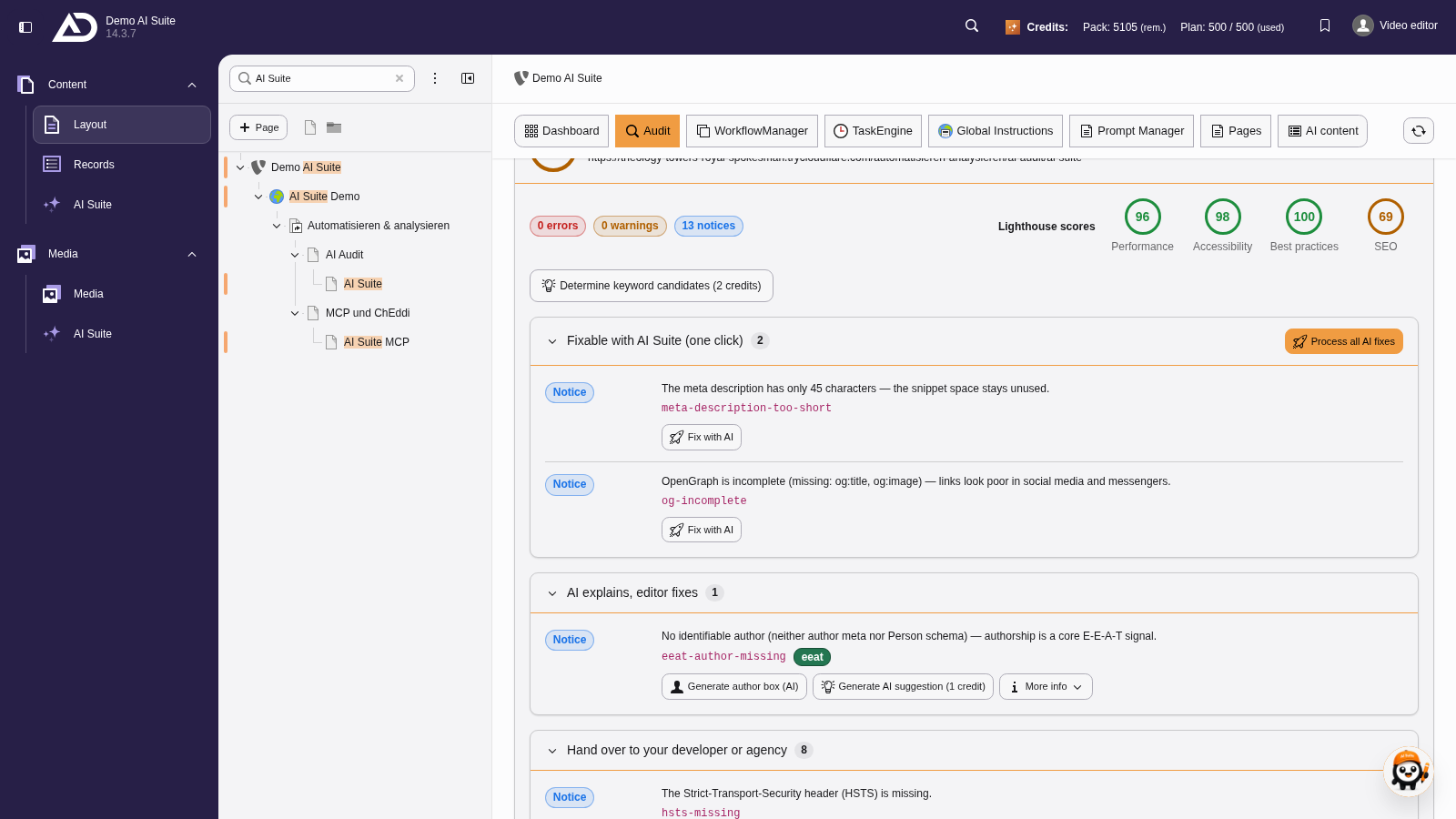
Under “Fixable with AI Suite”, each finding has a “Fix with AI” button. “Process all AI fixes” works through them one after another.
-
Show larger version
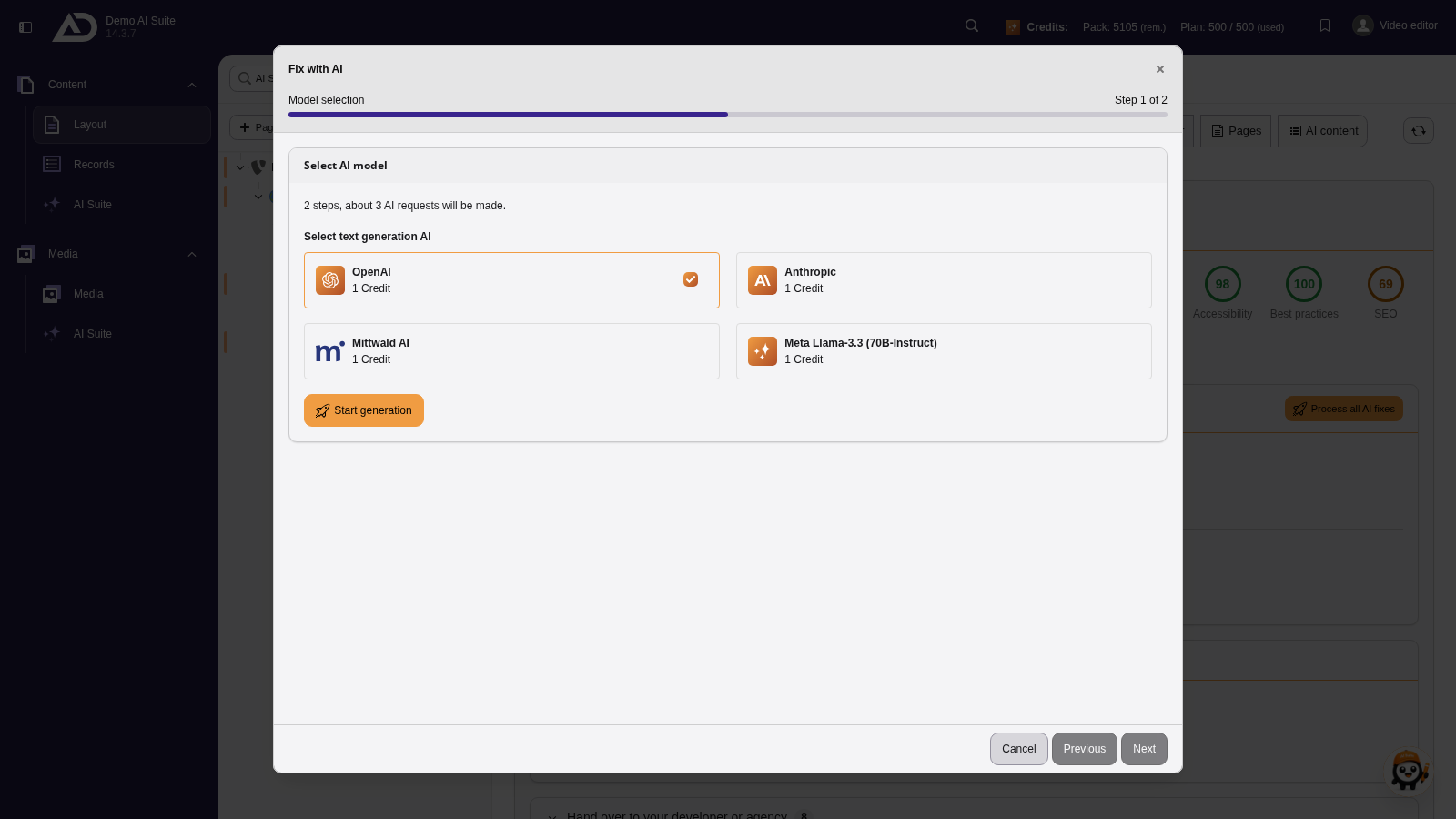
The wizard shows the number of steps and AI requests. We choose a text model and start with “Start generation”.
3. Checking and saving suggestions
After that you work through the findings one by one. For each step you see the current value and the generated suggestions. You pick a suggestion, can still adjust it before saving and adopt it with “Save”. If none of them fits, you move on with “Skip”.
The following fields are fixed:
- SEO title (search result title)
- Meta description
- Open Graph title and Open Graph description
- Alternative text (alt) of images
-
Show larger version
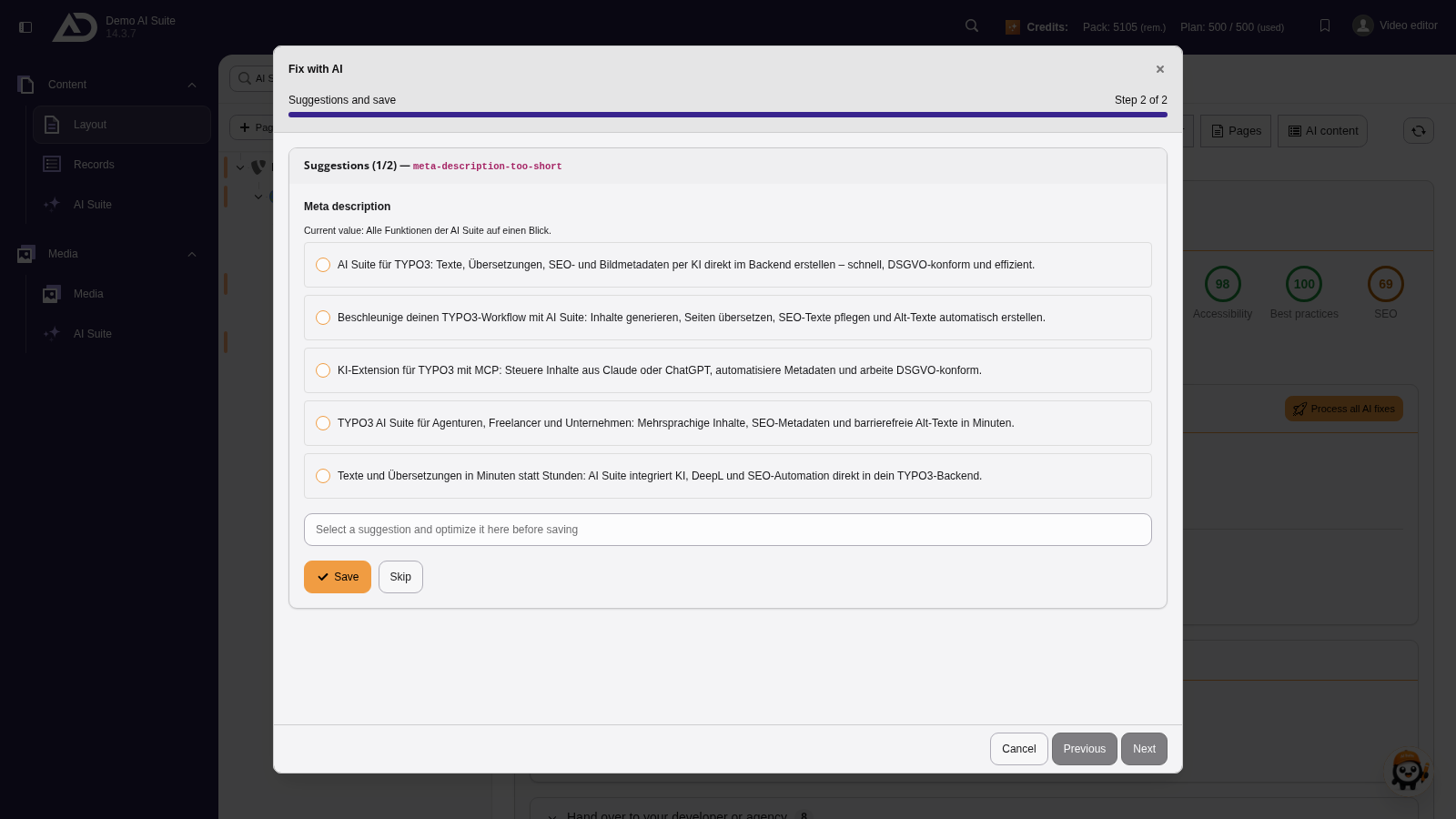
For each finding, several suggestions appear next to the current value. We pick one, can still adjust it in the field and save.
-
Show larger version
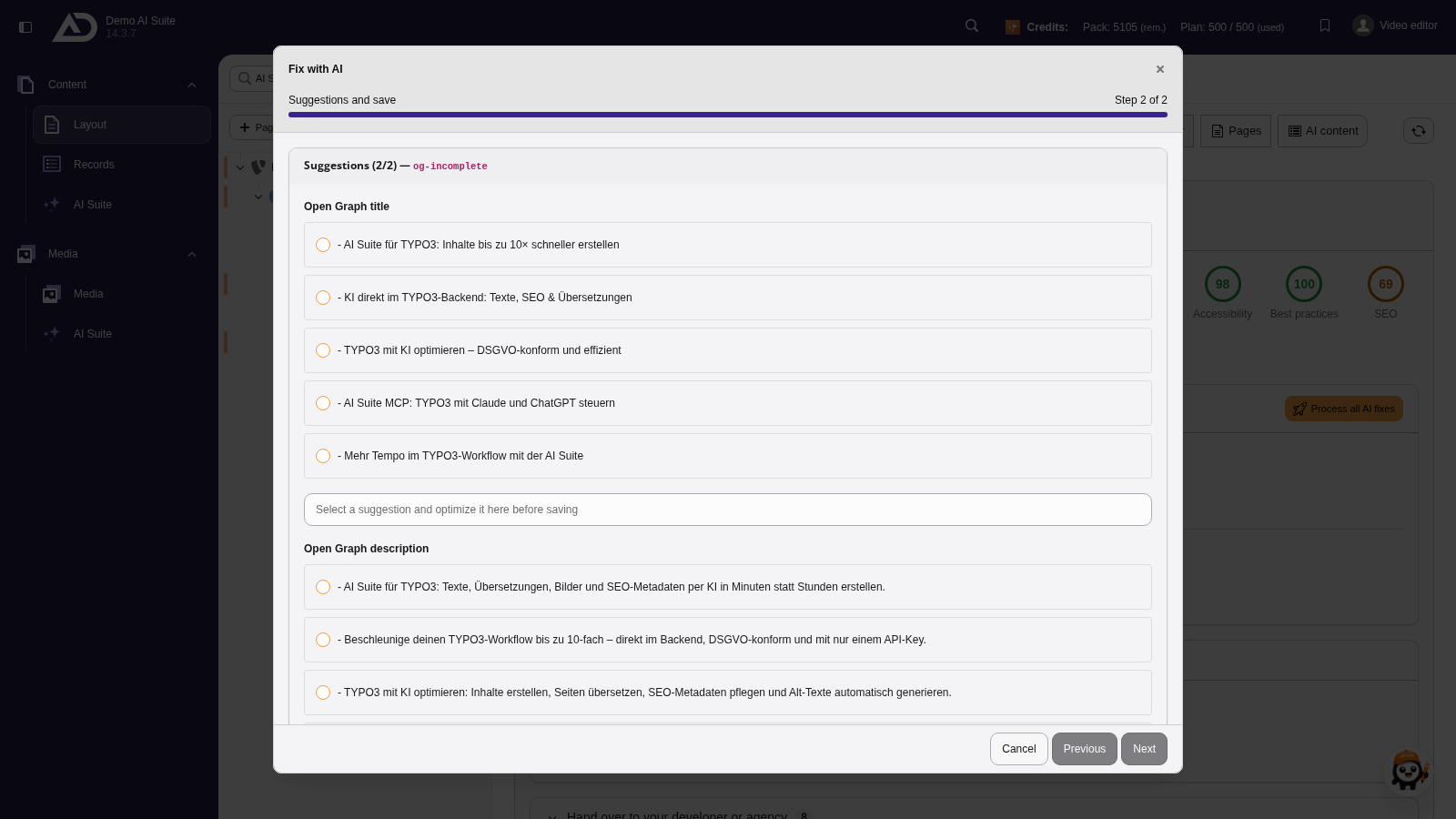
For the next finding, too, we pick a suggestion and save.
-
Show larger version
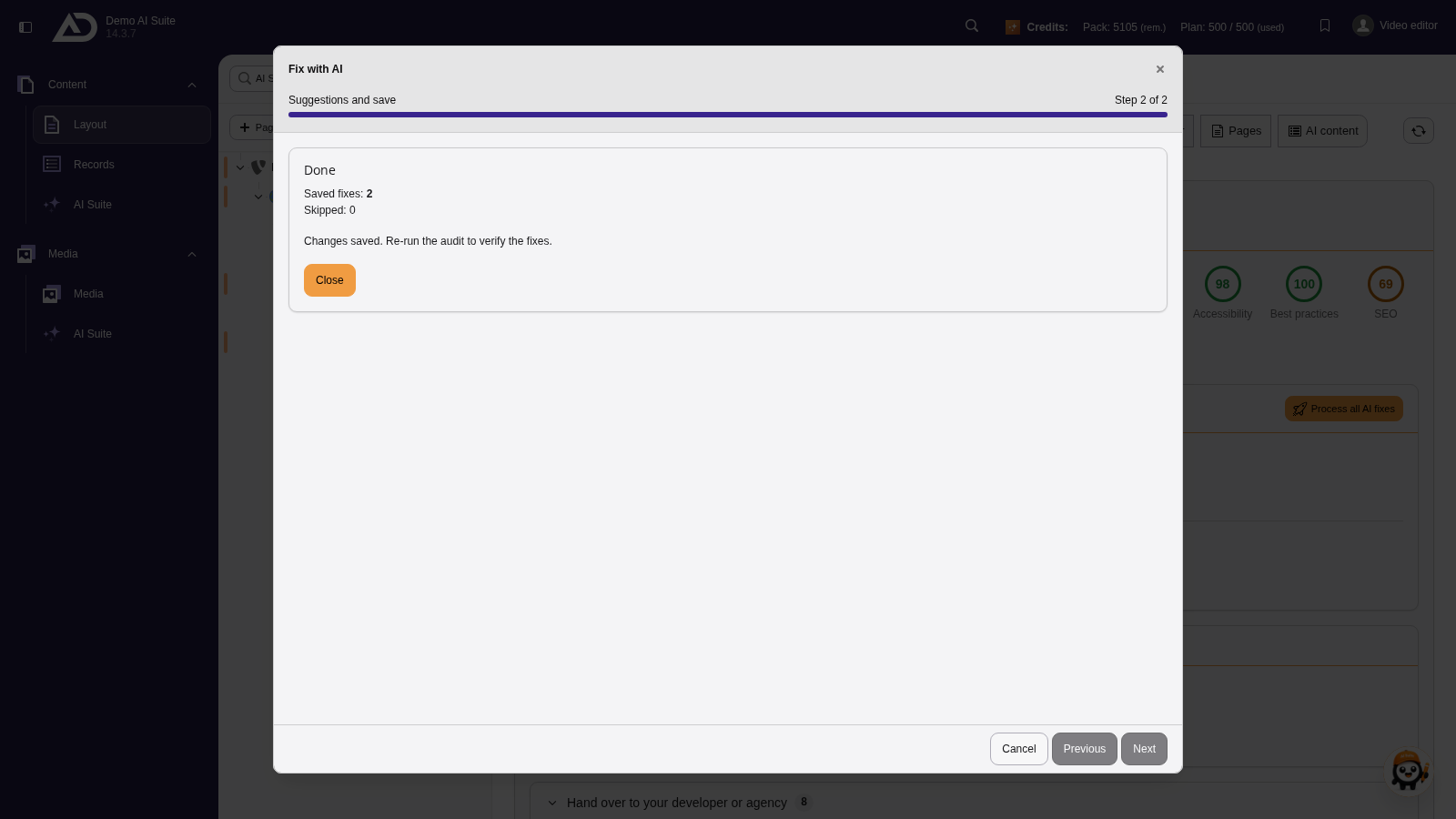
Remaining findings can be skipped. The summary counts saved and skipped fixes.
Further AI actions in the result
Besides the fix wizard there are individual actions in the audit result:
- Generate AI suggestion (1 credit): for findings that cannot be fixed automatically, the AI explains in text form what needs doing. That is the basis for passing the matter on to the editorial team or to development.
- Generate author box (AI): produces a short author text. One thing matters here: the AI only writes from the facts you enter yourself (name, role or qualification, optionally a profile link). Qualifications and experience are not invented. On request, the name can additionally be saved as the page author.