1. Structure of the result
You get a table of the questions found. For each question you see the source, marked as a Google question for instance, the status and an assessment. The status is covered, partially covered or open. The assessment tells you in one sentence why the question was classified that way.
-
Show larger version
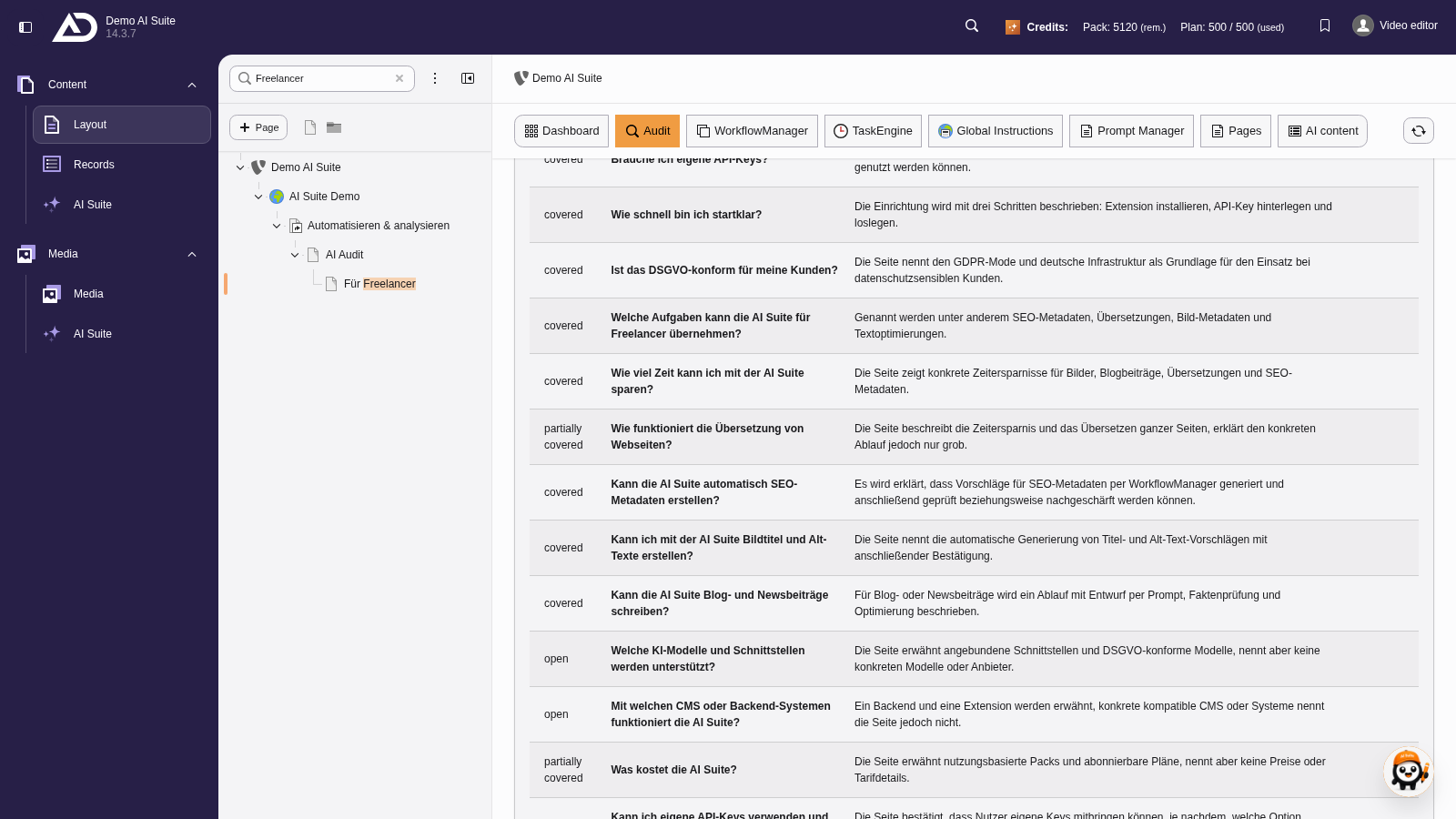
Each question has a status: covered, partially covered or open, along with a short assessment.
2. Adding answers
Open and partially answered questions can be added as new content elements on the audited page straight through “Generate answers as content (AI)”. Each question becomes a heading with a short answer below it. Check the suggestions like any generated content before you publish them.
If the audited page sits outside this TYPO3 installation, you can instead produce the answers through “Generate answers as copyable text (1 credit)”, copy them all at once and paste them into the target system.
-
Show larger version
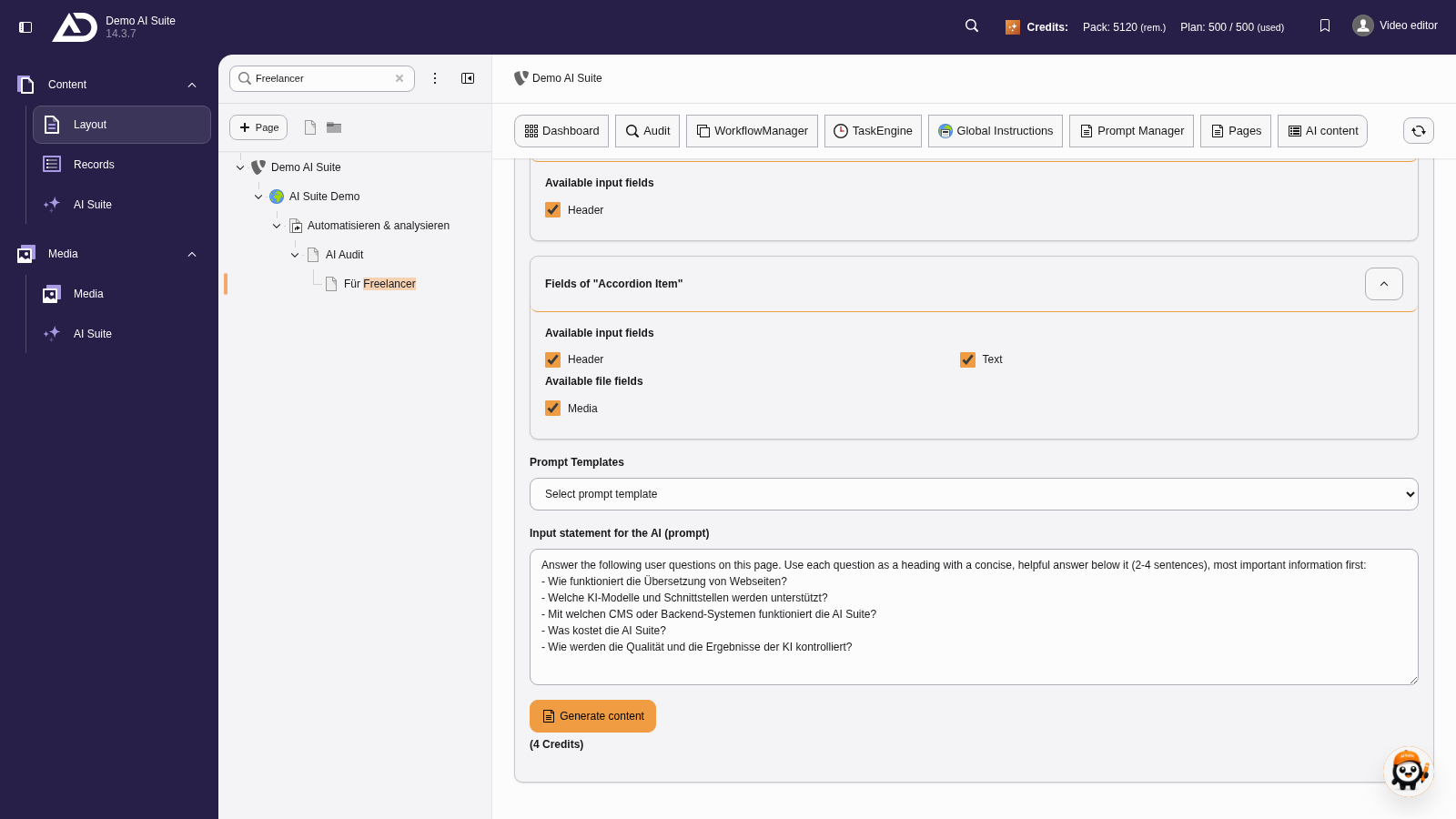
The prompt is already prefilled: each question becomes a heading with a short answer below. We do not need an image here.
-
Show larger version
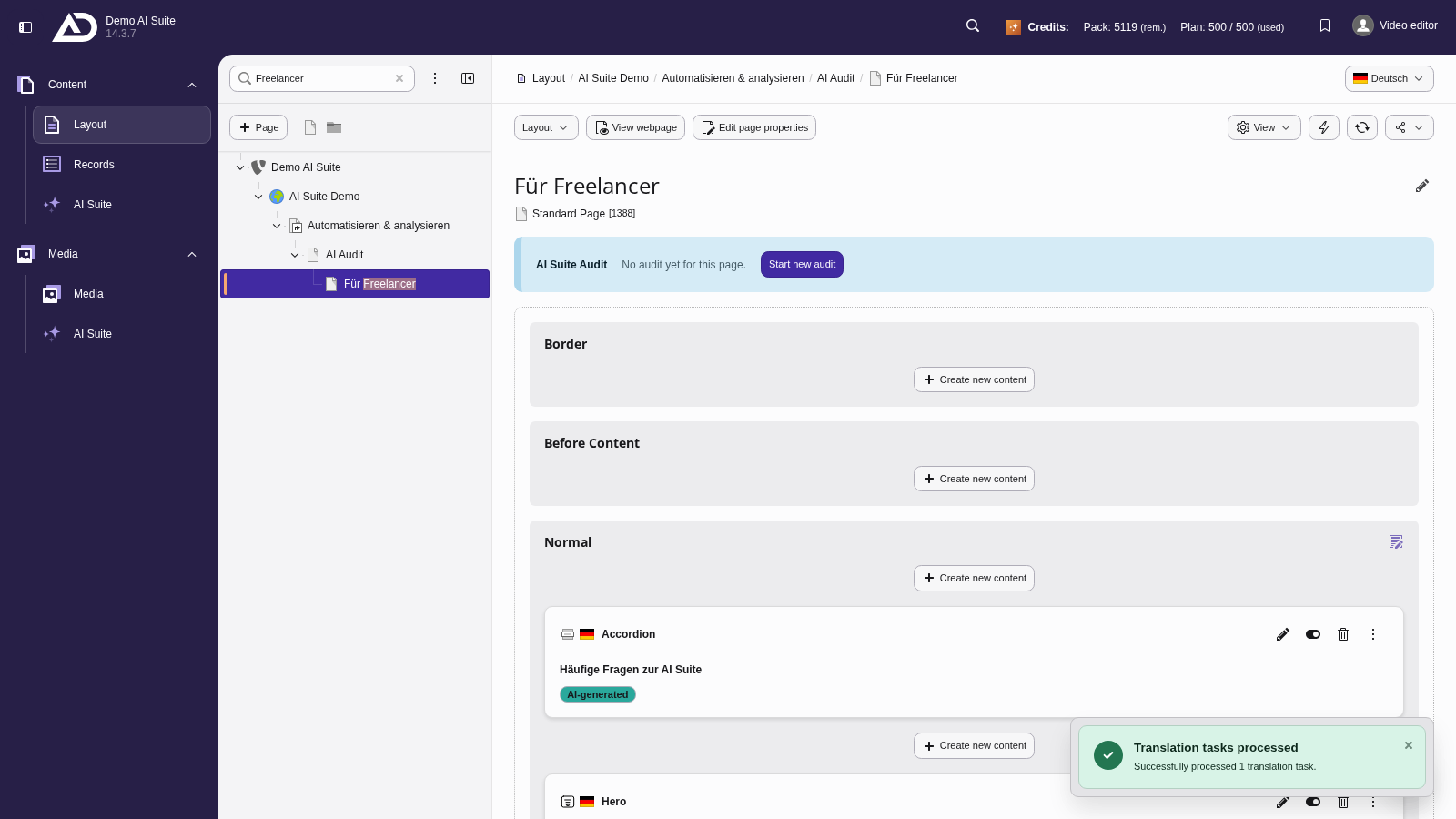
We review the answers and add the accordion to the page. In the Page module, the questions now appear as headings on the page.
 When no live questions are available
If no real search questions are available at the time of the analysis, the AI Suite points that out. The list is then derived from the page content alone and is accordingly less reliable than a list based on real search data.