 Only for administrators with server access
Only use this feature if you have access to the extension and the generated XLF files on the server yourself. By default, you cannot change the files from the TYPO3 backend.
-
Show larger version
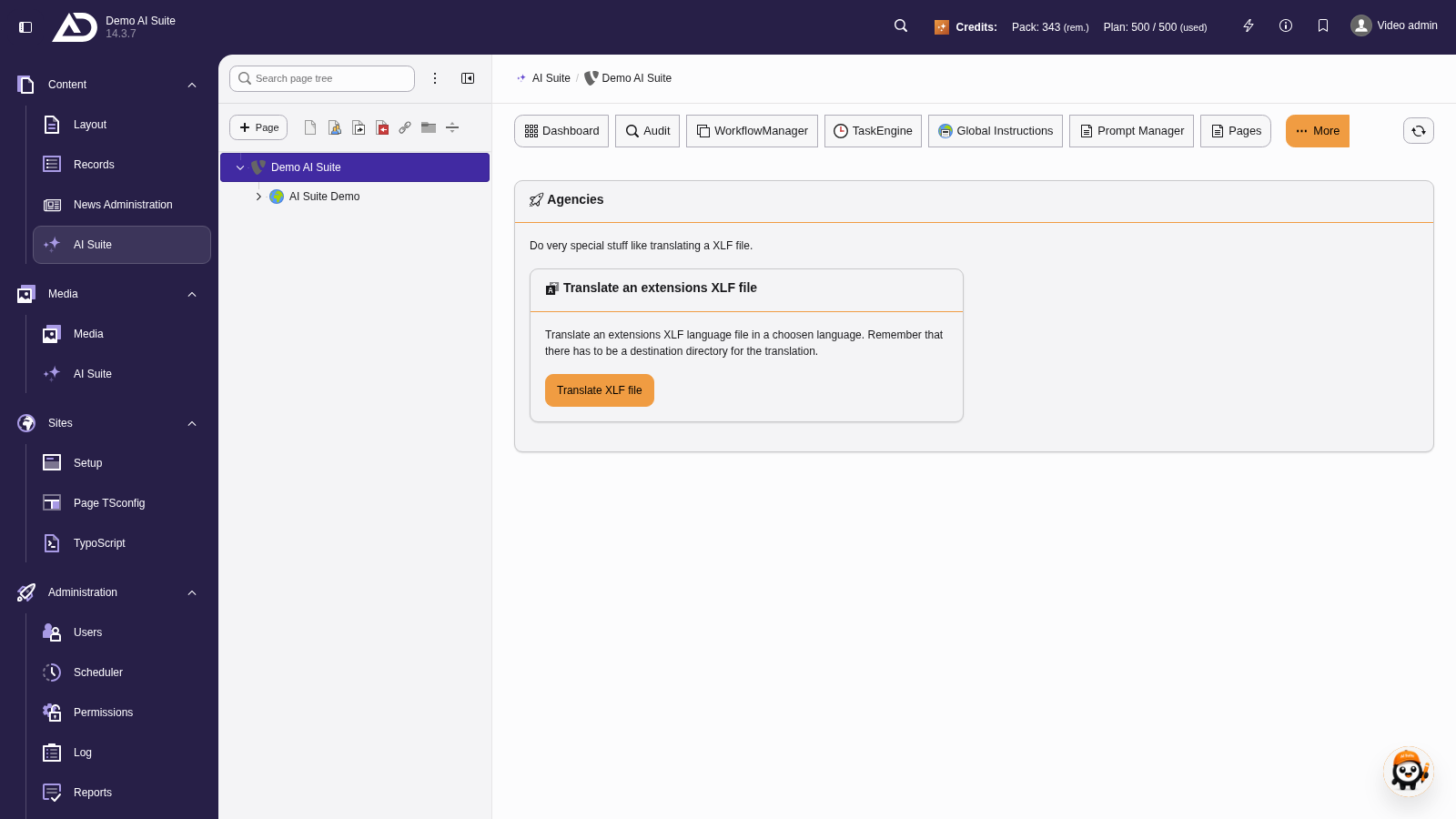
In the backend module “AI Suite”, we choose the menu item “Agency” (in a narrow view via the “More” menu). There we click “Translate XLF file”.
2. Structure of the initial input mask
- Select the desired model for your translation of the XLF file
- Enter the extension key of the extension where your XLF file is stored
- Enter the name of your XLF file in the free text field “Insert default language file name” (e.g. locallang.xlf)
- Choose your target language
- Choose the translation mode: “Translate only missing items” or “Translate the whole file, overwrite existing translations”
- Start your translation
-
Show larger version
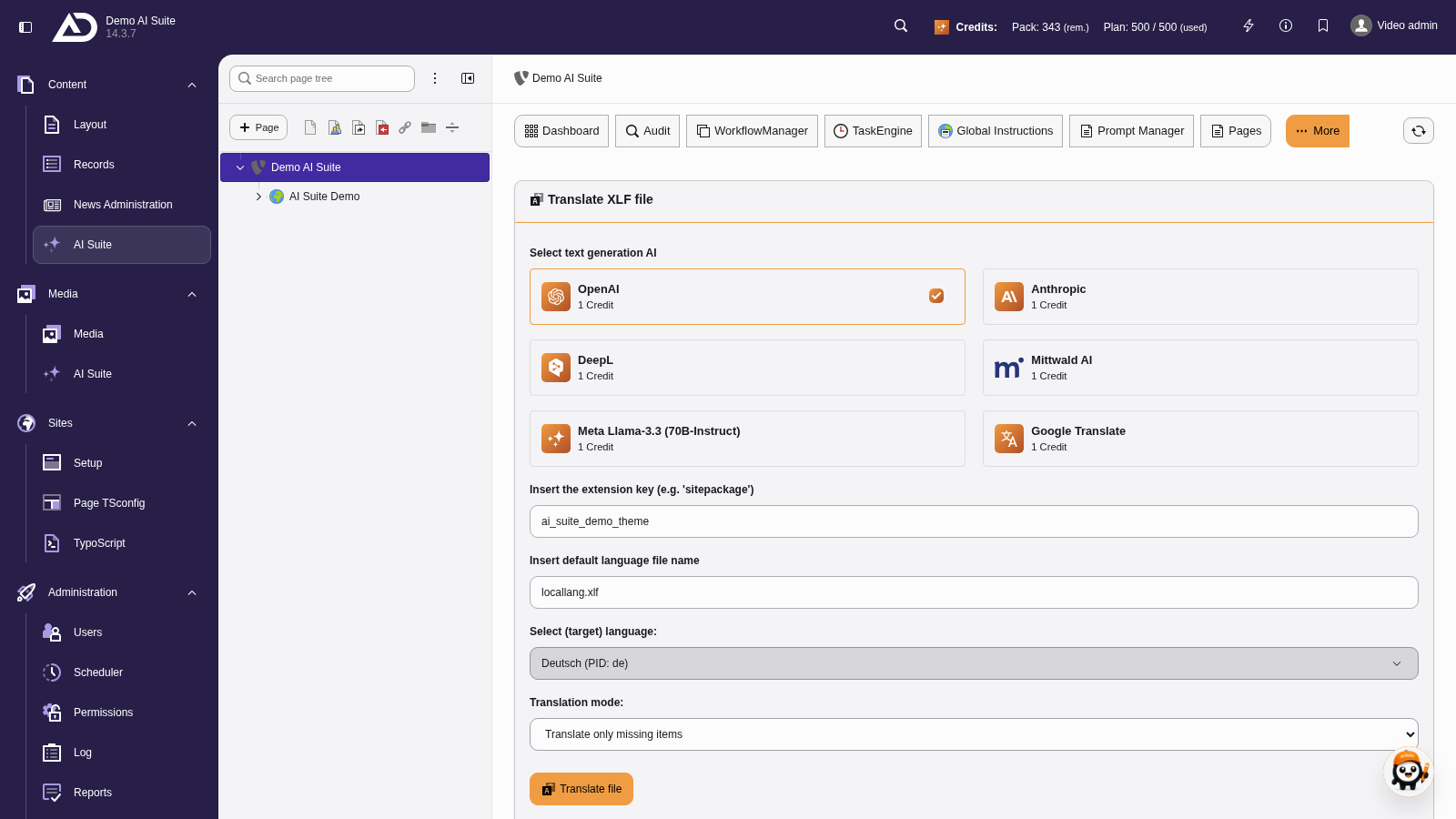
We choose a model, enter the extension key and file name, choose German as the target language and the mode “Translate only missing items”.
XLF files in standard paths
Currently, you can only translate XLF files that are stored in the standard path “Resources/Private/Language/” of the respective extension.
3. Validate the results
After the translation, you validate the results and adjust them if necessary.
The validation mask is structured as follows:
- Translation labels
- Label in the source language as a heading
- ID of the label in parentheses
- Generated translation with the possibility of editing
- Button “Write translations to file system”
-
Show larger version
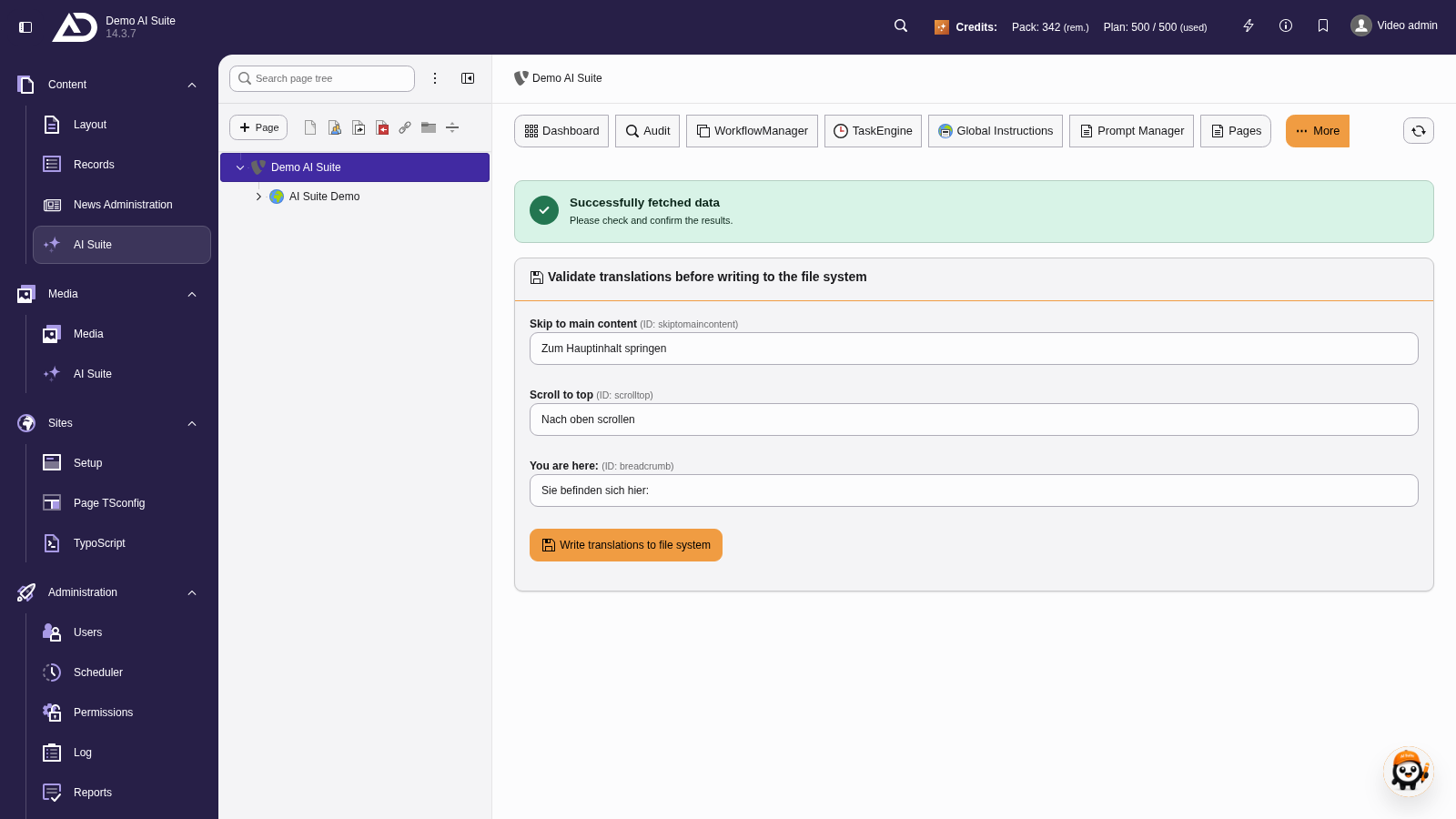
Each label shows the source text, the ID in brackets and the translation, which can be adjusted right away.
-
Show larger version
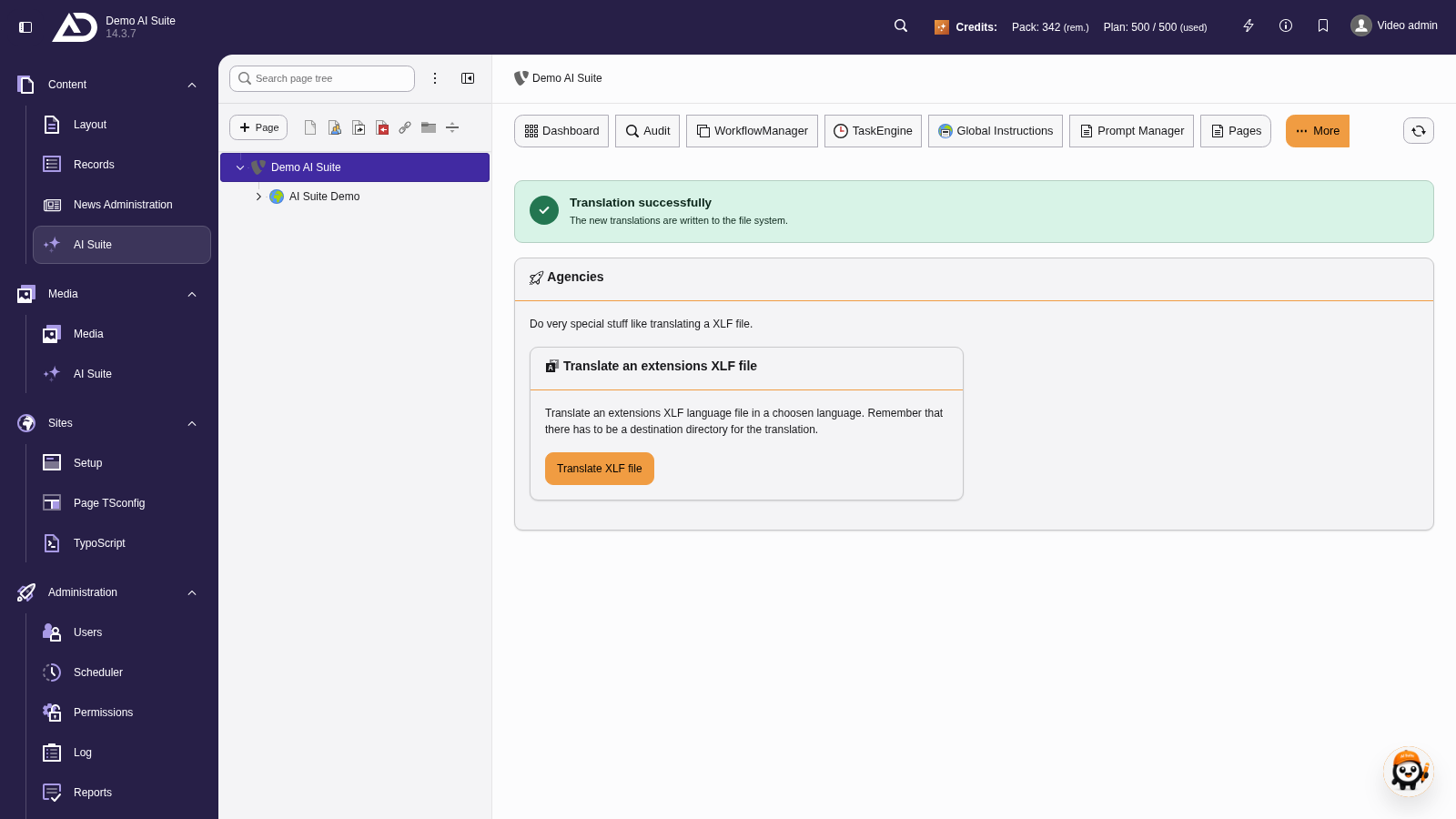
With “Write translations to file system”, the translations go into the language file.