Automatic Translation on Save
Since versions 14.3.0/13.15.0/12.21.0, the AI Suite can automatically translate content elements into all active languages of your page as soon as you save them in the default language. You no longer need to trigger the translation manually. The AI Suite automatically keeps your translations in sync with the original content.
 Only for administrators with access to the extension configuration
This feature must first be activated and configured by an administrator, see Configuration. Once it is active, it will automatically be available to you as an editor, provided your backend user group has the necessary permissions.
How Does Automatic Translation Work?
When you save a content element in the original language, the AI Suite automatically translates it for all languages of your page for which there is no standalone (manually detached) translation yet. Existing translations linked to the AI Suite will be updated to remain in sync with your changes to the original content. Translations that you have already manually detached from the original content (so-called “Free Mode” translations) will not be overwritten.
The following conditions apply:
- Languages for which the page has not been translated yet are skipped.
- If you save within a workspace, no automatic translation takes place.
- You need the permission for automatic translation as well as for the configured translation model.
-
Show larger version
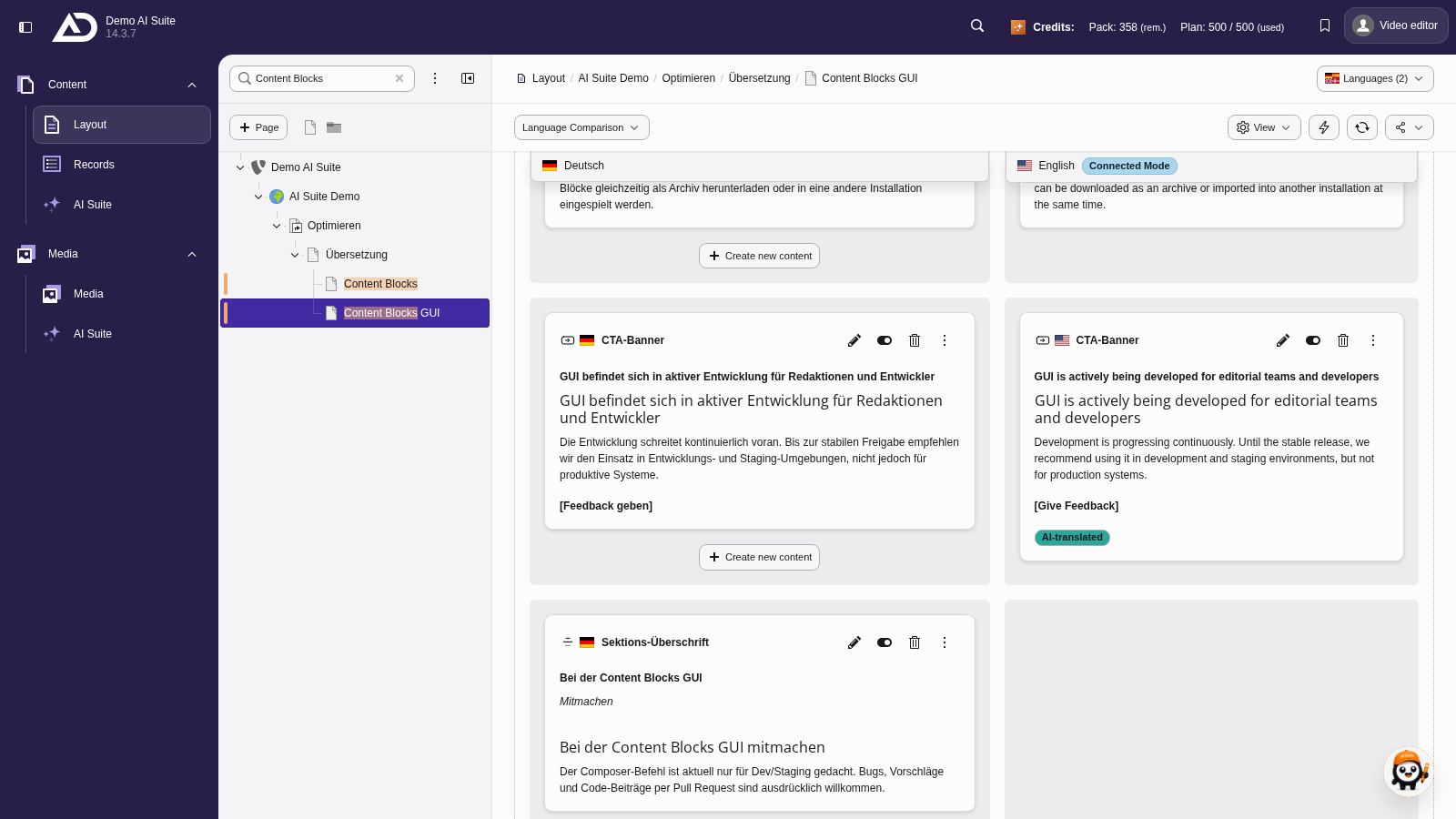
In the language comparison, the English header is already updated without us opening the translation.
When does the translation take place?
Depending on the administrative configuration, the translation occurs in one of three ways:
- Page module (apply on open): The translation is triggered on save and applied as soon as you open the page in the Page module. You see the status in the page tree.
- Directly on save: The translation is created immediately when the content element is saved. Saving therefore takes longer, so this mode is only suitable for a few languages.
- CLI scheduler: The translation is created as a background task and processed via the AI Suite CLI commands or the TYPO3 Scheduler. The command
ai-suite:process-tasksmust run regularly, see CLI Commands.
Note on many changes at once
If you change a lot of content elements in one go (e.g. when saving an entire page), a configurable upper limit applies (default value: 15 elements). If a save operation changes more elements than allowed, no automatic translation takes place for this operation and you receive a corresponding message in the backend. The value 0 means: no limit.